You can use EmpowerHR to record non-employees. A non-employee is someone who is:
- paid on an ad hoc basis, but isn't a casual employee
- a contractor paid by an external agency
- a volunteer worker
- from another company who attends inhouse training in your organisation
This feature lets you record minimal details without having to set up the person as a normal employee.
Add a paid non-employee 
Paid non-employees are individuals who receive pay on an ad hoc basis (not casuals). In EmpowerHR, they:
- are attached to a payroll and can be paid by direct debit
- are allocated within the organisational structure
- do not have an employment history kept in the system
Their pay can be initiated through pay data entry.
By default, EmpowerHR sets the paid non-employee's status to spla (paid non employee (adhoc pay)).
To add a paid non-employee:
- Go to Tasks > Non Employees > Non Employee.
- At the Non Employee summary screen, click Find Now to list all existing paid non-employees.
- Click New.
- At the Non Employee detail screen, make your selections and entries in the non-employee detail fields.
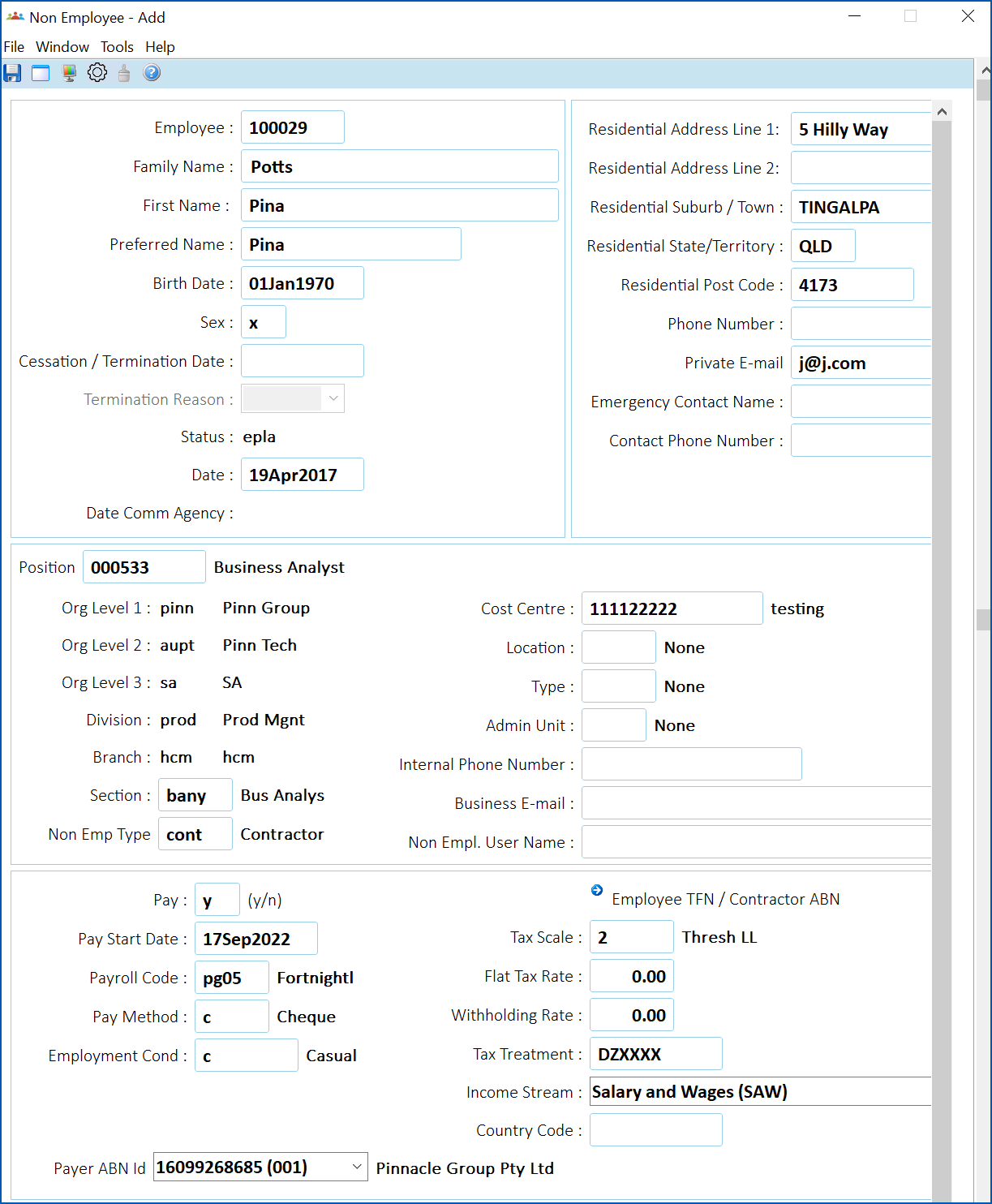
- Click Save.
Add an unpaid non-employee
Unpaid non-employees are individuals who do not receive pay. One example of an unpaid non-employee is a volunteer worker.
By default, EmpowerHR sets the unpaid non-employee's status to xcon (contract).
To add an unpaid non-employee:
- Go to Tasks > Non Employees > Non Employee Unpaid.
- At the Non Employee Unpaid summary screen, click Find Now to list all existing unpaid non-employees.
- Click New.
- At the Non Employee Unpaid detail screen, make your selections and entries in the non-employee detail fields.
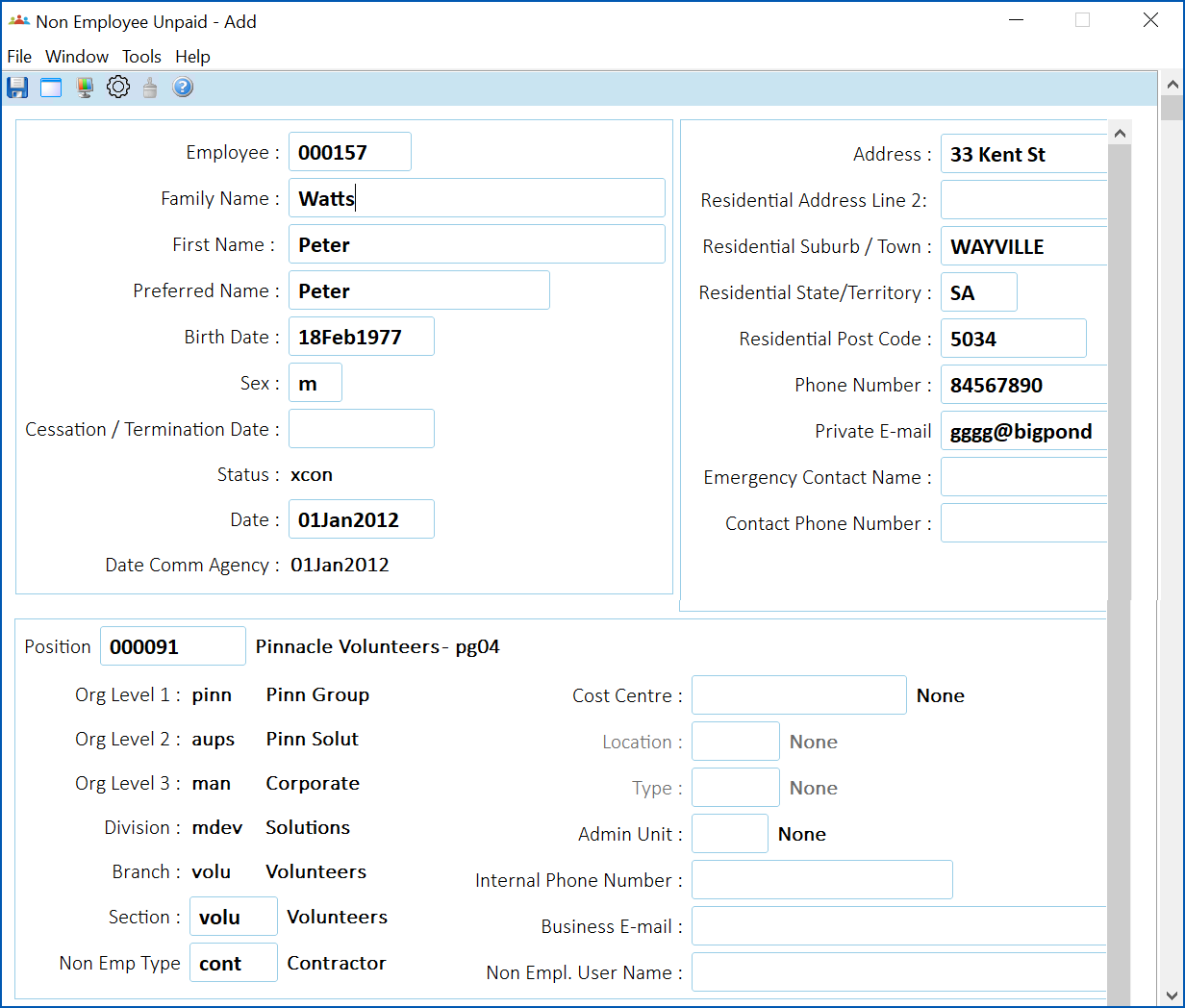
- Click Save.
Add an external trainee non-employee
External trainees are individuals from other establishments who attend inhouse training in your organisation. Adding external trainees (non-employees) to EmpowerHR allows you to record their attendance on courses, and capture personal information to use for mailing, etc.
By default, EmpowerHR sets the external trainee's status to xter (external).
To add an external trainee (non-employee):
- Go to Tasks > Non Employees > External Trainees.
- At the External Trainees summary screen, click Find Now to list all existing external trainees.
- Click New.
- At the External Trainees detail screen, make your selections and entries in the non-employee detail fields.
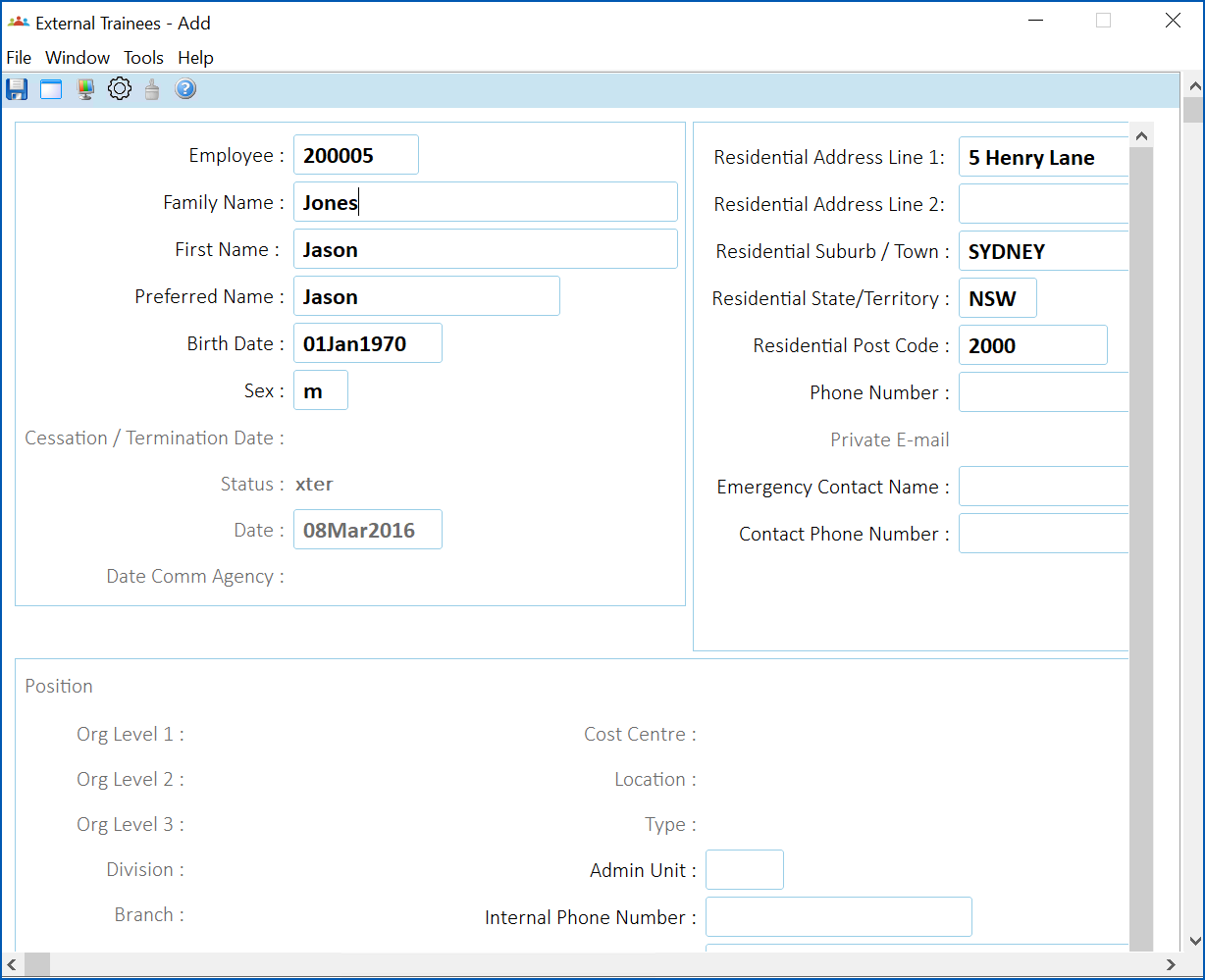
- Click Save.
© 2023 Fusion5. All rights reserved.