We are pleased to present EmpowerHR 2024 Hotfix Build 1.02
What's new in 2024.1.02
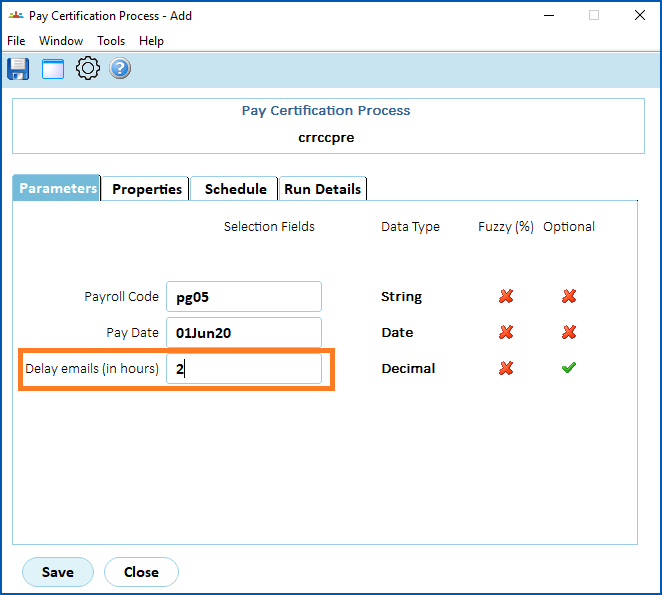
Pay certification process - include a time delay
EMP-8967
Requested by: Department of Communities (DoC)
Located at:
Background Jobs > Payroll Processing > Payroll Output > Pay Certification Report (crrccpre)
This enhancement adds an email delay parameter (delay in hours) to the pay certification process.
David Jones - changes to (A8) employee interface file for reflexis
Project: 46664
EMP-8984
Requested by: David Jones
Located at:
Background Jobs > Extracts > David Jones Data Extract > A8 - Reflexis Data 4.1
The A8 - Reflexis Data extract (criohre4) is enhanced in the following ways.
We've added new columns (87-101) to the end of the file.
| Column | Column name | Field length and type |
|---|---|---|
| 87 | W20S (consent to Work 20 Starts) | 1 character |
| 88 | RegS (Consent to Work Regular Sundays) | 1 character |
| 89 | NCDO (Consent to Non Consecutive Days Off) | 1 character |
| 90 | L15H (Consent to less than 15 hrs per week) | 1 character |
| 91 | 1012 (Consent to work 10-12 Hr Break) | 1 character |
| 92 | Next of Kin Name | 30 characters |
| 93 | Next of Kin Relationship | 4 characters |
| 94 | Next of Kin Home Phone | 20 characters |
| 95 | Next of Kin Mobile Phone | 20 characters |
| 96 | Next of Kin Work Phone | 20 characters |
| 97 | Next of Kin Name 2 | 30 characters |
| 98 | Next of Kin Relationship 2 | 4 characters |
| 99 | Next of Kin Home Phone 2 | 20 characters |
| 100 | Next of Kin Mobile Phone 2 | 20 characters |
| 101 | Next of Kin Work Phone 2 | 20 characters |
We've updated column (35) to include SilW.
| Column | Column name | Field length and type |
|---|---|---|
| 35 | ARU | 1 character |
David Jones - general ledger split by payroll code
iHelp: 488257, project: 46122
EMP-8840
Requested by: David Jones
Located at:
Background Jobs > Payroll Processing > Interfaces >...
The General Ledger (GL) process is enhanced to help with resolving reconciliation issues.
The new process allows creation of separate GL files for individual Payroll Codes, and transfer of multiple files to the David Jones network.
It also produces separate GL files for any ad hoc pay runs processed for payrolls.
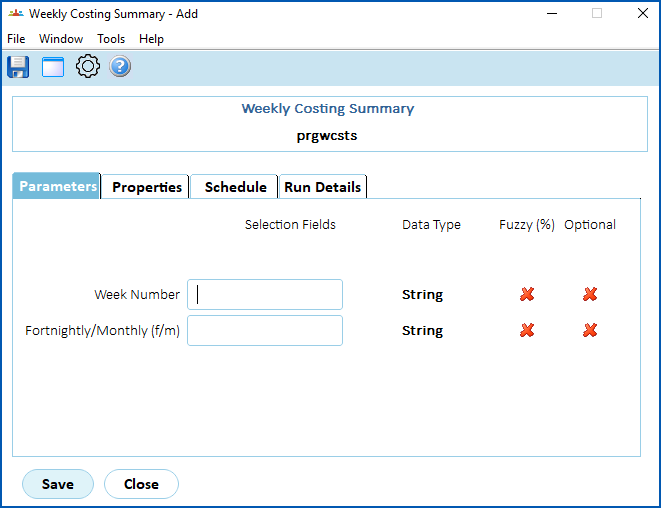
- changed the parameter to use Week Number instead of Week End Date
- added a new parameter called Fortnightly/Monthly (f/m) that requires a valid entry of either f (fortnightly) or m (monthly)
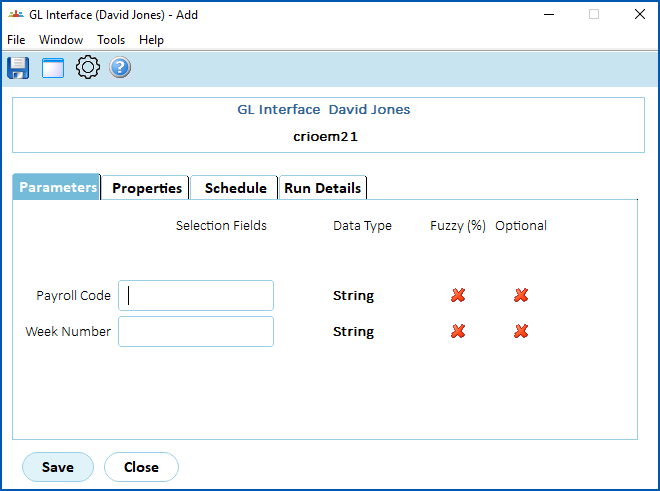
- added a new parameter called Payroll Code
- changed the parameter to use Week Number instead of Week End Date
Issues resolved in 2024.1.02
Conditions change screen - incorrect hours per period
iHelp: 512326
EMP-9110
Requested by: Department of Communities (DoC)
Issue
Located at:
Tasks > Employees > Position Movement > Conditions Change
When a part-time employee is assigned a temporary movement (such as Higher Class Duties, Internal Secondments, or Redeployment), the Hrs per Period column of the movement displayed on the Conditions Change screen shows an incorrect amount (that is, shows a full-time instead of part-time amount).
Resolution
We've fixed the issue so the Hrs per Period reflects the part-time employee's substantive hours.
Leave request - pay rate field (when set to hidden is still visible)
iHelp: 505703
EMP-9063
Requested by: Department for Education, Children, and Young People (DECYP)
Issue
Located at:
Employee: Requests > Leave
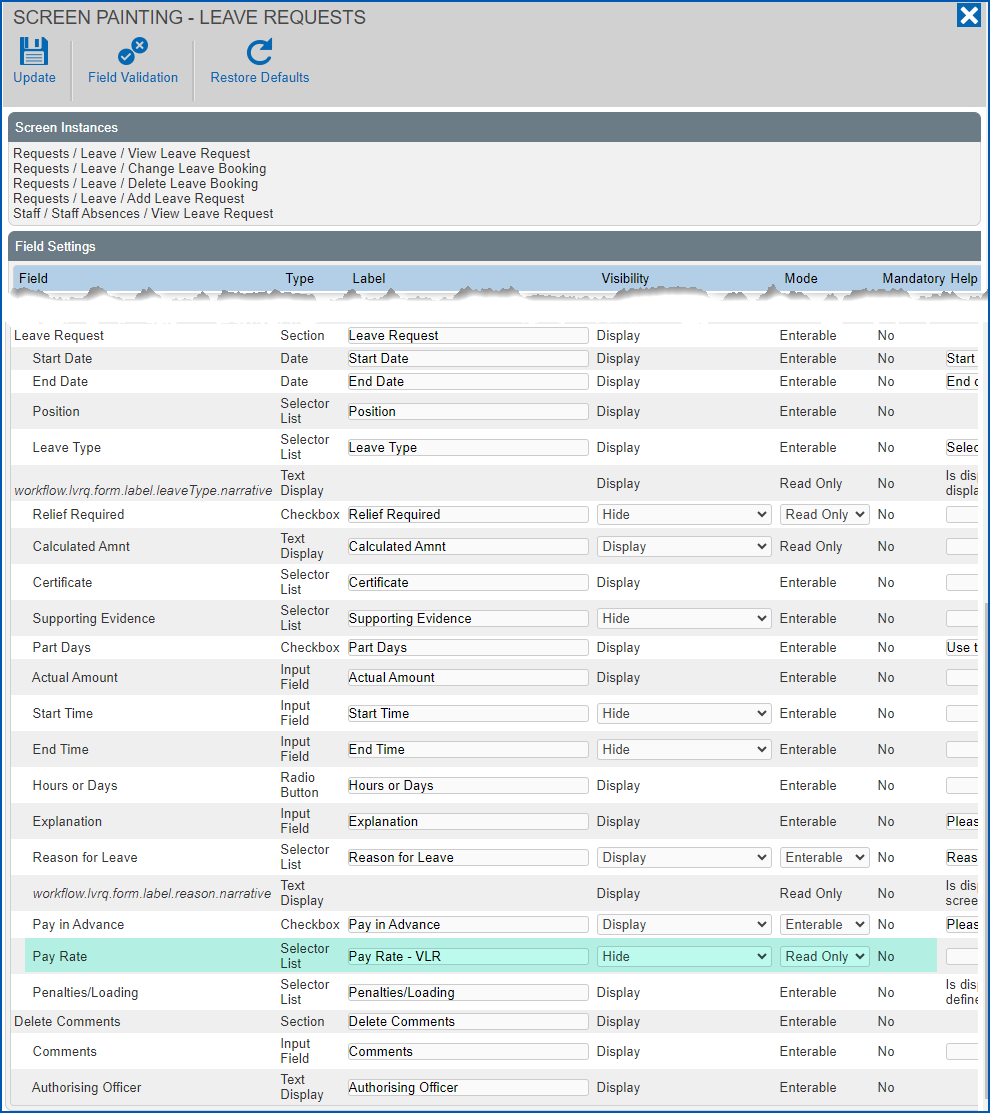
Admin: Administration > Screen Management > Screen Painting > Self Service > Requests > Leave > Add Leave Request
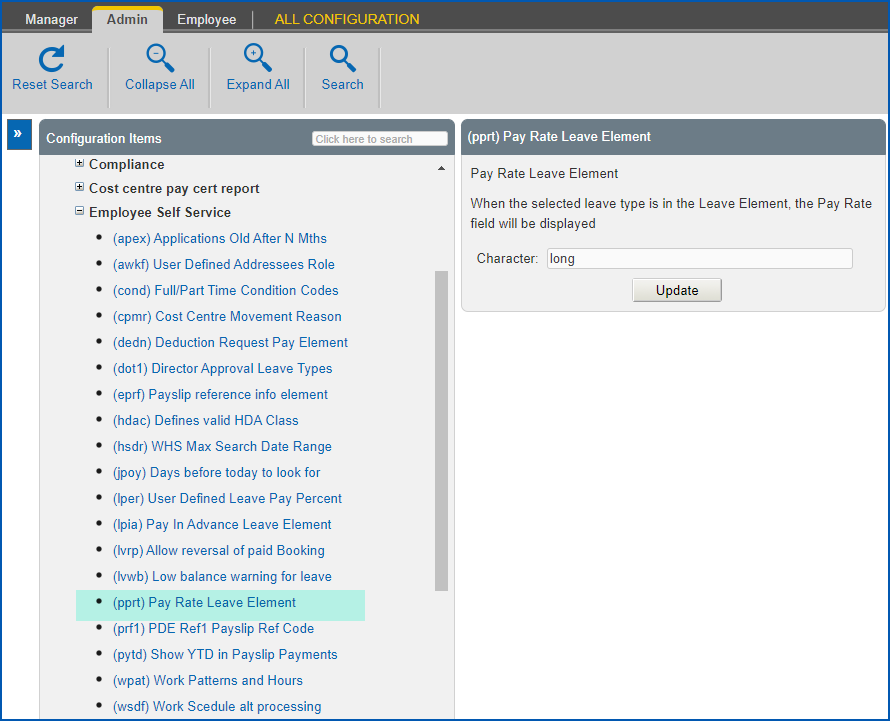
Admin: Configuration > Self Service > Employee Self Service > (pprt) Pay Rate Leave Element
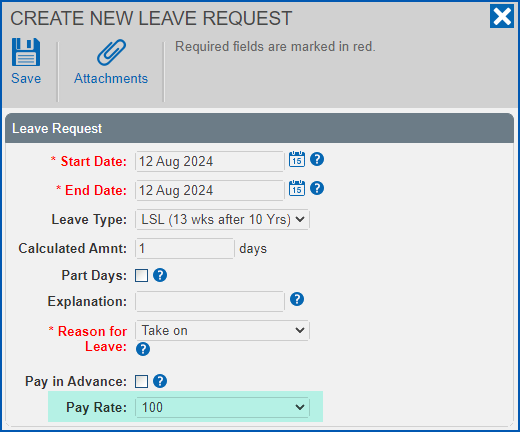
The Pay Rate field still displays when creating, viewing or updating a leave request, even though:
- the Pay Rate field is set to Hidden using screen painting, and
- the installation setting (pprt) Pay Rate Leave Element is left blank
Resolution
We've fixed the issue so the following occurs.
EmpowerHR shows the Pay Rate if:
- the field is set to Display in screen painting, and
- the leave element is provided in the (pprt) Pay Rate Leave Element installation setting for the leave type you want the Pay Rate field to display
EmpowerHR shows the Pay Rate if:
- the field is set to Display in screen painting, and
- the (pprt) Pay Rate Leave Element installation setting is blank
EmpowerHR does not show the Pay Rate if:
- the Pay Rate field is set to Hidden in screen painting
© 2023 Fusion5. All rights reserved.