 How do I change an incorrect income stream?
When you complete a pay run, EmpowerHR writes the records to Pay History together with the income stream.
If the income stream for any record is incorrect, you can update it via the STP Income Stream Adjustment screen. This screen only shows records for completed pay runs.
To change an incorrect income stream: 
- Go to Tasks > Payroll > Payroll Processing > STP Income Stream Adjustment.
- At the STP Income Stream Adjustment summary screen, first filter your search by selecting a type of record in Look In, and then entering a date range in the Payment Date From and Payment Date To fields.

|
EmpowerHR accesses payment history records, which are many, so it's best to filter your search. |
- Click Find Now.
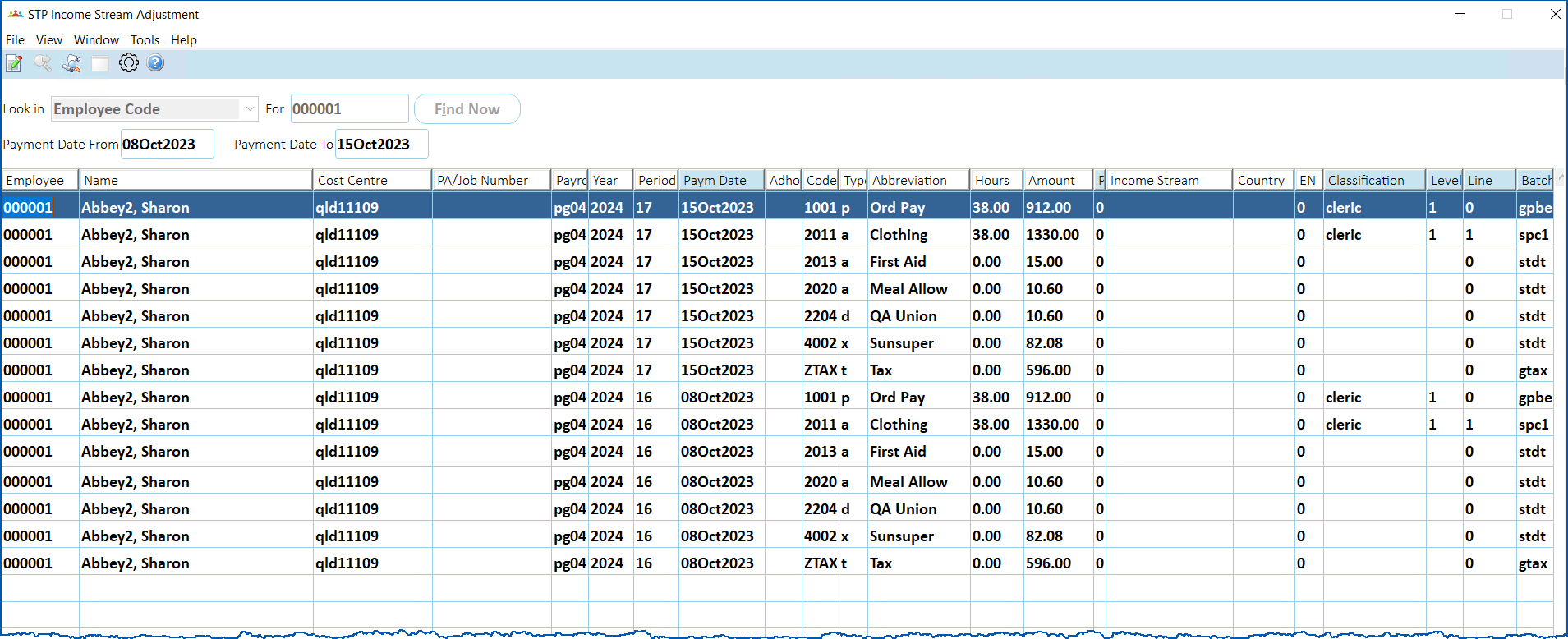
- Select the record you want to change, and then click Open.
- At the STP Income Stream Adjustment details screen, change the Income Stream (and, if required, the Country Code).
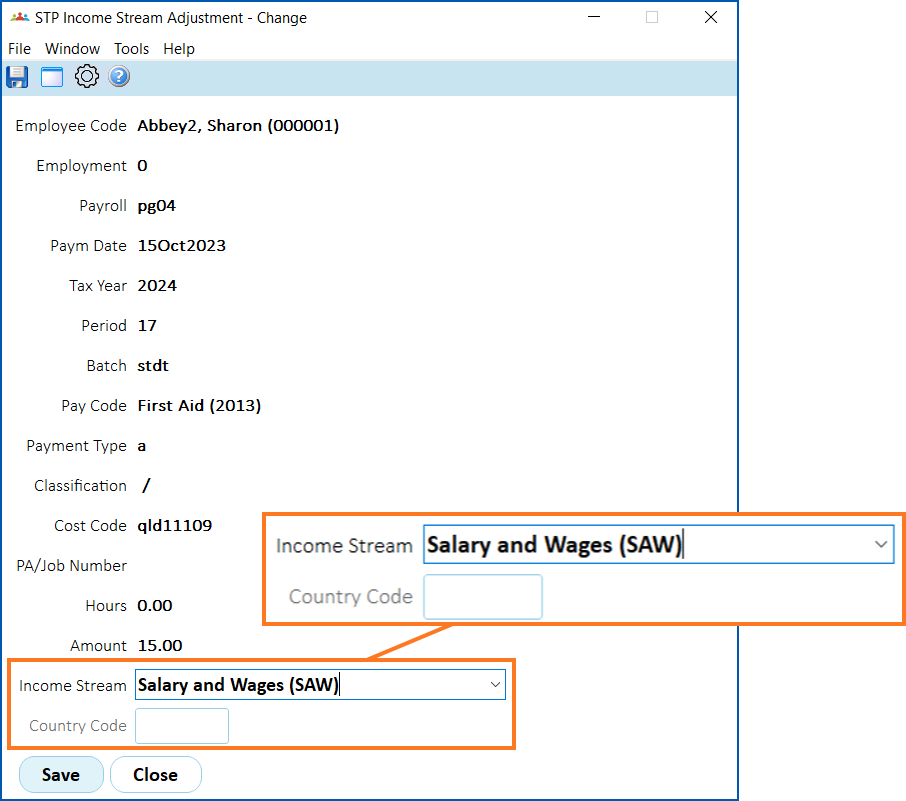
- Click Save.
© 2023 Fusion5. All rights reserved.