---
title: "What you need to set up (multiple employments)"
id: "what-you-need-to-set-up-multiple-employments"
project: "EHR User Guide"
url: "https://help.cloud5.com.au/articles/ehr-user-guide/what-you-need-to-set-up-multiple-employments"
updated: 2026-10-19T00:53:13Z
---
# What you need to set up \(multiple employments\)
We recommend you use the dedicated **New Employment** screen for adding new employments. While it's not compulsory, using this screen offers more control over who can add new employments (security access), so they are created when appropriate and not confused with other movements.
|  | Once you add a new employment, you can record movements via the standard screens your organisation uses, for example, **Transfer**, **Conditions Change**, etc. |
| --- | --- |
Use the following procedure to make sure you're set up to use the **New Employment** screen and movement reason, **ploy**.
## Confirm transaction rule for new employments
To confirm the transaction rule is set for new employments and the New Employments screen: 
1. Go to **Administration** > **Screen Managemen** **t** > **Transaction Rules** > **Rules by Frame/Function**.
2. At the **Rules by Frame/Function** summary screen, find the **New Employment** frame.
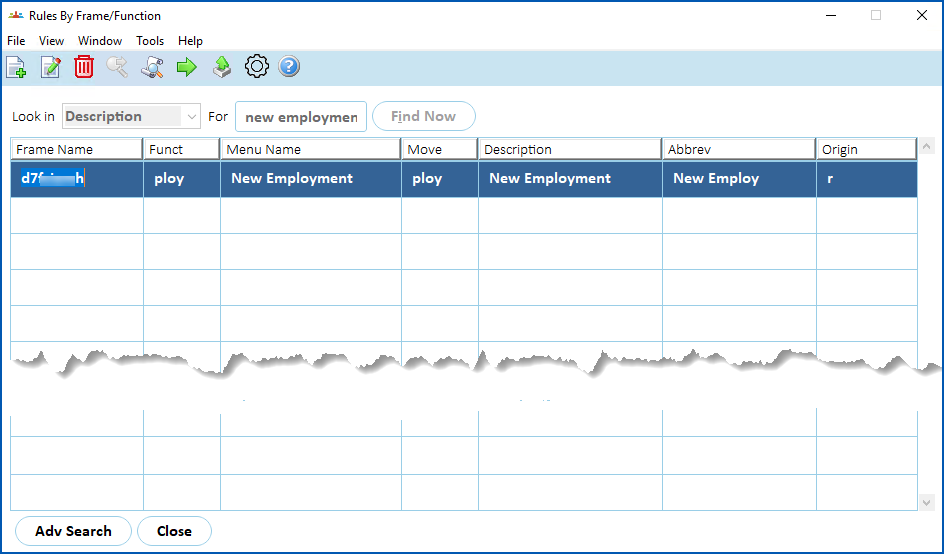
1. Click **Next Level**.
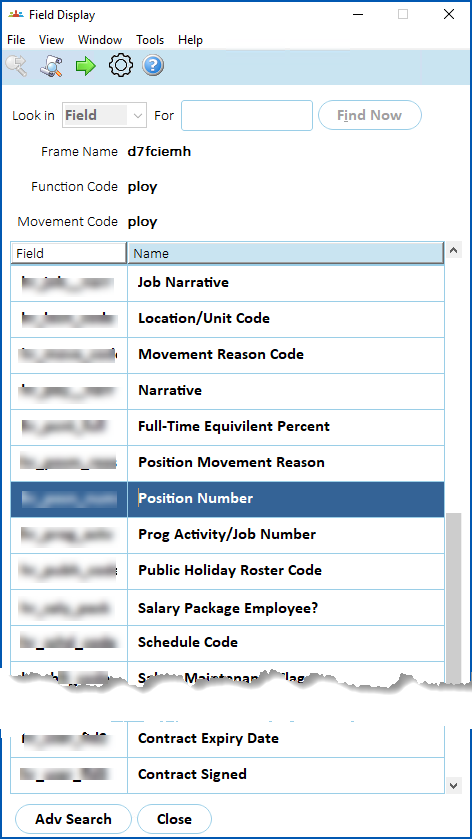
2. At the **Field Display** summary screen, click **Find Now** to list all fields associated with new employments.
3. Select the **Position Number** field, and then click **Next Level**.
1. At the **Field Options** summary screen, make sure **Allow multiple employments** is set to **y** (yes).
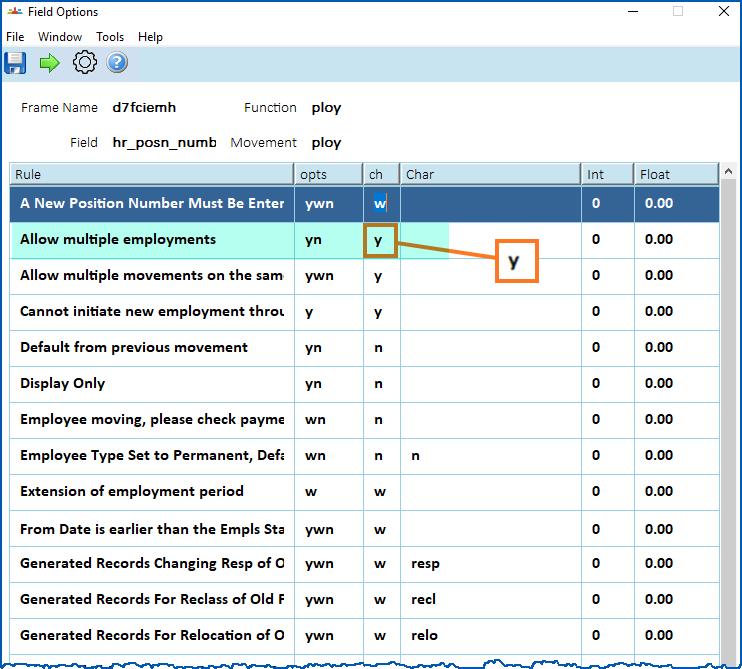
|  | If **Allow multiple employments** is set to **n** (no), EmpowerHR allows only a single employment per employee. The system displays an error massage when you attempt to create a new employment. |
| --- | --- |
| Next topic
[Add a new employment](/articles/ehr-user-guide/add-a-new-employment) |
| --- |
© 2023 Fusion5. All rights reserved.