---
title: "View school increment and YTD"
id: "view-school-increment-and-ytd"
project: "EHR User Guide"
url: "https://help.cloud5.com.au/articles/ehr-user-guide/view-school-increment-and-ytd"
updated: 2026-10-19T00:53:23Z
---
# View school increment and YTD
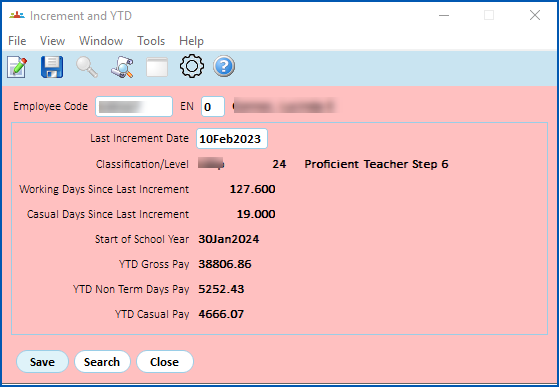
While this enquiry screen shows the same information as shown on the corresponding screen available from the Tasks menu, you can view but not change any of the information. The information is based on the current date.
To view school increment & YTD information:
1. Go to **Enquiries** > **School** > **Increment & YTD**.
| Next topic
[View school sick leave balances](/articles/ehr-user-guide/view-school-sick-leave-balances) |
| --- |
© 2023 Fusion5. All rights reserved.