Use this enquiry screen to search for occupancy of a position.
To view position history:
- Go to Enquiries > Establishment > Position History Enquiry.
- EmpowerHR displays the Position History Enquiry screen.
- At Look in, select an option from the dropdown list, and then enter search criteria in For.
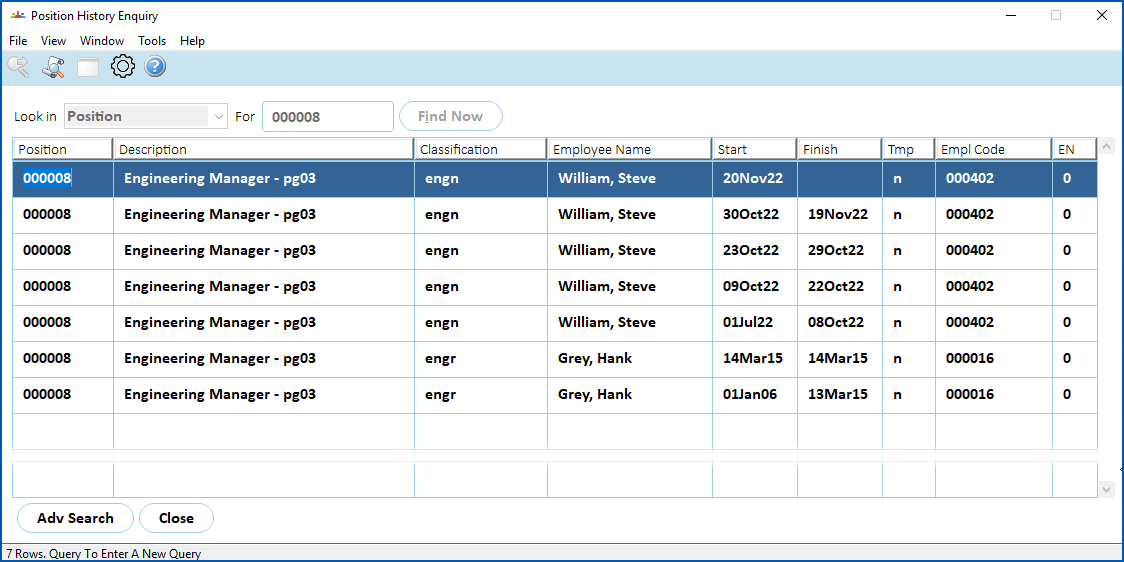
- Click Find Now. The results are displayed. In the following example, we searched on Position. EmpowerHR displays the results that match the position search criteria, listing the employees who have occupied the position, the date the employee started in the position and, where appropriate, the date the employee finished in the position.
© 2023 Fusion5. All rights reserved.