---
title: "View position count - personnel"
id: "view-position-count-personnel"
project: "EHR User Guide"
url: "https://help.cloud5.com.au/articles/ehr-user-guide/view-position-count-personnel"
updated: 2026-10-19T00:53:48Z
---
# View position count \- personnel
Use this enquiry screen to search for positions that match personnel-related criteria. This allows you to search on a position number, or a position description, or a range of items at once.
To view position count - personnel:
1. Go to **Enquiries** > **Establishment** > **Position Count - Personnel**.
2. EmpowerHR displays the **Position Count - Personnel** screen.
3. At **Look in**, select an option from the dropdown list, and then enter search criteria in **For**.
4. Click **Find Now**. The results are displayed. In the following example, we searched on **Class** (classification). EmpowerHR displays the results that match the classification search criteria, listing each position and the establishment action.
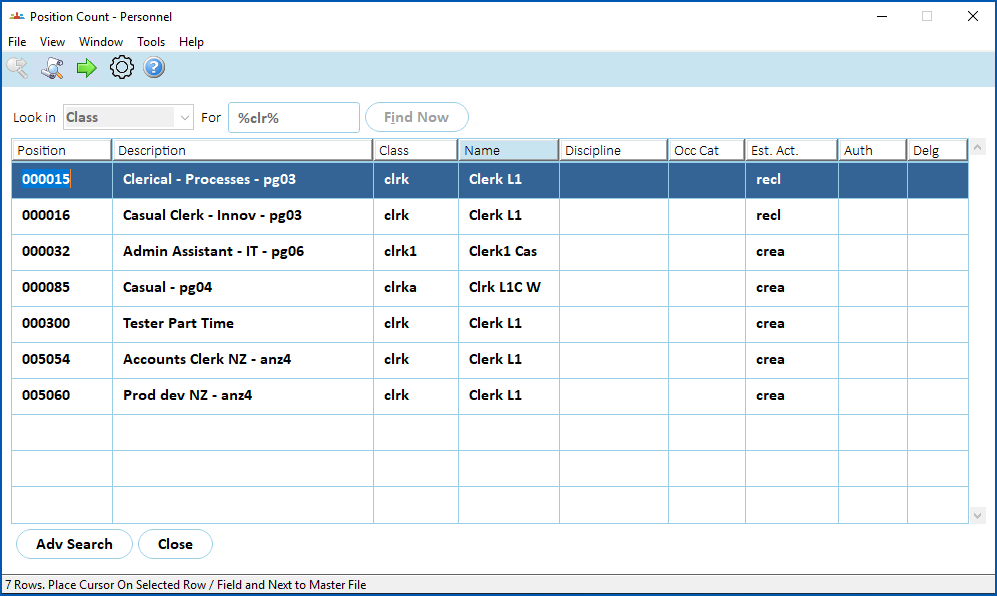
1. If you want to drill down to see details of a particular position listed, select the row containing the position, and then click **Next Level**.
| Next topic
[View position count - position](/articles/ehr-user-guide/view-position-count-position) |
| --- |
****
© 2023 Fusion5. All rights reserved.