---
title: "View operator job log"
id: "view-operator-job-log"
project: "EHR User Guide"
url: "https://help.cloud5.com.au/articles/ehr-user-guide/view-operator-job-log"
updated: 2026-10-19T00:54:26Z
---
# View operator job log
For audit purposes, EmpowerHR logs all major processing tasks which you can view in the operator job log.
To view the operator job log:
1. Go to **Enquiries**>**Administration**>**Operator Job Log Enquiry.**
2. At the **Operator Job Log Enquiry** screen, to:
1. display all log records, click **Find Now**, *or*
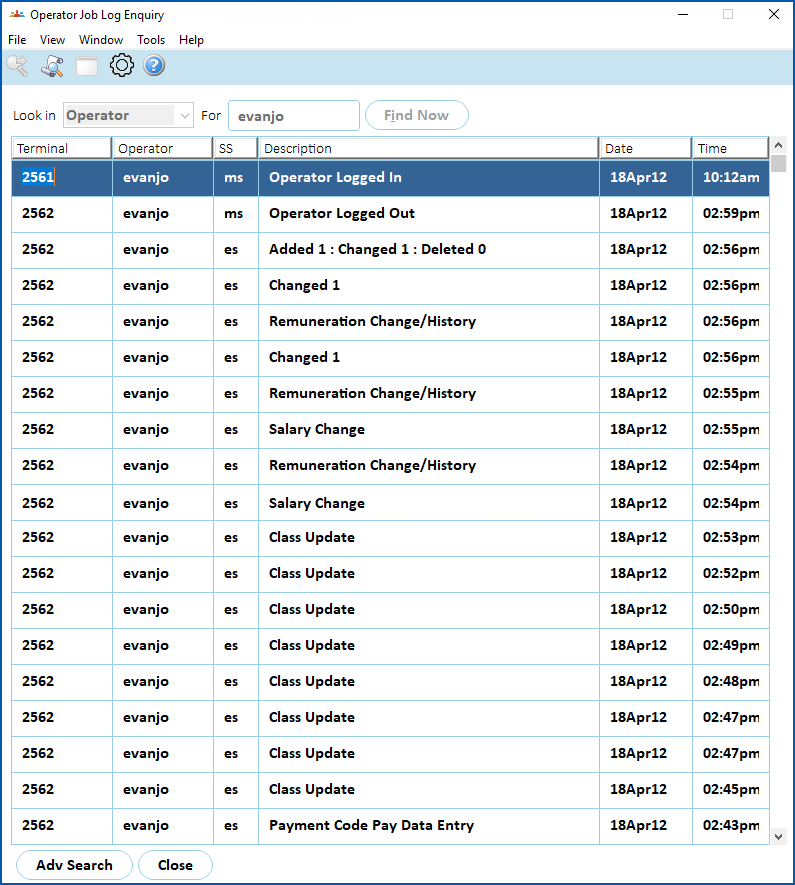
2. narrow the search, select an option from the **Look in** dropdown list, enter your search criteria in the **For** field, and then click **F** **ind Now**.
|  | Given the large volume of records, it's recommended you choose to narrow your search. |
| --- | --- |
1. The results are displayed.
| Next topic
[View login attempts](/articles/ehr-user-guide/view-login-attempts) |
| --- |
© 2023 Fusion5. All rights reserved.