---
title: "View employee balances"
id: "view-employee-balances"
project: "EHR User Guide"
url: "https://help.cloud5.com.au/articles/ehr-user-guide/view-employee-balances"
updated: 2026-10-19T00:53:44Z
---
# View employee balances
You can view the following employment information from the one enquiry screen:
* annual leave and personal leave balances
* FTE%
* position description
To view annual and personal leave balances: 
1. Go to **Enquiries**>**Leave**>**Annual & Personal Leave**.
2. Do one of the following:
1. enter an employee code in the **For**field to enquire on a specific employee, *or*
2. enter part of an employee code and **%**(percentage) to enquire on a range of employees, for example **00000%**,*or*
3. leave the **For**field blank to enquire on all employees
3. Click **Find Now**. The results are displayed.
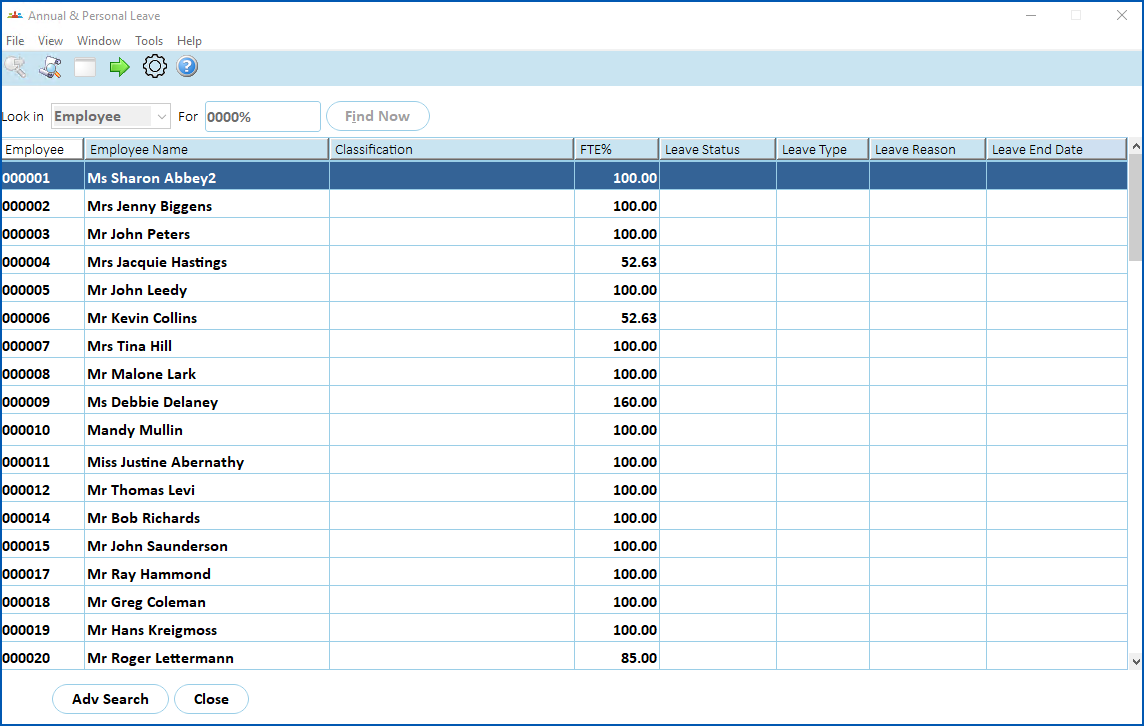
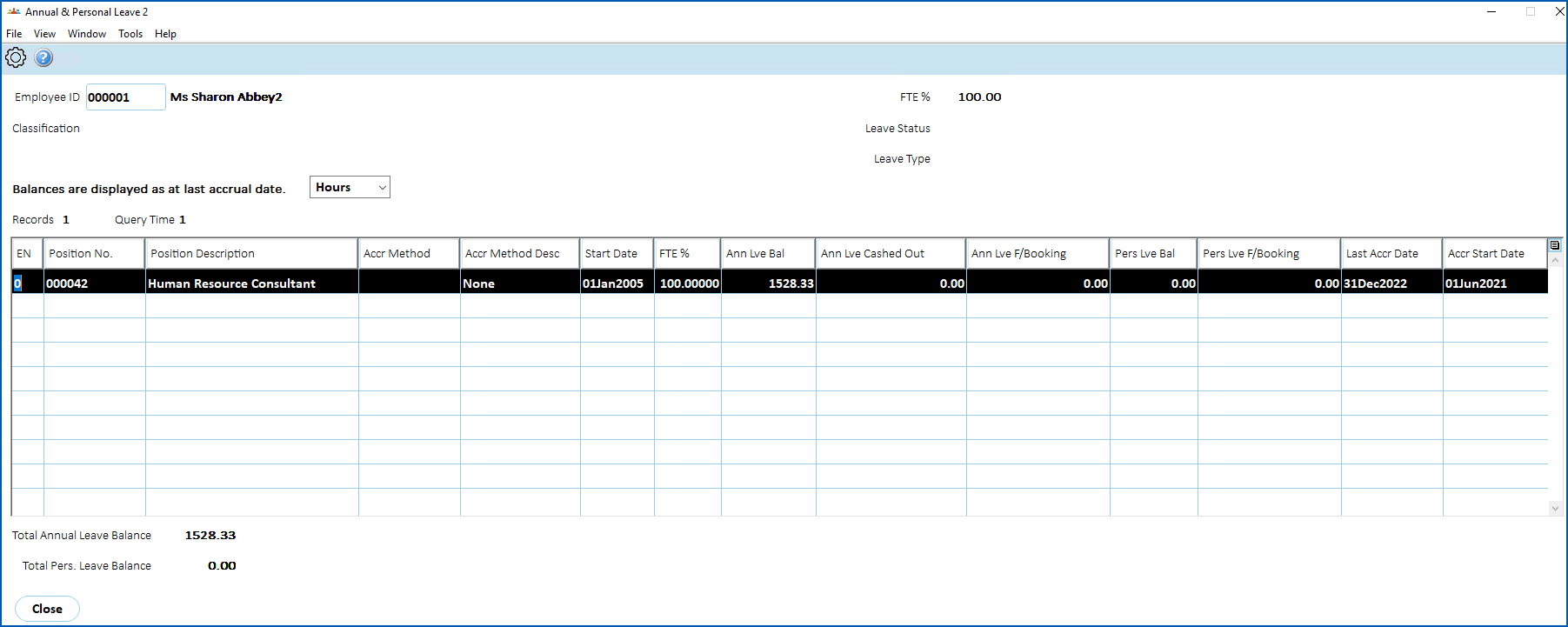
1. Select a row and click **Next Level** to view the employee's annual and personal leave taken.
2. A single row displays for each current employment. You can view the details in hours or days by making a selection from the **Balances are displayed as at last accrual date** dropdown list.
| Next topic
[View employee leave browse](/articles/ehr-user-guide/view-employee-leave-browse) |
| --- |
© 2023 Fusion5. All rights reserved.