---
title: "View annual and personal leave"
id: "view-annual-and-personal-leave"
project: "EHR User Guide"
url: "https://help.cloud5.com.au/articles/ehr-user-guide/view-annual-and-personal-leave"
updated: 2026-10-19T00:52:53Z
---
# View annual and personal leave
Use this enquiry screen to view personal and annual leave balances, and how much personal and annual leave has been taken over different employments.
## View annual and personal leave
To view annual and personal leave:
1. Go to **Enquiries**>**Leave**>**Annual & Personal Leave**.
2. At the **Annual & Personal Leave** summary screen, with **Employee** selected from the **Look In** dropdown list, enter the employee code in the **For** field to view a specific employee's information, or else leave the field blank to view all employees.
3. Click **Find Now**. The results are displayed.
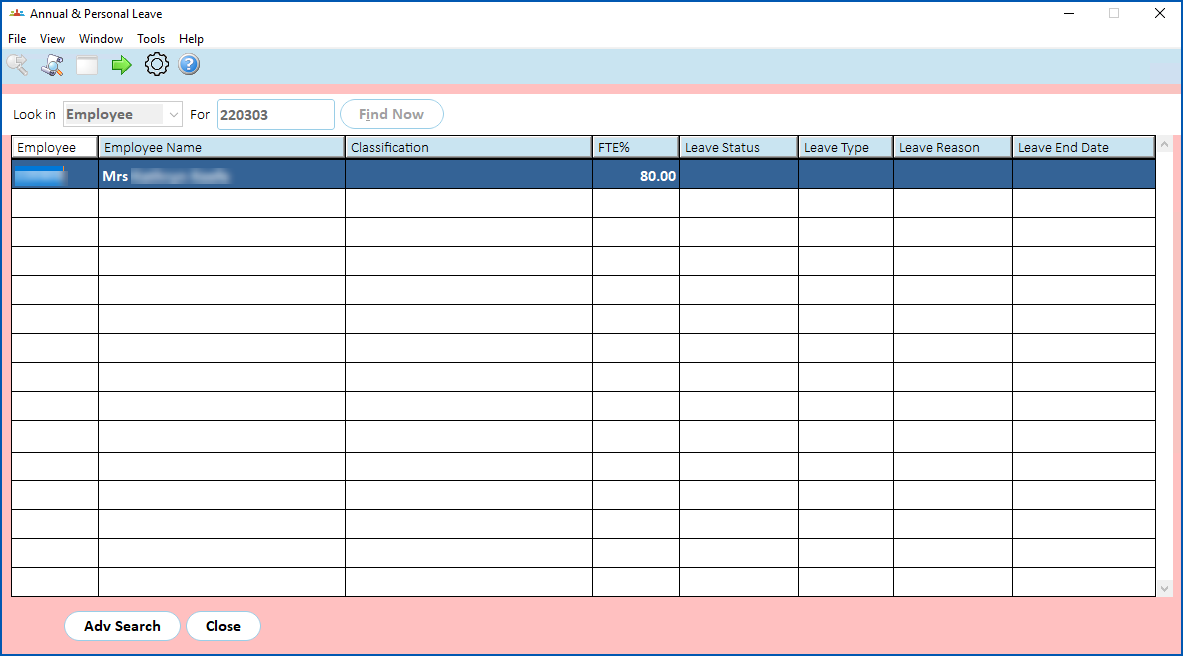
1. Select an employee and click **Next Level**.
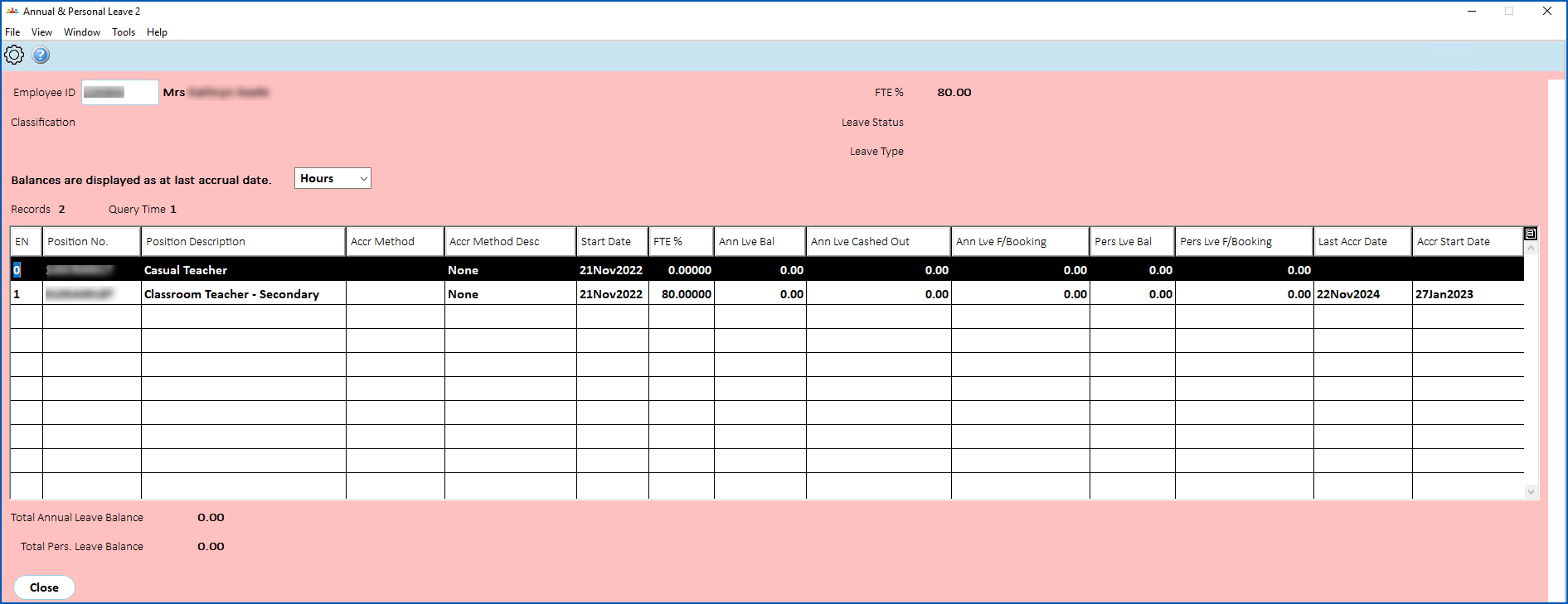
2. The **Annual & Personal Leave** **2** screen displays.
## What's on the annual and personal leave 2 screen?
The following table explains the fields and columns.
|  | The default view of each column is limited to 30 characters. If there are more than 30 characters, you can widen the column to see the full contents. |
| --- | --- |
| **Column/field** | **Description** |
| --- | --- |
| EN | Employment Number relevant to employee position, for example, 0, 1, 2 etc |
| Position No | **Position** field on Employee Position Information screen |
| Position Description | Employee position description, for example, Teacher, Coordinator, etc |
| Accrual Method | Code from the **Authority** field on the Employee Position Information screen |
| Accrual Method Description | Description belonging to the **Authority** field on the Employee Position Information screen |
| Start Date | **Date** field on the Workplace tab under Personal and Address information |
| FTE% | **FTE%** field on Pay Information screen |
| Annual Leave Balance | Balance (annual leave) from Employee Balance Enquiry screen |
| Annual Leave cashed out | Hours recorded for payments made against payment code 1030 |
| Annual Leave future bookings | **Future bkgs** field for annual leave type from Employee Balance Enquiry screen |
| Pers. Leave Balance | **Pers** type from Employee Balance Enquiry screen |
| Pers. Leave future bookings | **Future bkgs** field for pers leave type from Employee Balance Enquiry screen |
| Last accrual date | **Last Accrual Date** from Employee leave screen |
| Accrual Start Date | **Start Date** field from Employee leave screen |
| Total Annual Leave Balance | Sum of Annual Leave balance over different positions |
| Total Pers. Leave Balance | Sum of Pers. Leave balance over different positions |
| Next topic
[View payroll/work pattern](/articles/ehr-user-guide/view-payroll-work-pattern) |
| --- |
© 2023 Fusion5. All rights reserved.