---
title: "Use self service forms"
id: "use-self-service-forms"
project: "EHR User Guide"
url: "https://help.cloud5.com.au/articles/ehr-user-guide/use-self-service-forms"
updated: 2026-10-19T00:53:44Z
---
# Use self service forms
## Forms catalogue
Whether you are an employee using ESS , or a manager working in MSS , a Forms catalogue is available where you create and view forms and their status.
ESS = Employee Self ServiceMSS = Manager Self Service
### Forms catalogue in ESS
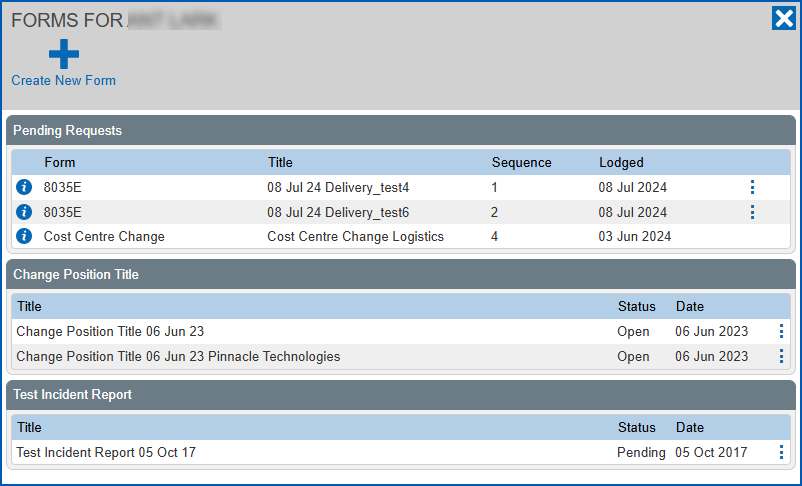
Here's an example of the Forms catalogue in ESS, which you access by clicking **Forms**.
**Pending Requests** lists any forms (with workflow attached) that are submitted and awaiting action.
### Forms catalogue in MSS
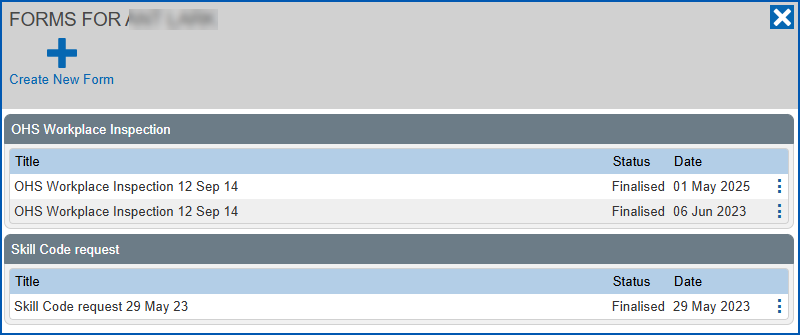
Here's an example of the Forms catalogue in MSS, which you access by clicking **Forms**.
To learn about creating and working with forms, see:
* [Create a form](/articles/ehr-user-guide/create-a-form)
* [View form attachments](/articles/ehr-user-guide/view-form-attachments)
* [View/edit rejected forms](/articles/ehr-user-guide/view-edit-rejected-forms)
* [Finalise a form](/articles/ehr-user-guide/finalise-a-form)
* [Create a manager-initiated form](/articles/ehr-user-guide/create-a-manager-initiated-form)
* [Create a position-based form](/articles/ehr-user-guide/create-a-position-based-form)
| Next topic
[Create a form](/articles/ehr-user-guide/create-a-form) |
| --- |
© 2023 Fusion5. All rights reserved.