---
title: "Use linked payment codes for leave loading"
id: "use-linked-payment-codes-for-leave-loading"
project: "EHR User Guide"
url: "https://help.cloud5.com.au/articles/ehr-user-guide/use-linked-payment-codes-for-leave-loading"
updated: 2026-10-19T00:53:05Z
---
# Use linked payment codes for leave loading
The advantages of using EmpowerHR's linked payment code feature are:
* leave loading is automatically paid without needing to display the leave loading screen
* leave loading is automatically changed/deleted if the leave booking is changed/deleted. Usually, with other methods, you need to manually change/delete leave loading if it has been paid.
|  | If not all of your organisation's leave types need to attract this automatic payment of leave loading, set up two leave payment codes - one that has linked leave loading and one without. |
| --- | --- |
The disadvantages of using the linked payment code feature are:
* leave loading does not show on any of the leave loading enquiry screens as EmpowerHR doesn't recognise the transaction as leave loading (so you need to keep this in mind with reporting, etc)
* there is no flexibility with the loading payment except via pay data entry (PDE)
To set up the linked payment codes feature:
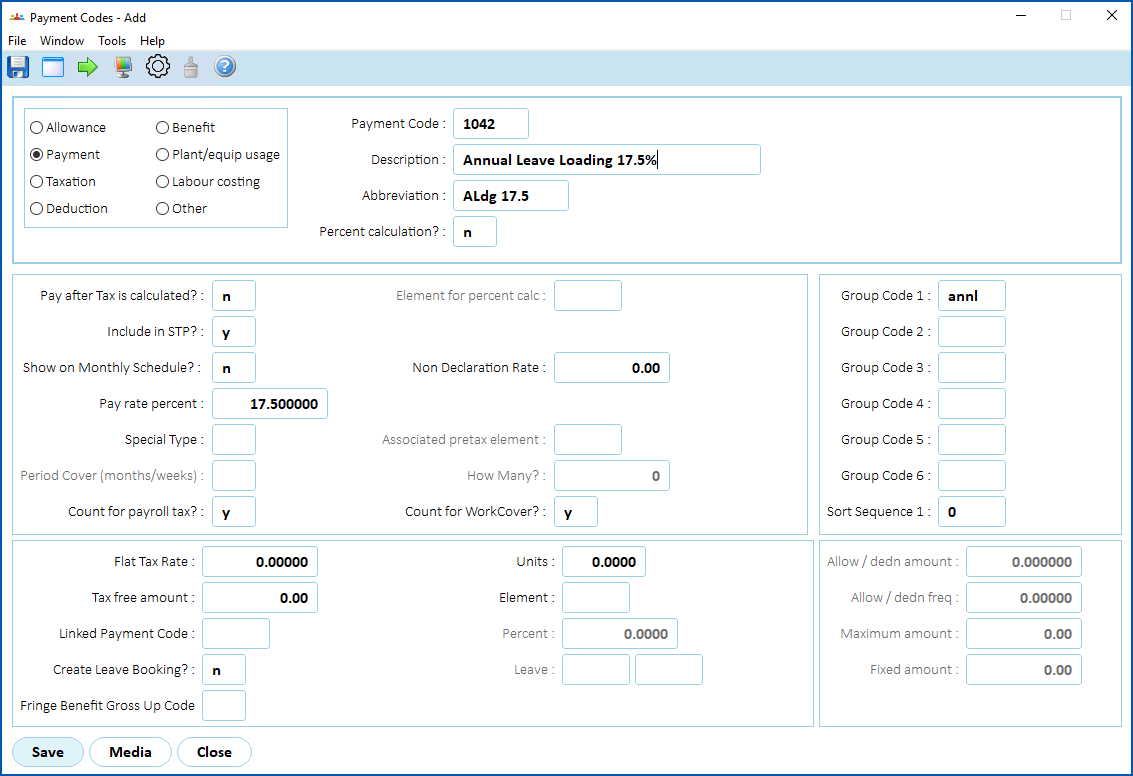
* Create the leave loading payment code...
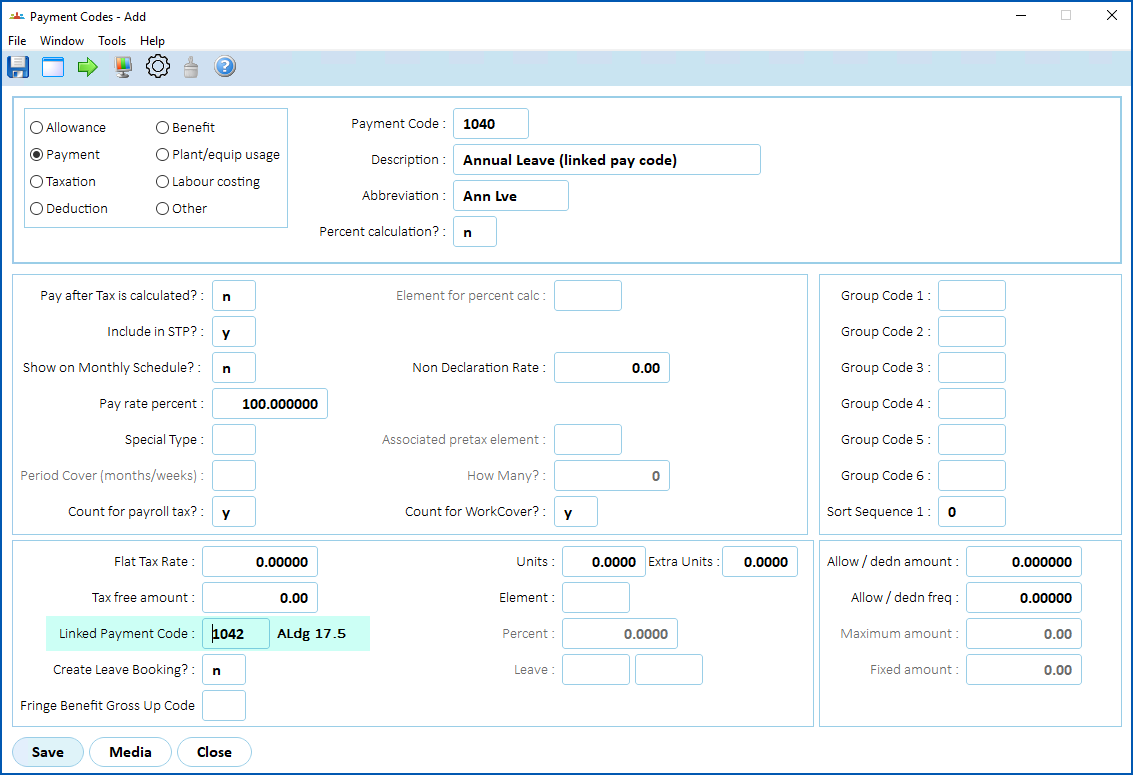
* Create the leave payment code, and enter the leave loading payment code in the **Linked Payment Code** field...
|  | See [payment codes](/articles/ehr-user-guide/payment-codes) if you need more information about how to create a payment code. |
| --- | --- |
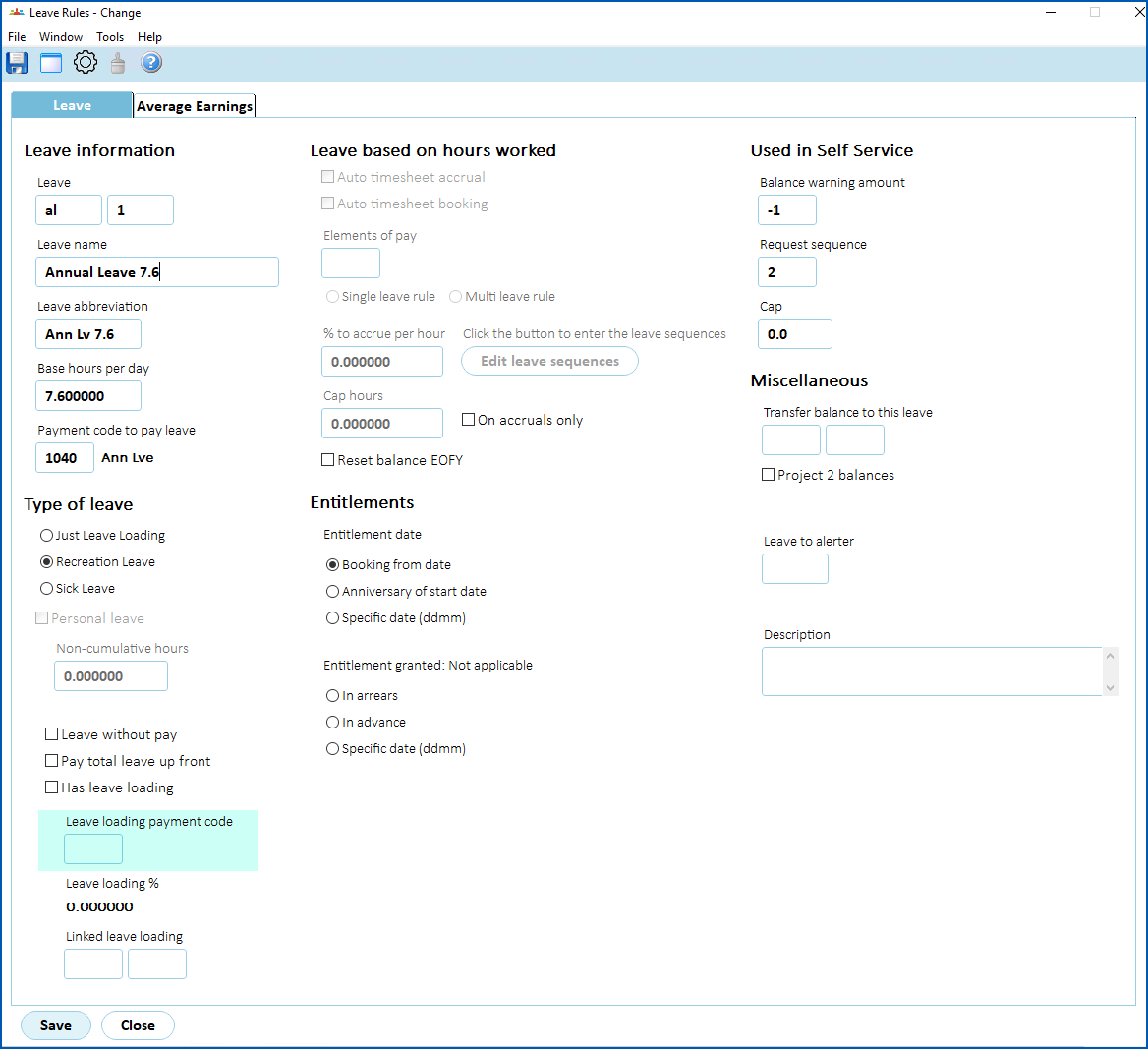
* Set up a leave rule making sure to leave the **Leave loading payment code** field blank...
|  | See [set up leave rules](/articles/ehr-user-guide/leave-set-up-leave-rules) if you need more information about how to create a leave rule. |
| --- | --- |
| Next topic
[Set up leave loading for payout](/articles/ehr-user-guide/set-up-leave-loading-for-payout) |
| --- |
© 2023 Fusion5. All rights reserved.