You make changes to a position that are not date-effective via the Position Details and related next level screens. The types of changes include:
- ANZSCO code
- FTE Allocation
- Position Type and Condition
- Reports To
- Payroll Code
- Base Hours
- % Full Time
- Some narrative fields
To update a position's (non date-effective) details:
- Go to Tasks > Establishment > Positions > Create Positions.
- At the Create Positions summary screen, enter the position number and then click Search.
- Double-click the position. EmpowerHR displays the Position Details screen.
- Go to the tab containing the field you want to update, or else click Next Level to go to another screen containing the field you want to update.
- Click Open.
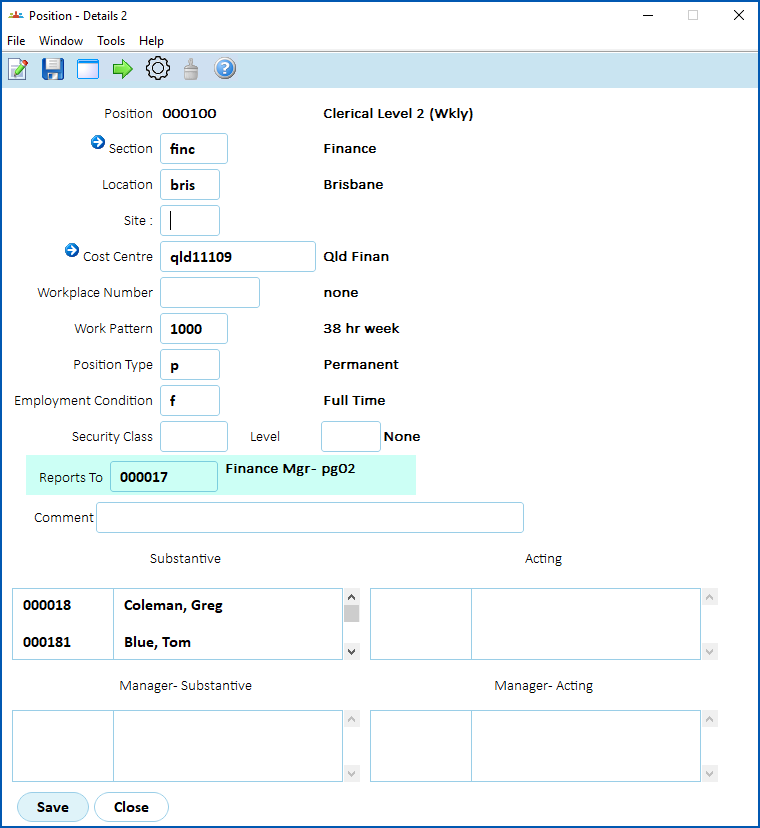
- Make the changes you want. In the following example, we update the Reports To field.
- Click Save.
© 2023 Fusion5. All rights reserved.