---
title: "Units for TASC payments"
id: "units-for-tasc-payments"
project: "EHR User Guide"
url: "https://help.cloud5.com.au/articles/ehr-user-guide/units-for-tasc-payments"
updated: 2026-10-19T00:53:35Z
---
# Units for TASC payments
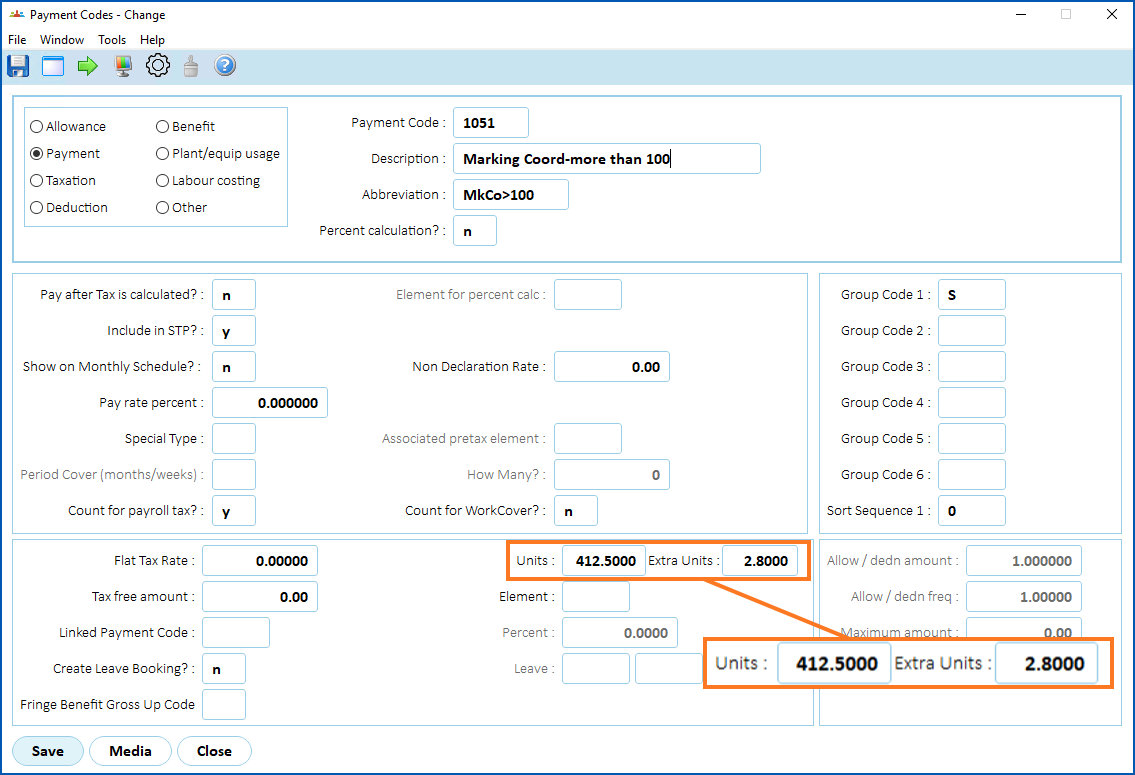
There are two fields on the Payment Code screen called:
* Units
* Extra Units
EmpowerHR uses the values from these fields when calculating the amount to pay for TASC  payment requests.
TASC = Tasmanian Assessment, Standards and Certification
To change the field display settings to allow users to enter values in these two fields: 
1. Go to **Tasks** > **Payroll** > **Payment Codes**.
2. At the **Payment Codes** summary screen, click **Find Now** to list all existing payment codes.
3. Select a payment code.
4. Click **View**, and then click **Retrieve Detail**.
5. At the **Payment Code** detail screen, click **Screen Painting**.
6. The **Painting Payment Codes** screen displays a list of fields.
7. Select the payment code field called **Units**, and then click **Open**.
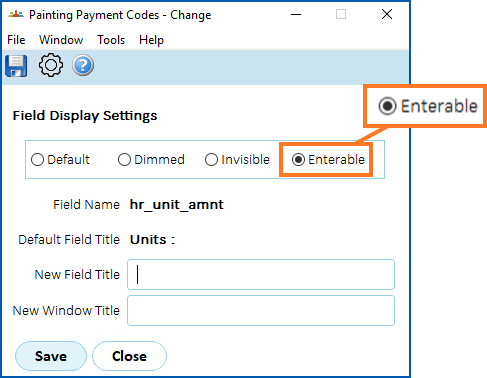
8. At the **Painting Payment Codes** detail screen, select **Enterable** to allow users to enter data in the field.
1. Click **Save**.
2. The **Painting Payment Codes** screen displays a list of fields.
3. Select the payment code field called **Extra Units**, and then click **Open**.
4. At the **Painting Payment Codes** detail screen, select **Enterable** to allow users to enter data in the field.
5. Click **Save**, and then click **Preview**so you can view the effect on the screen before committing to the changes.
6. Click **Accept**, and then click **Close**. The changes take effect.
|  | If you want to know more about painting fields, see [screen painting](/articles/ehr-user-guide/screen-painting). |
| --- | --- |
| Next topic
[Relief/absence booking event](/articles/ehr-user-guide/relief-absence-booking-event) |
| --- |
© 2023 Fusion5. All rights reserved.