---
title: "Submit your resume"
id: "submit-your-resume"
project: "EHR User Guide"
url: "https://help.cloud5.com.au/articles/ehr-user-guide/submit-your-resume"
updated: 2026-10-19T00:53:01Z
---
# Submit your resume
In ESS, you can enter some information from your resumé and, if you wish, provide a link to a location containing your resumé.
EmpowerHR makes this information available to managers when they are investigating available casual staff via MSS.
To add information from your resumé and a link:
1. Go to **Casual Relief** > **Resume**.
2. EmpowerHR displays the **Resume**screen.
3. At **Current resume**, in the:
1. **Resume** field. enter information from your resumé, for example, an introductory paragraph.
2. **Hyperlink** field**,** enter a link to a page containing your resumé, if you wish.
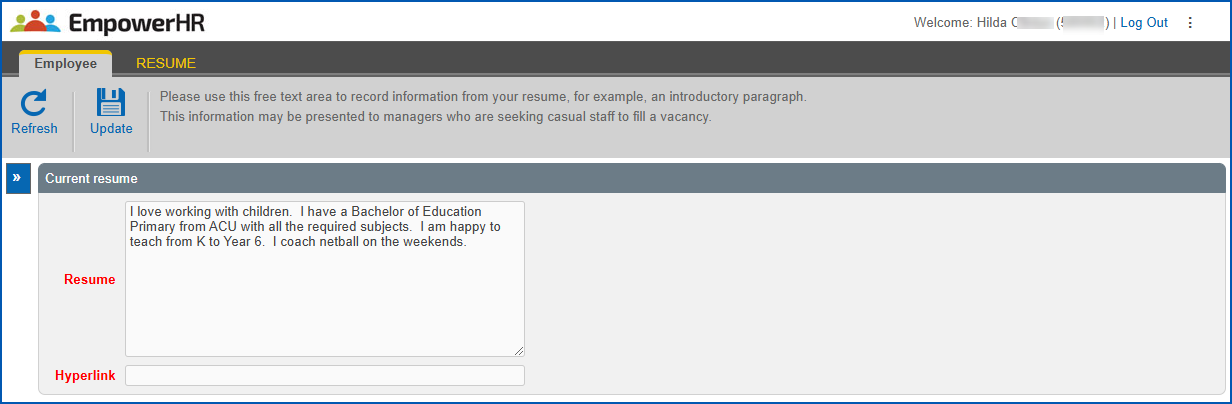
1. Click **Update**.
| Next topic
[Accept or decline a casual relief assignment](/articles/ehr-user-guide/accept-or-decline-a-casual-relief-assignment) |
| --- |
© 2023 Fusion5. All rights reserved.