---
title: "Skill & competency search configuration"
id: "skill-competency-search-configuration"
project: "EHR User Guide"
url: "https://help.cloud5.com.au/articles/ehr-user-guide/skill-competency-search-configuration"
updated: 2026-10-19T00:52:41Z
---
# Skill & competency search configuration
## Exclude old applications from searches
When searching for applicants with particular skills and competencies, EmpowerHR excludes them from the search once their applications are older than a value you set in the setting called **(apex) applications old after n months**.
To set the number of months applications are considered as old:
1. Go to **Administration**> **Configuration**> **All Configuration**.
2. At **Configuration Items**, expand **Self Service**, and then****expand **Employee Self Service**.
3. Click **(apex) applications old after n months**.
4. Enter the number of months in the **Integer**field. In the following example, applications older than 6 months are excluded from searches.
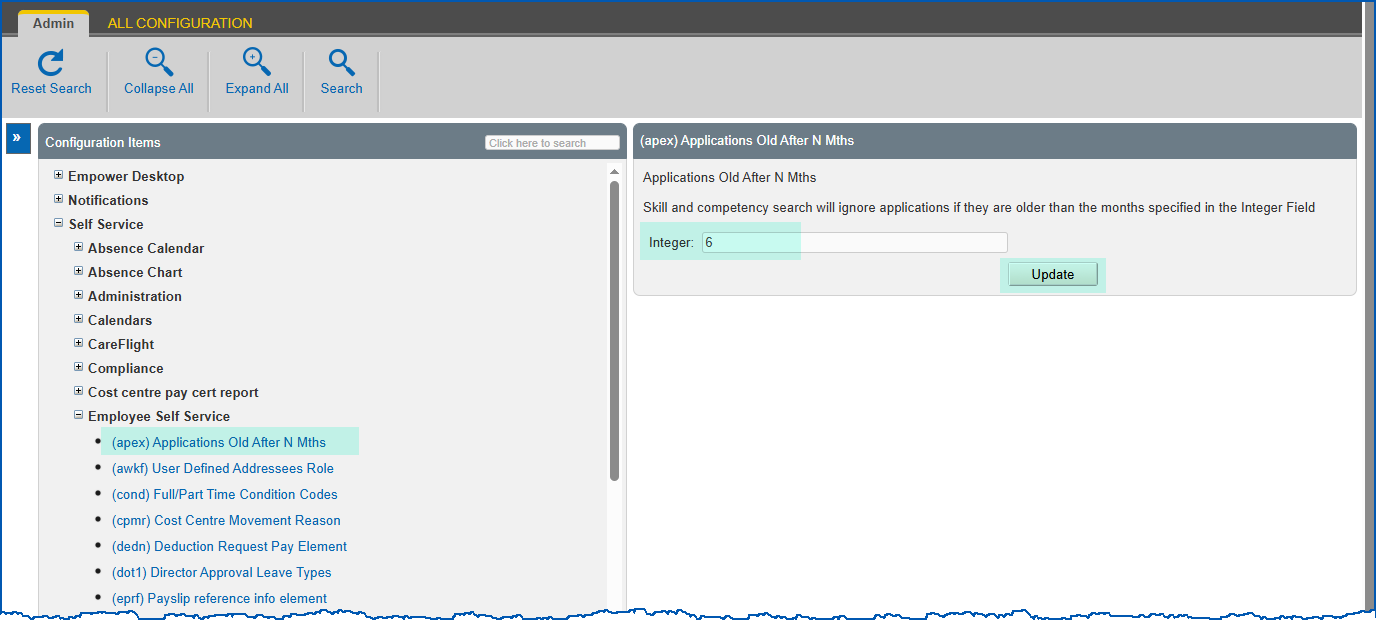
1. Click **Update**.
## Set number of recently used skills/competencies in searches
EmpowerHR displays the recently used skills and competencies when anyone searches for skills (using Basic Search or Advanced Search). The installation setting called **(trsc) number of skills/competencies** determines how many are displayed.
To set the number of recently used skills/competencies to display in searches:
1. Go to **Administration**> **Configuration**> **All Configuration**.
2. At **Configuration Items**, expand **Self Service**, and then****expand **Training**.
3. Click **(trsc) number of skills/competencies**.
4. Enter the number of months in the **Integer**field.
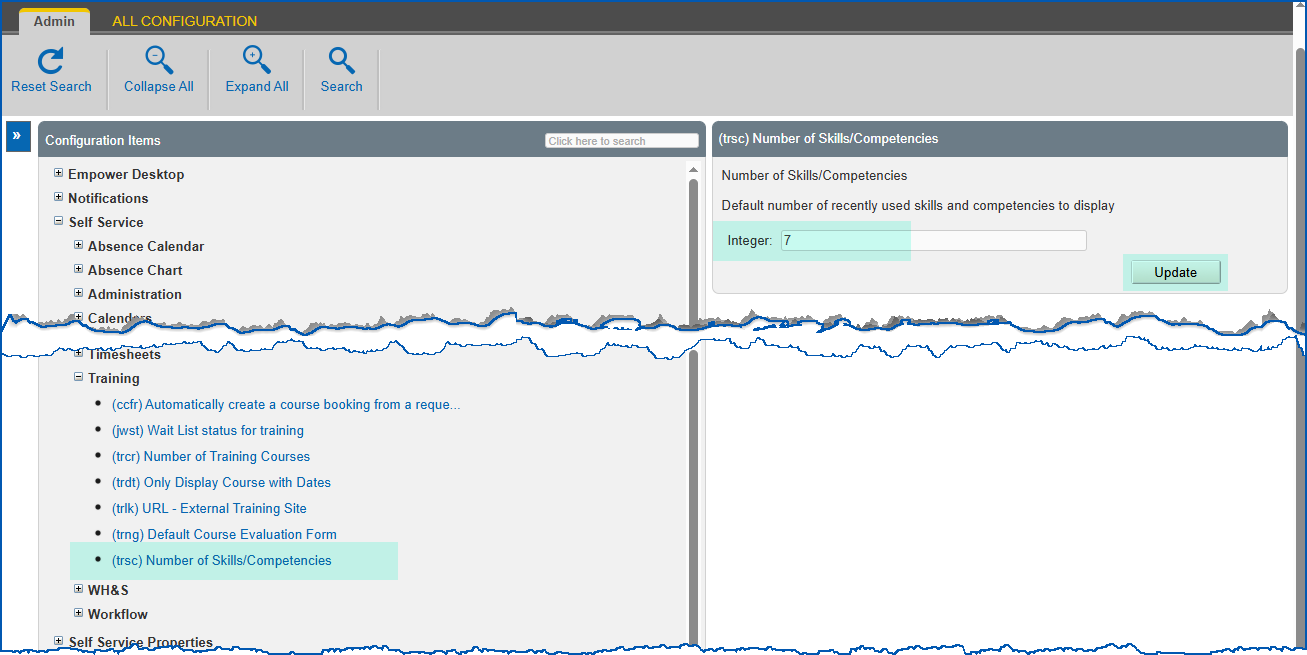
1. Click **Update**.
| Next topic
[Training search configuration](/articles/ehr-user-guide/training-search-configuration) |
| --- |
© 2023 Fusion5. All rights reserved.