---
title: "Set up public holidays"
id: "set-up-public-holidays"
project: "EHR User Guide"
url: "https://help.cloud5.com.au/articles/ehr-user-guide/set-up-public-holidays"
updated: 2026-10-19T00:52:52Z
---
# Set up public holidays
## Public holiday codes for schools
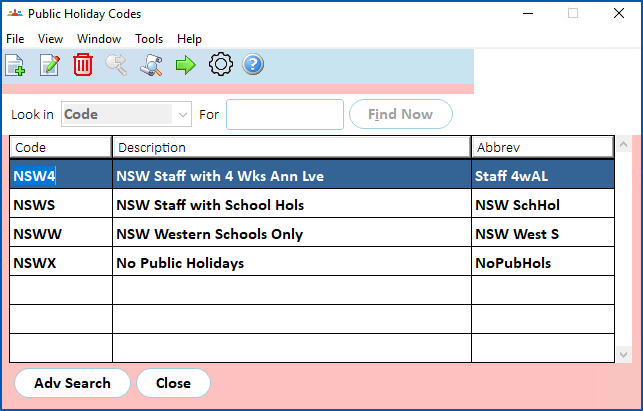
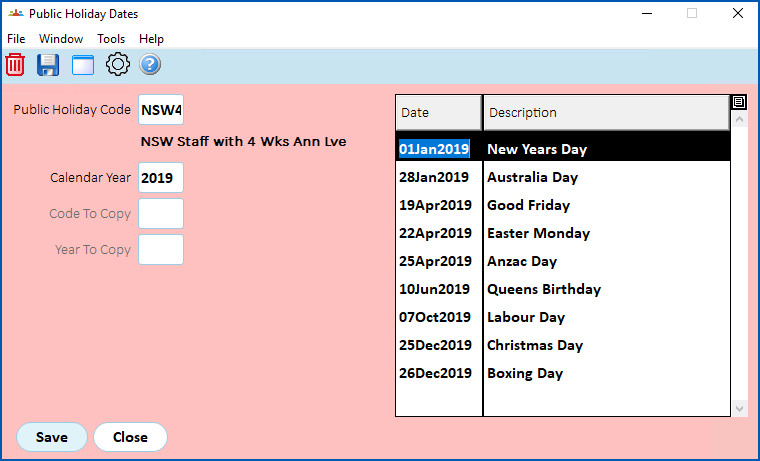
Create public holiday codes for each region, as required.
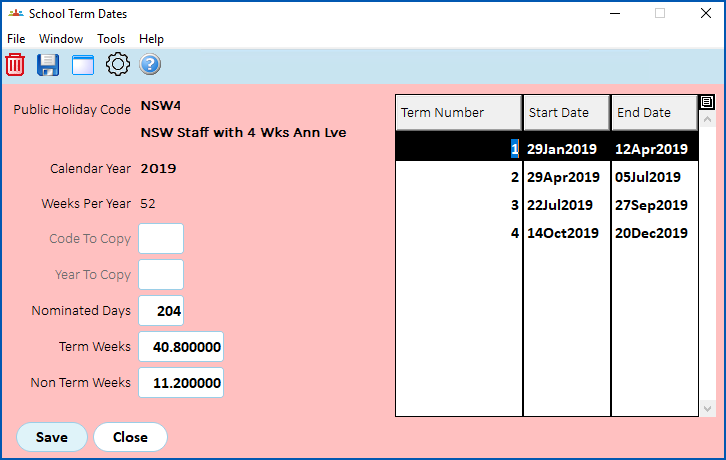
On the **School Term Dates** screen:
* **Nominated Days** is the number of working days in the year in determining days for the next increment
|  | If you prefer not to use the **Nominated Days** value shown, you can use the **teacher increment std days (sc14)** installation setting instead. Go to the [installation setting](/articles/ehr-user-guide/installation-settings) and enter the number of days in the **Integer Variable** field. |
| --- | --- |
* if day 1 of the term is a public holiday, it must still be first day of term
* **Term Weeks** and **Non Term Weeks** are used in the formula to calculate Christmas Annual Leave pay, Termination pay. EmpowerHR automatically calculates these when the **Nominated Days** are entered, and you should carefully test any changes to make sure pay outcomes are correct.
For instructions, see [public holiday codes and calendars](/articles/ehr-user-guide/public-holiday-calendar).
| Next topic
[Set up payroll tax year control calendar](/articles/ehr-user-guide/set-up-payroll-tax-year-control-calendar) |
| --- |
© 2023 Fusion5. All rights reserved.