To set up user access to the self service Organisation Chart:
- Go to Administration > Security > Templates.
- At the relevant template (profile) row, click Actions and then select Access from the menu.
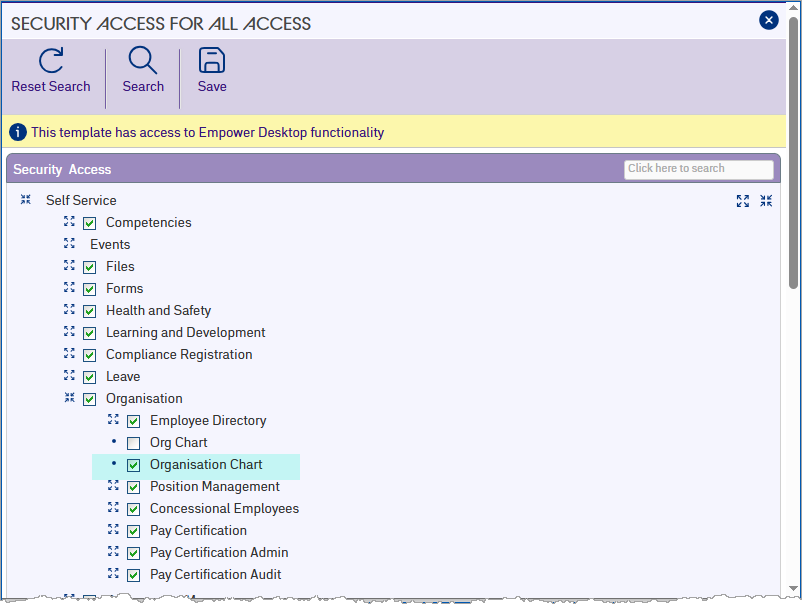
- At the Security Access screen, expand Self Service, and then expand Organisation.
- Select the Organisation Chart checkbox.
- Click Save.
© 2023 Fusion5. All rights reserved.