---
title: "Set up access for users (organisation chart)"
id: "set-up-access-for-users-organisation-chart"
project: "EHR User Guide"
url: "https://help.cloud5.com.au/articles/ehr-user-guide/set-up-access-for-users-organisation-chart"
updated: 2026-10-19T00:54:04Z
---
# Set up access for users \(organisation chart\)
To set up user access to the self service Organisation Chart:
1. Go to **Administration** > **Security** > **Templates**.
2. At the relevant template (profile) row, click **Actions**and then select **Access**from the menu.
3. At the **Security Access** screen, expand **Self Service**, and then expand **Organisation**.
4. Select the **Organisation Chart** checkbox.
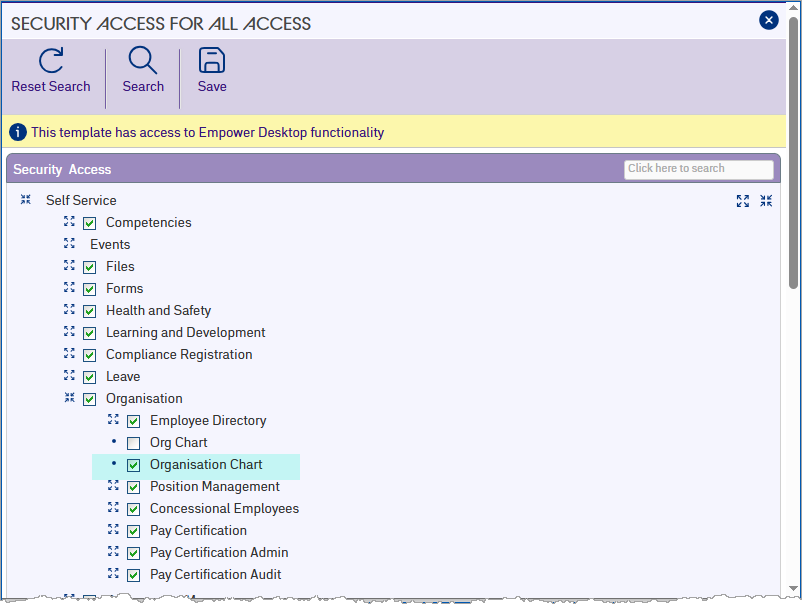
1. Click **Save**.
| Next topic
[Run populate data job](/articles/ehr-user-guide/run-populate-data-job) |
| --- |
© 2023 Fusion5. All rights reserved.