---
title: "Self service system access management"
id: "self-service-system-access-management"
project: "EHR User Guide"
url: "https://help.cloud5.com.au/articles/ehr-user-guide/self-service-system-access-management"
updated: 2026-10-19T00:52:43Z
---
# Self service system access management
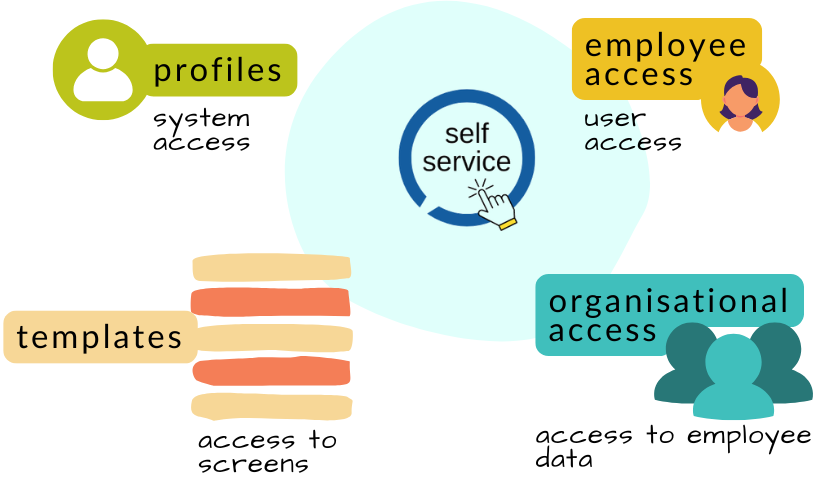
As a system administrator, you manage access to the EmpowerHR self service system and data via a combination of:
* user profiles - allocating system access to individual users
* organisation access - controlling which employees users can view
* templates - security profiles enabling users to access system screens
* employee access - granting or removing an employee's access to self service - including passwords enabling users to sign on
To learn more, see:
* [Self service users profiles](/articles/ehr-user-guide/self-service-users-profiles)
* [Self service templates](/articles/ehr-user-guide/self-service-templates)
* [Self service employee access](/articles/ehr-user-guide/self-service-employee-access)
* [Self service sign-on](/articles/ehr-user-guide/self-service-sign-on)
* [Self service 2FA security](/articles/ehr-user-guide/self-service-2fa-security)
* [Self service additional security & access](/articles/ehr-user-guide/self-service-additional-security-access)
| Next topic
[Self service users profiles](/articles/ehr-user-guide/self-service-users-profiles) |
| --- |
© 2023 Fusion5. All rights reserved.