---
title: "Self service sign-on"
id: "self-service-sign-on"
project: "EHR User Guide"
url: "https://help.cloud5.com.au/articles/ehr-user-guide/self-service-sign-on"
updated: 2026-10-19T00:52:42Z
---
# Self service sign\-on
## Your preferred sign-on screen
You can set the self service sign-on screen according to your organisation's preference.
When you set the [installation setting](/articles/ehr-user-guide/installation-settings/a/h2_1103792115) called **(jsty) User sign on type** to:
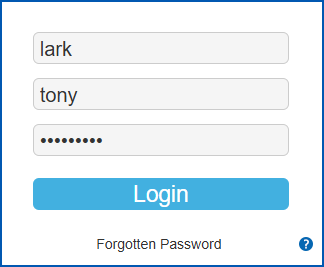
* **form**, users are prompted for their surname, given name (and password) when signing on
* **empl**, users are prompted for their employee code (and password) when signing on
## Conventions for signing on
If the user needs to sign on with their name:
* **Surname** and **Given Nam** **e** fields are *not* case sensitive
* they must enter their **Given Name** in full
## Limit SSO sessions
You can limit the number of sessions an individual is allowed when using single sign on (SSO). Limiting the number of sessions can prevent the sign on process from potentially looping.
To limit the number of a user's SSO sessions:
1. Go to **Administration** > **Configuration** > **All Configuration**.
2. At **Configuration Items**, expand **Self Service Technical**, and then expand **Security**.
3. Click **(jsiv** **) Simultaneous sessions allowed**, and then enter the number of sessions allowed in the **Float** field.
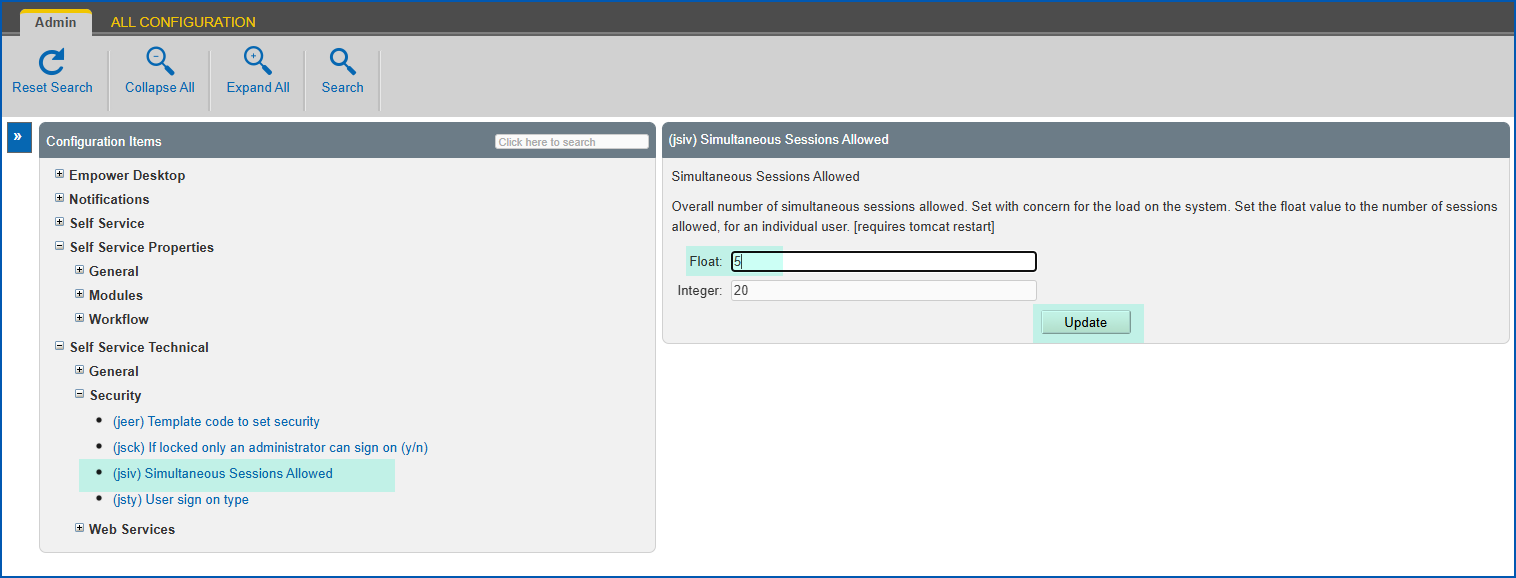
1. Click **Update**.
|  | To learn about configuring user passwords, how EmpowerHR handles forgotten passwords, and how to reset a password, see [self service passwords](/articles/ehr-user-guide/self-service-passwords). |
| --- | --- |
| Next topic
[Self service 2FA security](/articles/ehr-user-guide/self-service-2fa-security) |
| --- |
© 2023 Fusion5. All rights reserved.