You can grant audit access to employees (operators) who are responsible for auditing user transactions in the system.
To grant audit access: 
- Go to Administration > System Security > Audit Operator Security.
- At the Audit Operator Security summary screen, click Find Now to display a list of existing operators with audit access.
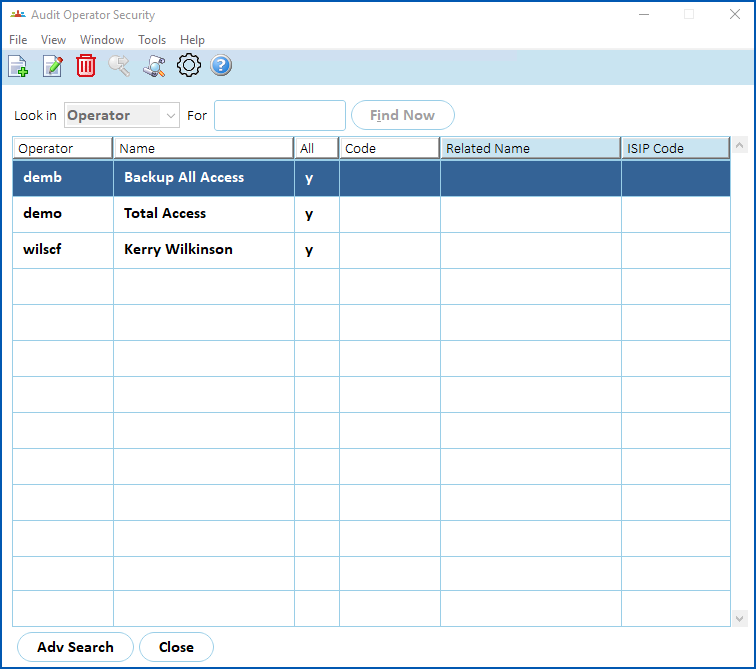
- Click New.
- The Audit Operator Security detail screen displays.
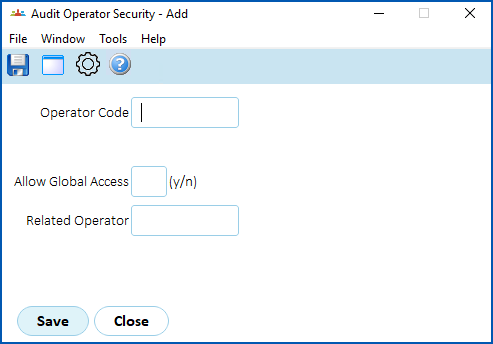
- At the Operator Code field, enter the code of the user you are allowing audit access, or click Window to display a list of codes to choose from, find and double-click a code to add it to the field.
- At the Allow Global Access field, enter:
- y (yes) to allow the operator's audit access to all user transactions in the organisation. Go to step 8.
- n (no) to restrict the operator's audit access to only transactions of a particular user or area of the organisation. Go to step 7.
- At the Related Operator field, enter the code of the particular user/organisation area you want to allow audit access, or click Window to display a list of codes to choose from, find and double-click a code to add it to the field.
- Click Save.
© 2023 Fusion5. All rights reserved.