---
title: "Search for requests by employee"
id: "search-for-requests-by-employee"
project: "EHR User Guide"
url: "https://help.cloud5.com.au/articles/ehr-user-guide/search-for-requests-by-employee"
updated: 2026-10-19T00:53:22Z
---
# Search for requests by employee
The relief and payments employee search feature in MSS allows you to:
* view, edit or delete requests created for a particular employee
* view or delete no relief used requests
## Search for requests by employee
To search for requests by employee: 
1. Go to **Relief and Payments** > **Relief and Payments Emp Search**.
2. The **Relief and Payments Emp Search** screen displays.
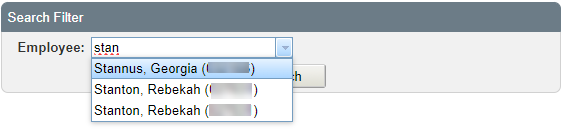
3. At the **Search Filter**, in the **Employee field**, enter the employee's surname and then wait until the system responds with a list of employees with that surname. Select one from the dropdown list.
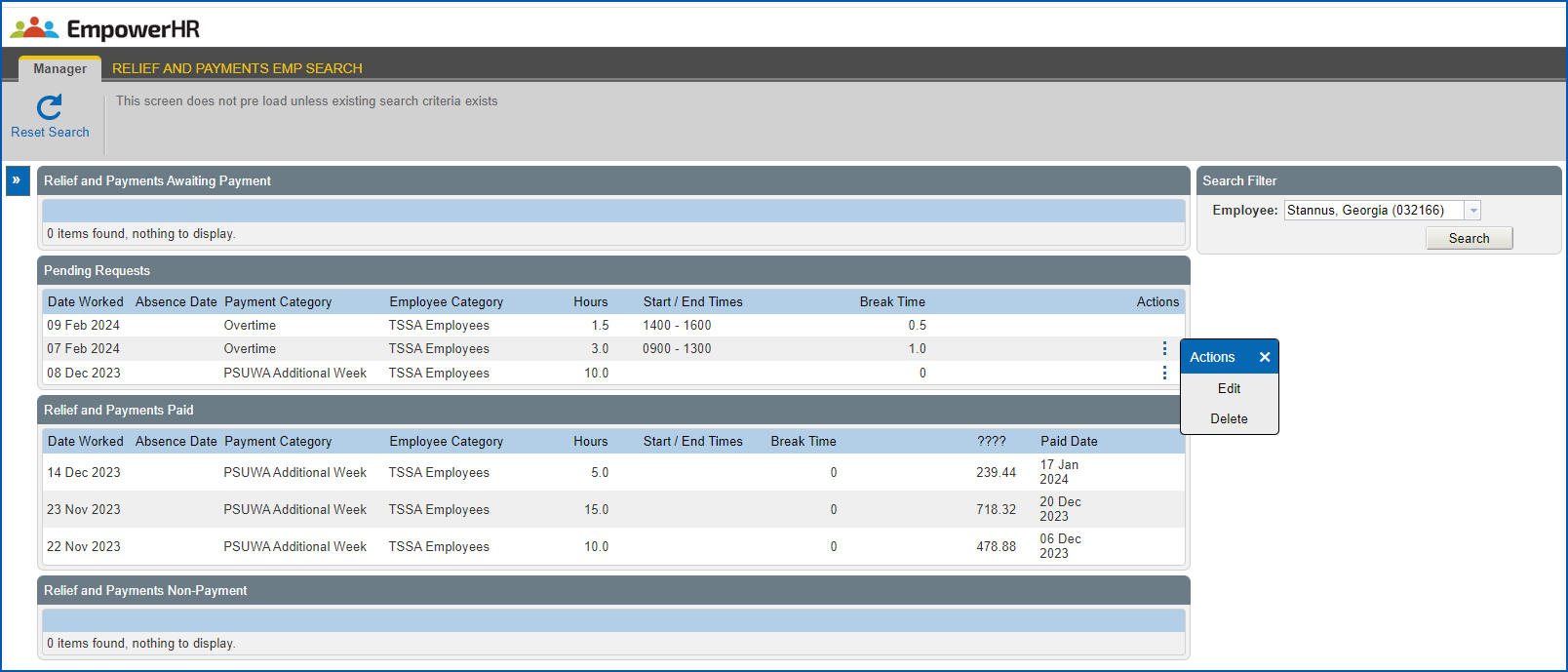
1. Click **Search**. The employee's requests are displayed.
2. To edit or delete a request, click **Actions** and then select **Edit** or **Delete** from the menu. You:
* can delete a pending request or a request awaiting payment. When you delete a request awaiting payment, the corresponding pay data entry record is deleted.
* cannot delete any paid requests.
## Search for no relief used requests
To search for [no payment required](/articles/ehr-user-guide/no-payment-required-request) (no relief used) requests: 
1. Go to **Relief and Payments** > **Relief and Payments Emp Search**.
2. The **Relief and Payments Emp Search** screen displays.
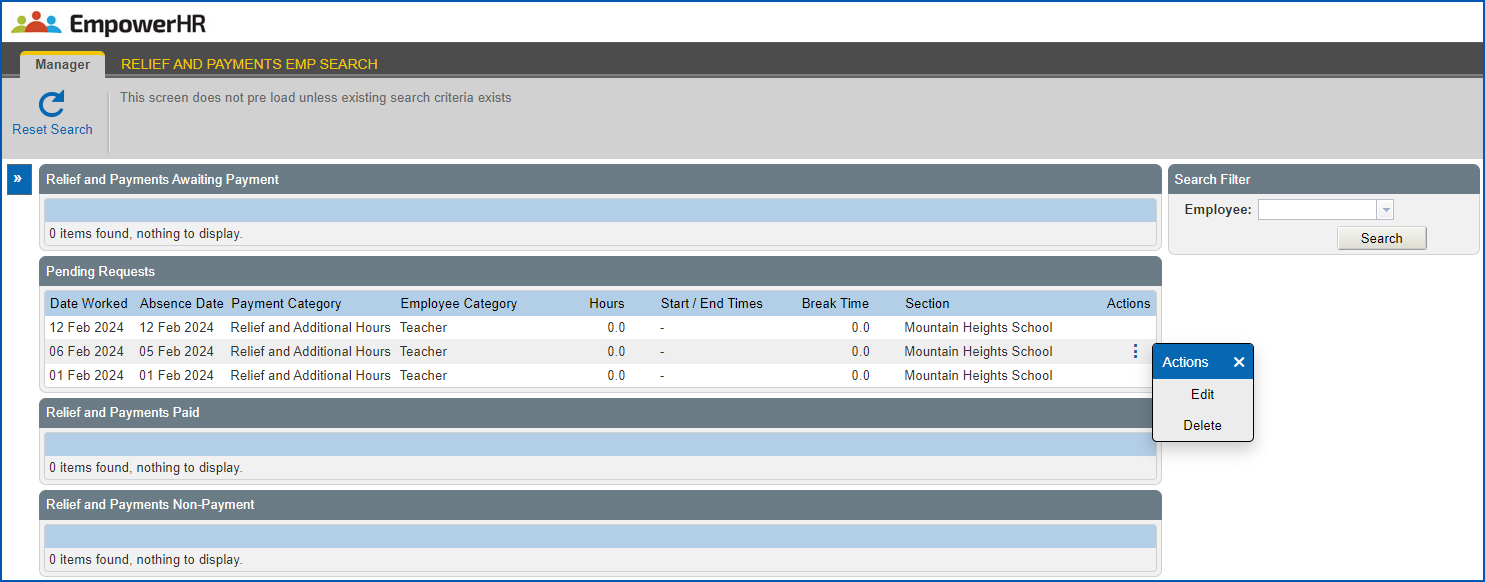
3. At the **Search Filter**, in the **Employee field**, enter **No Relief Used**.

1. Click **Search**. The no relief used requests you created are displayed.
2. To edit or delete a request, click **Actions** and then select **Edit**or **Delete** from the menu. When you delete a request, while it's flagged as deleted, there are no pay data entry records to delete for this type of request.
| Next topic
[Relief and payments reporting](/articles/ehr-user-guide/relief-and-payments-reporting) |
| --- |
© 2023 Fusion5. All rights reserved.