Salary variation (and variation admin) requests can only be made on payment codes contained with the pay element defined in the (svpy) Pay element for claims entry installation setting.
To set up the salary variation/salary variation admin requests:
- Go to Administration > Configuration > All Configuration.
- At Configuration Items, expand Empower Desktop, and then expand Employee Self Service.
- Click (svpy) Pay element for claims entry.
- Enter the pay element code in the Character field.
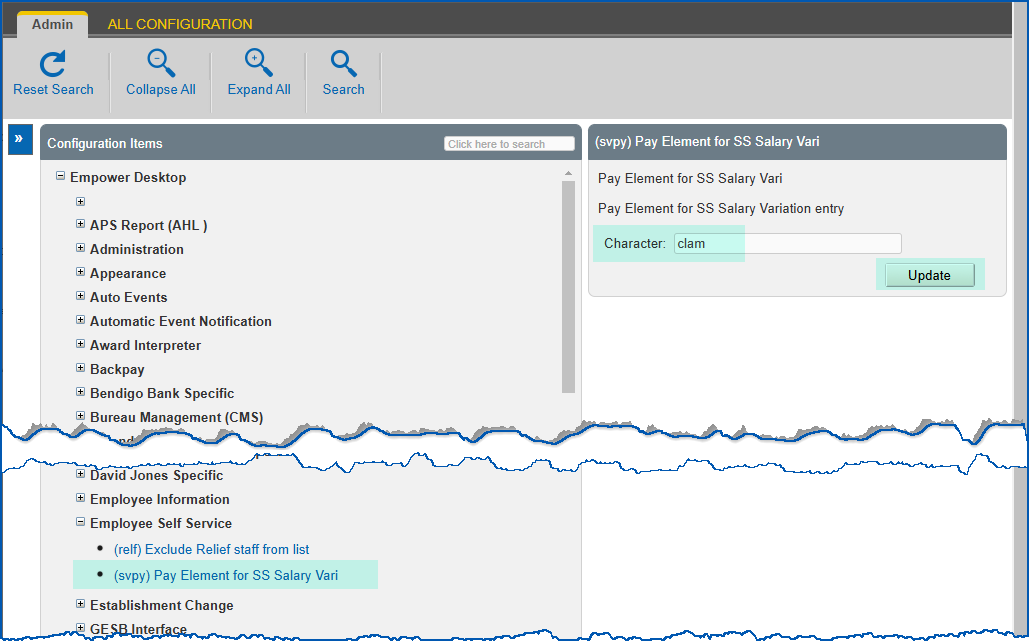
- Click Update.
© 2023 Fusion5. All rights reserved.