You can use any existing public, or private query (you have created), in a sub-query.
Sub-queries can only be used in combination with the following Operators:
- in / not in - If you use these operators, you must select a field in Operand 1.
- exists / not exists - If you use these operators, you must set Operand 1 to not applicable.
To run a sub-query:
- At the Filter tab in Query Manager, click Advanced Filter.
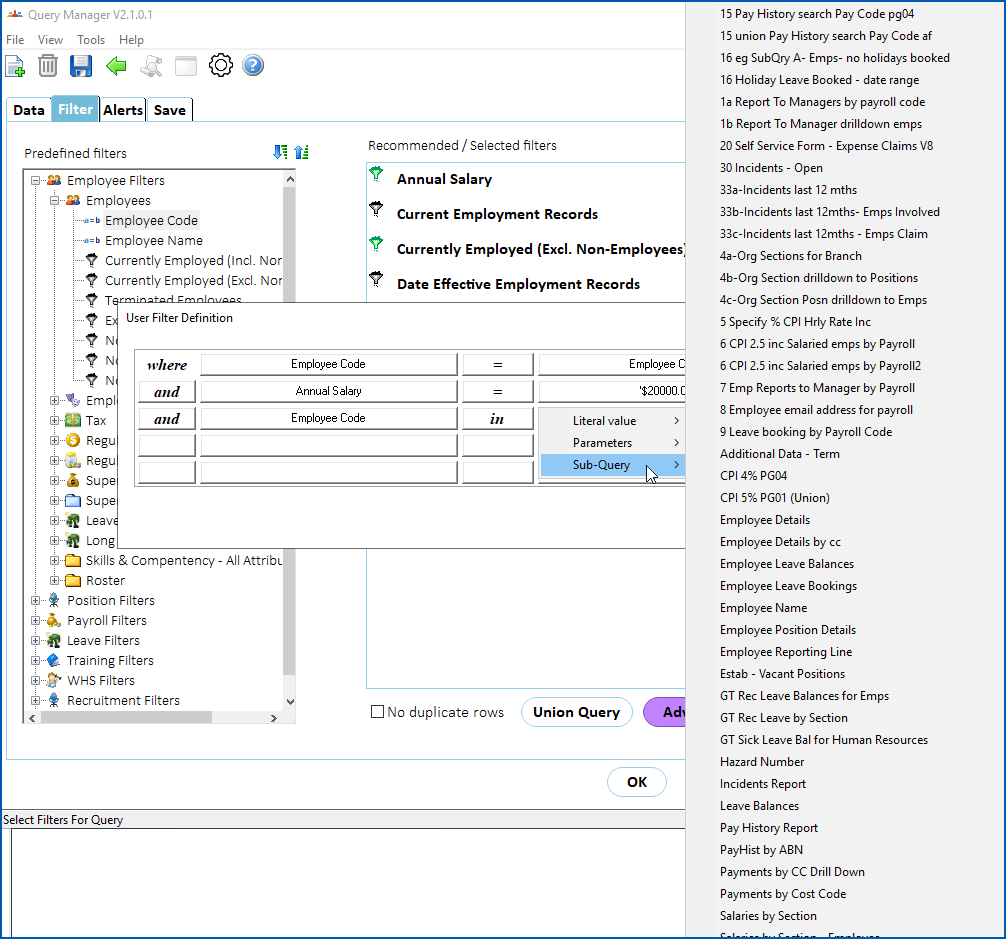
- EmpowerHR displays the User Filter Definition screen. Make your selections. In the following example, we select in as the Operator, then in Operand 2, click Sub-Query. EmpowerHR displays a list to choose from.
- When you make a selection from the list, EmpowerHR displays the Define Sub-Query Field screen.
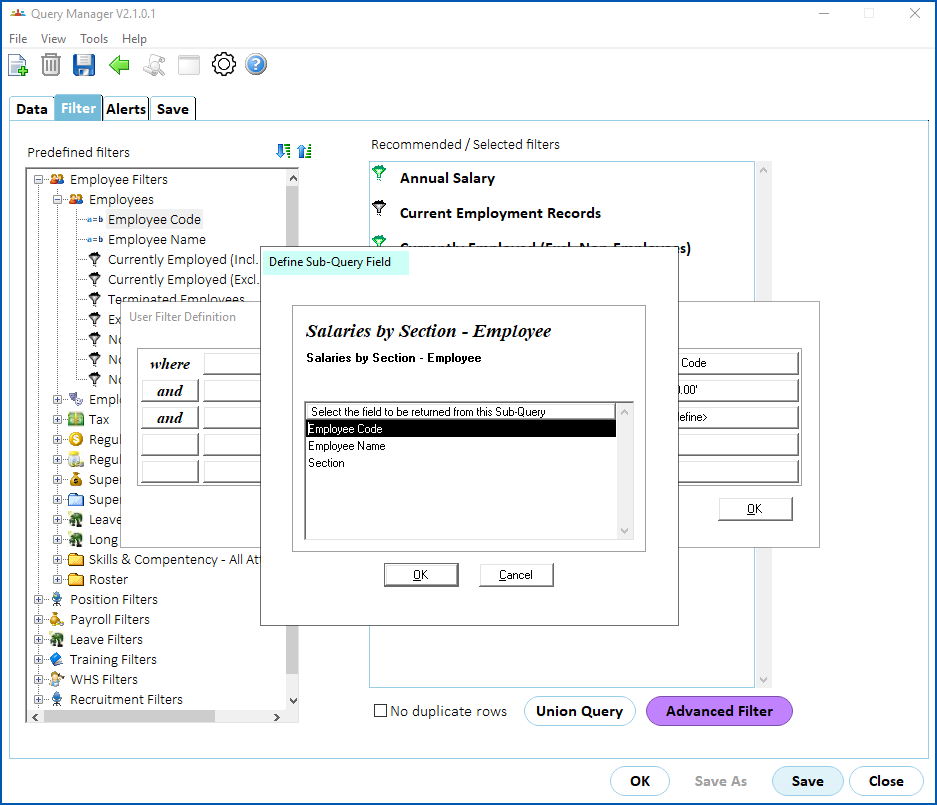
- At Define Sub-Query Field, select a field and then click OK. EmpowerHR displays the sub-query selection in Operand 2 as:
- @ symbol
- query name
- selected field in the case of a in / not query, or any instead of a field in the case of a exists / not exists query
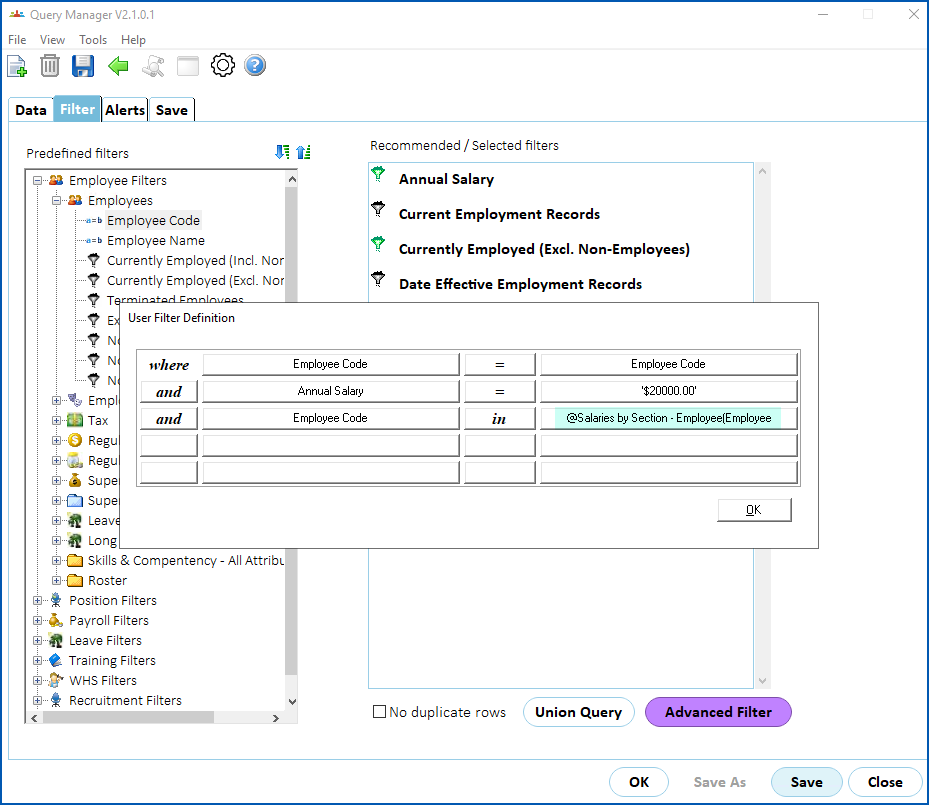
- Click OK.
- At the Filter tab, click OK to run the query.
© 2023 Fusion5. All rights reserved.