---
title: "Reviewing a request (FWA)"
id: "reviewing-a-request-fwa"
project: "EHR User Guide"
url: "https://help.cloud5.com.au/articles/ehr-user-guide/reviewing-a-request-fwa"
updated: 2026-10-19T00:53:36Z
---
# Reviewing a request \(FWA\)
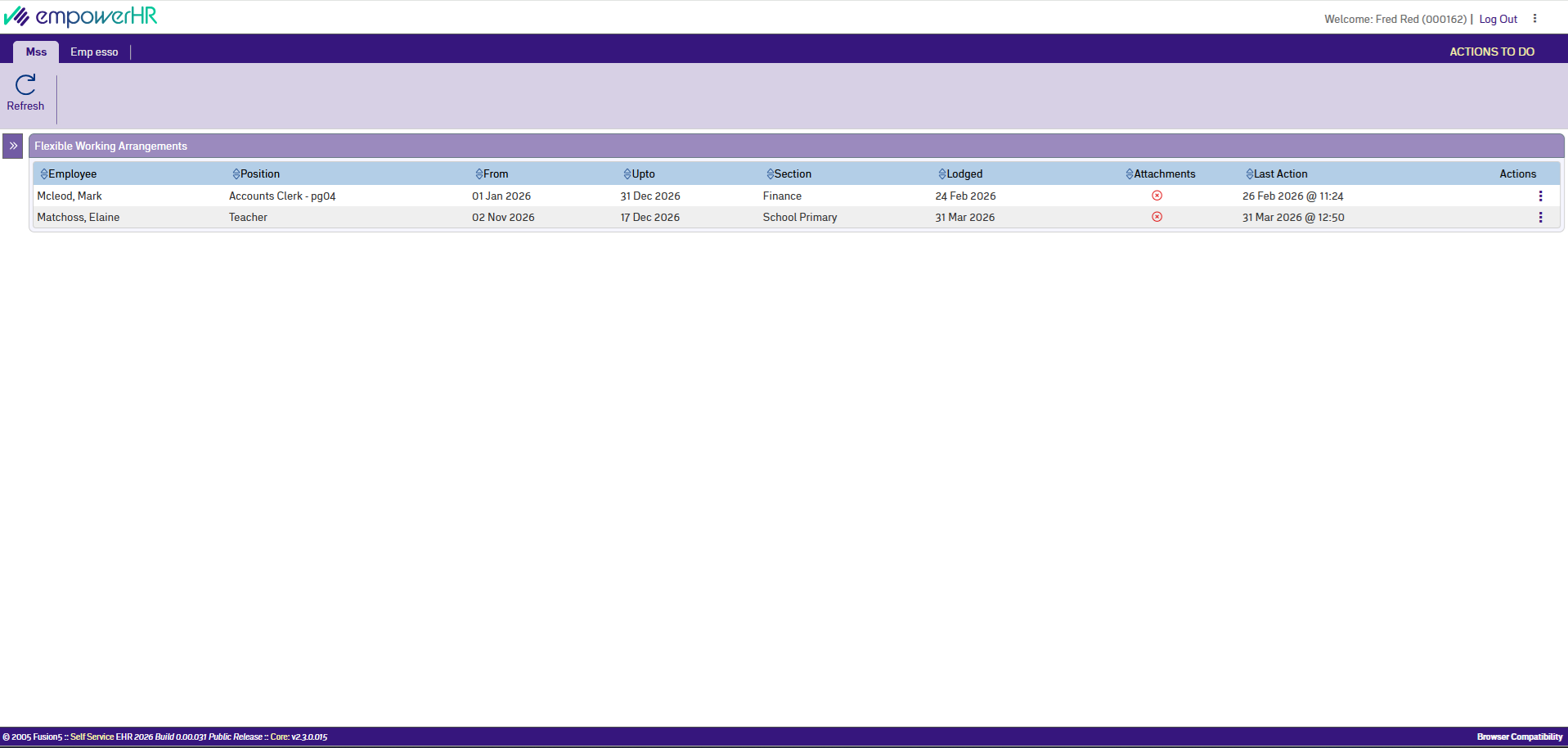
Open the request from your Flexible Working Arrangements dashboard. The employee's request details are read-only, but you can update cost centre allocations if needed.
## What you'll see
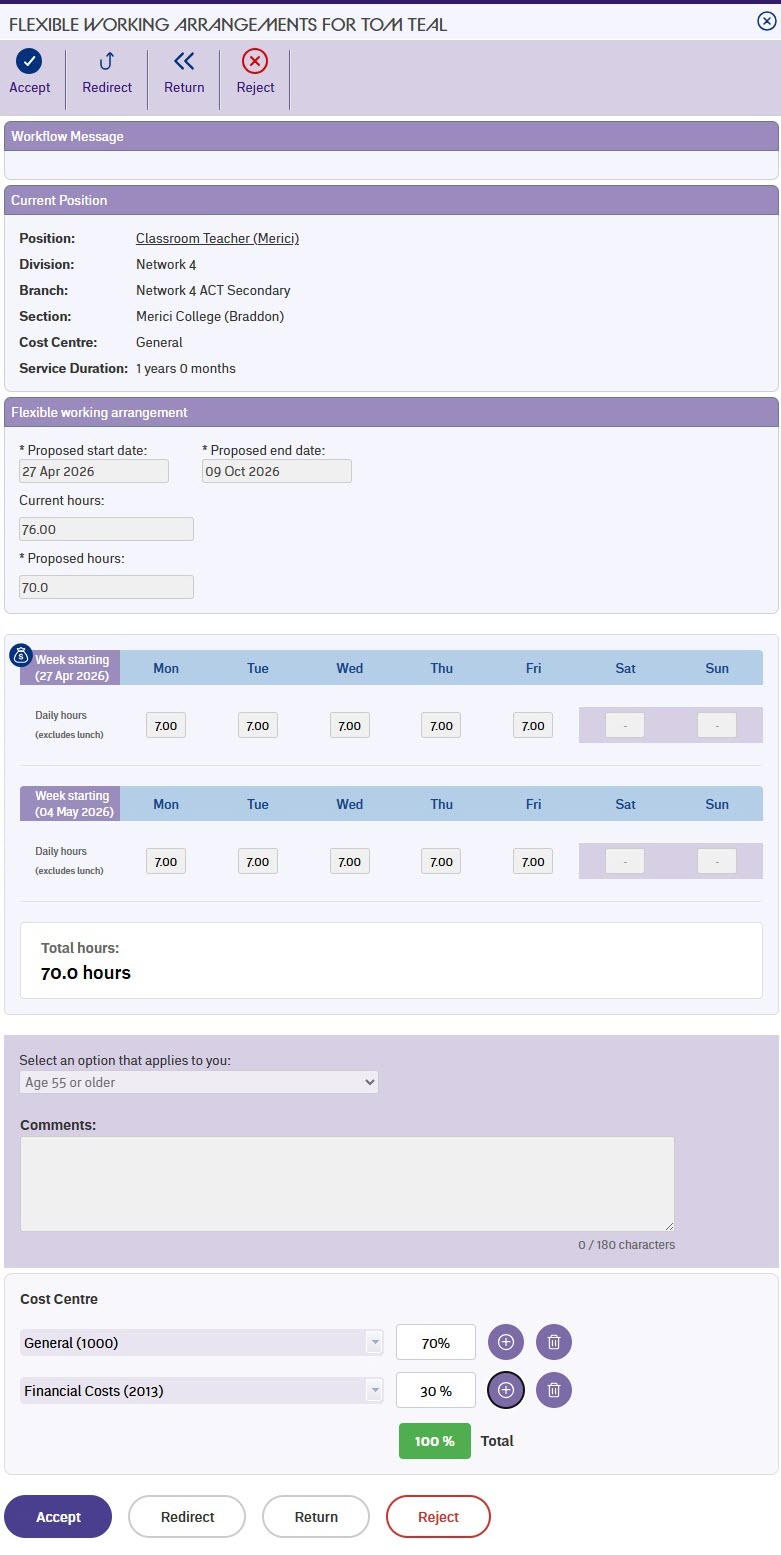
The form displays the same sections the employee completed:
* Their current position details (division, branch, section, cost centre, service duration)
* Which options they selected (hours change, start and finish times, work from home)
* Their proposed start and end dates, and proposed hours if applicable
* The weekly schedule showing whichever of daily hours, session times, or work from home days they requested
* Their reason and any comments they added
* Cost centre allocations for the position, if your organisation uses them
If previous approvers have already actioned this request, you'll see their comments in the Workflow Messages section.
| Next topic
[Updating cost centres (FWA)](/articles/ehr-user-guide/updating-cost-centres-fwa) |
| --- |
© 2023 Fusion5. All rights reserved.