---
title: "Record time in flexi timesheets"
id: "record-time-in-flexi-timesheets"
project: "EHR User Guide"
url: "https://help.cloud5.com.au/articles/ehr-user-guide/record-time-in-flexi-timesheets"
updated: 2026-10-19T00:53:17Z
---
# Record time in flexi timesheets
## Record flexi time
In Employee Self Service, you use flexi timesheets to record your time each day.
You can create, save, and edit a flexi timesheet.
When you complete your flexi timesheet, simply submit a request to have the timesheet approved.
To learn how, see:
* [Create a flexi timesheet](/articles/ehr-user-guide/create-a-flexi-timesheet)
* [Submit a flexi timesheet](/articles/ehr-user-guide/submit-a-flexi-timesheet)
## View a summary of your flexi timesheets
You can check the catalogue in Employee Self Service anytime to see all your flexi timesheets and their status.
To view a summary of your flexi timesheets:
1. Go to **Requests** > **Flexi Timesheet**.
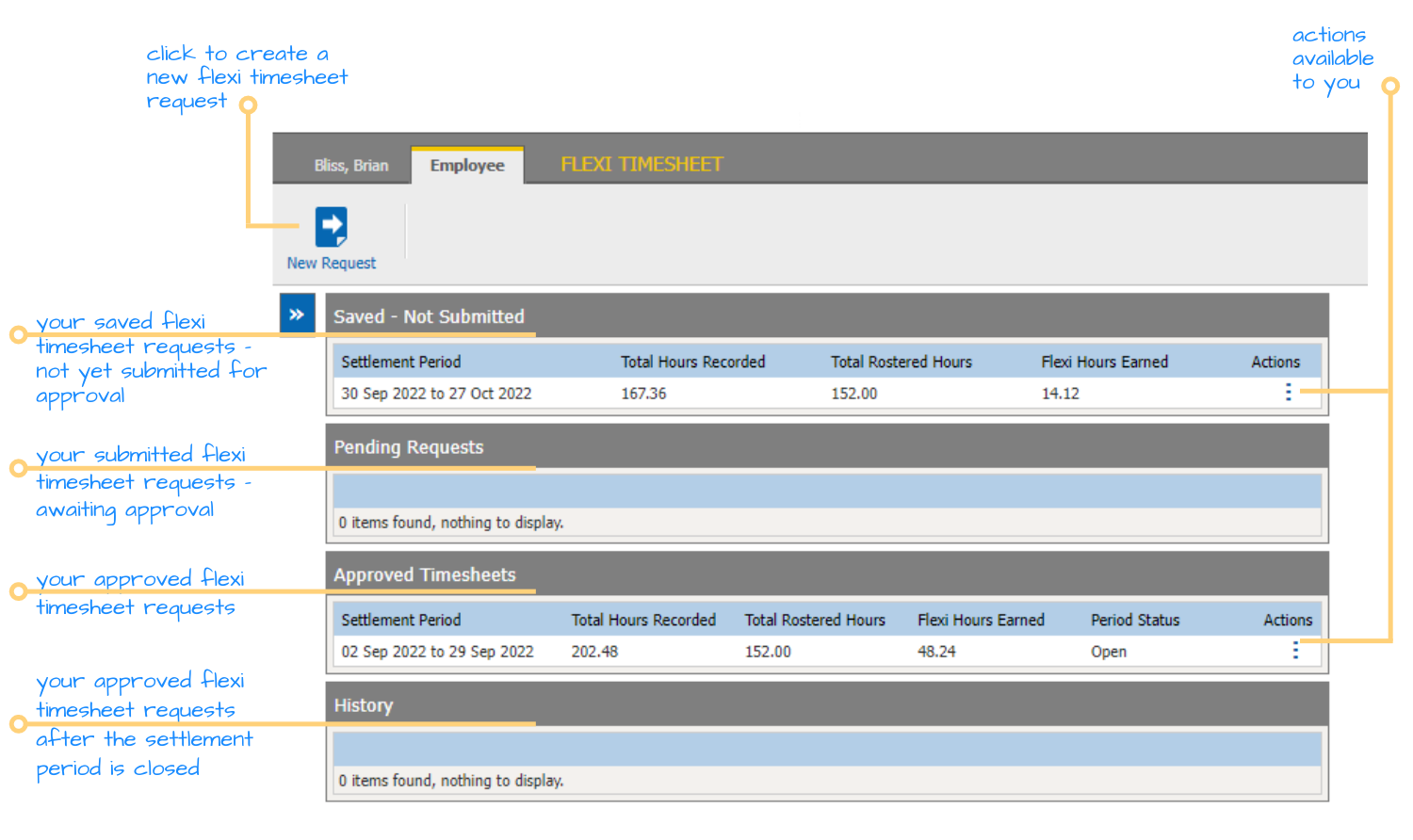
2. The flexi timesheet catalogue displays. The catalogue provides a snapshot of your timesheet requests. The list they appear in depends on where they're up to in the approval workflow, as do the actions available to you. Here's an example:
| Next topic
[Create a flexi timesheet](/articles/ehr-user-guide/create-a-flexi-timesheet) |
| --- |
© 2023 Fusion5. All rights reserved.