---
title: "Record an employee promotion"
id: "record-an-employee-promotion"
project: "EHR User Guide"
url: "https://help.cloud5.com.au/articles/ehr-user-guide/record-an-employee-promotion"
updated: 2026-10-19T00:52:38Z
---
# Record an employee promotion
A promotion is moving an employee to another position with a higher classification than the employee's current substantive position. Whereas, movement to:
* a lower classification is a [redeployment](/articles/ehr-user-guide/record-an-employee-redeployment)
* the same classification is a [transfer](/articles/ehr-user-guide/record-an-employee-transfer)
To record an employee promotion: 
1. Go to **Tasks** > **Employees** > **Position Movement** > **Promotion**.
2. At the **Promotion**summary screen, in **Employee Code**:
1. enter the code if you know it, *or*
2. click **Window**, find and double-click the code to add it to the field
3. Press **Tab**. EmpowerHR displays all the employee's position movement records.
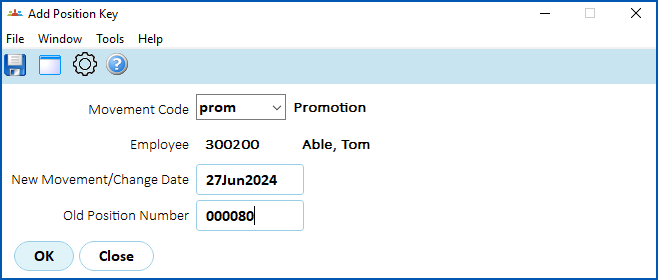
4. Click **New**. The **Add Position Key** screen displays. At:
1. **Movement Code**, select the promotion code from the****dropdown list, and then press **Tab**.
2. **New Movement/Change Date field**, enter the date the promotion is to occur, and then press **Tab**.****
5. EmpowerHR displays the employee's current position number in the **Old Position Number** field. Do not change this field!
1. Press **Tab**. The **Promotions**detail screen displays where the **Position** field defaults to the employee's current position number.
|  | EmpowerHR displays a message if the employee is currently on HDA or there is a future HDA arranged. If there is:
HDA = higher duties allowance, where when an employee is temporarily requested to perform all or some of the duties****that normally form part of a higher-level position- an existing HDA, the HDA will automatically cease if you continue
- a future HDA, you must manually change the new rate
|
| --- | --- |
1. At the **Position** field, enter the number of the position the employee is being promoted to, and then press **Tab**.
2. Depending on the transaction rules associated with the movement reason code, information from the new and/or previous movement displays by default. The transaction rules also determine the fields you can change with this movement reason.
3. Make any changes as required.
4. Enter explanatory notes in the **Narrative** field so anyone accessing the record can see at a glance why it was created.
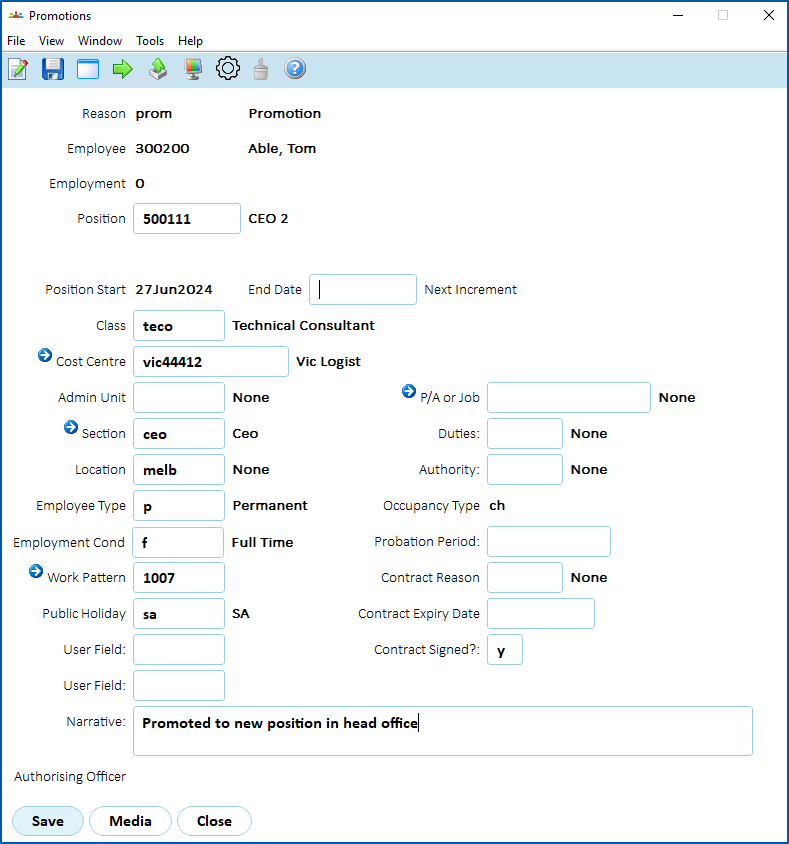
1. Click **Save**. The **Remuneration Change/History**screen displays.
2. Again, the transaction rules associated with the movement reason code determine which fields show default information and which fields you can change.
|  | If your organisation allows changes to other employee conditions (such as moving to, or from, part-time), make sure all relevant fields are completed. For example, the **Employment Condition**, **Work Pattern** fields (on the **Conditions Change** detail screen), **Hrs per Period**, **FTE%** fields (on the **Remuneration Change/History** screen) if the employee is changing hours in this movement. |
| --- | --- |
1. Enter explanatory notes in the **Narrative** field so anyone accessing the record can see at a glance what happened in the movement.
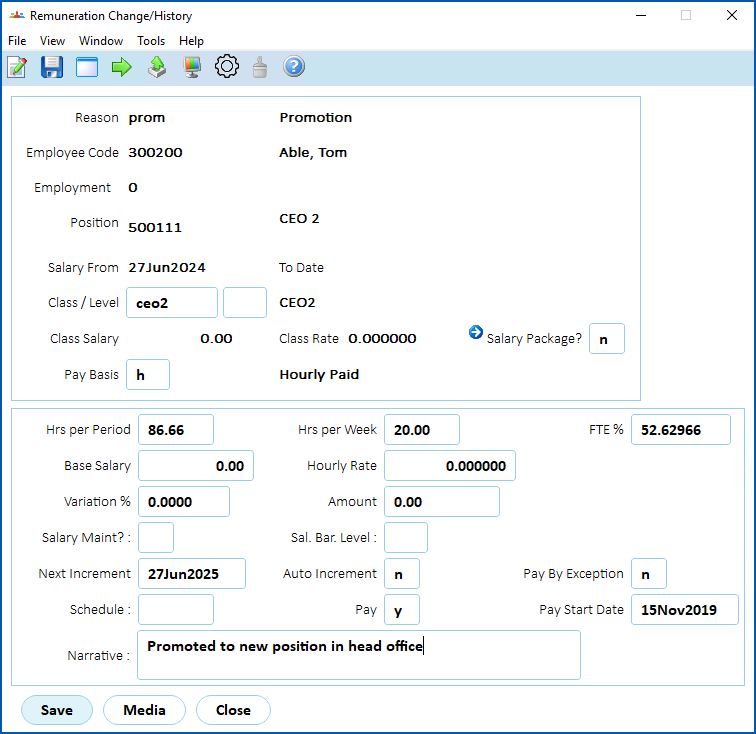
1. Click **Save**.
| Next topic
[Record an employee conditions change](/articles/ehr-user-guide/record-an-employee-conditions-change) |
| --- |
© 2023 Fusion5. All rights reserved.