---
title: "Public holiday codes and calendars"
id: "public-holiday-calendar"
project: "EHR User Guide"
url: "https://help.cloud5.com.au/articles/ehr-user-guide/public-holiday-calendar"
updated: 2026-10-19T00:53:55Z
---
# Public holiday codes and calendars
## Why do you need to set up public holiday calendars?
Public holiday codes help you define public holidays and create a public holiday calendar for each year.
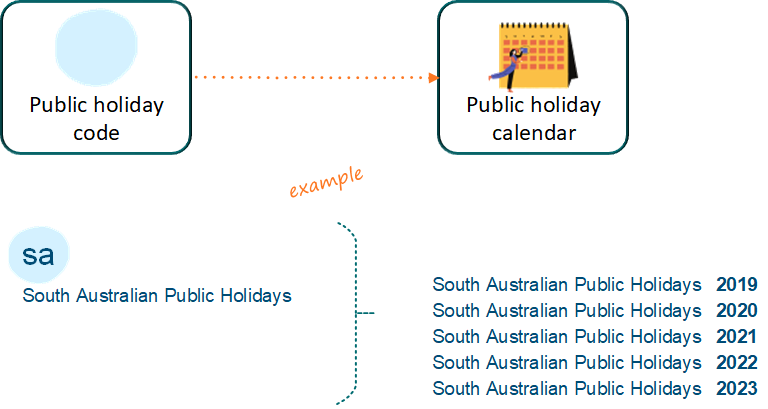
|  | You can create public holiday codes and calendars to cater for different jurisdictions (states, territories, etc) |
| --- | --- |
## Leave bookings and public holidays
EmpowerHR considers public holidays when determining how many days in a leave booking count for leave. Generally, when an employee:
* books paid normal leave, public holidays as defined in the calendar are not counted for leave and are treated as normal pay
* books LWOP , public holidays are not paidLWOP - Leave Without Pay
* books LSL , public holidays as defined in the calendar are paid in addition to LSLLSL = long service leave
### Normal leave and public holidays
| Case study: public holidays during leave
Greg works full-time and is taking annual leave in the last weeks of January. The Australia Day public holiday falls during Greg's leave period.
- Greg is paid his normal pay for the public holiday.
- His leave balance is unaffected by the public holiday - the hours are not deducted.
Greg's colleague, Dave, has decided to take leave without pay (LWOP) during the same period in January.
- In this case, Dave isn't paid for the Australia Day public holiday because the company doesn't pay public holidays that occur during LWOP periods.
|
| --- |
### LWOP and public holidays
You can, if required, choose to pay employees for public holidays that fall within a LWOP period - for example, during a forced shutdown over Christmas/New Year. Simply set the [installation option](/articles/ehr-user-guide/installation-options) called **Allow payment of public holidays during LWOP (pubw)** to **y** (yes).
### LSL and public holidays
Many jurisdictions include an extra day of leave for a public holiday during LSL. If your state/territory does *not* include public holidays in LSL, then you can ignore public holidays from any LSL booking by doing the following:
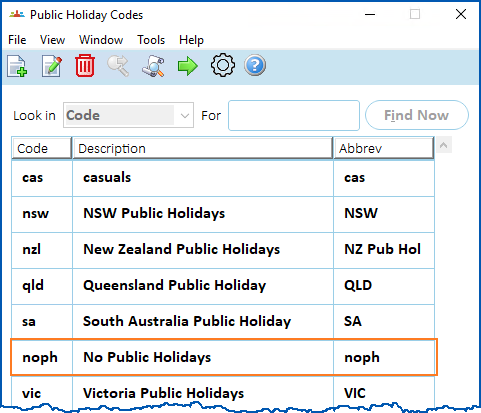
* Create a blank public holiday calendar calling it, for example, **noph**.
[+] [Show example: noph calendar](javascript:void%280%29)
[-] [Hide example: noph calendar](javascript:void%280%29)
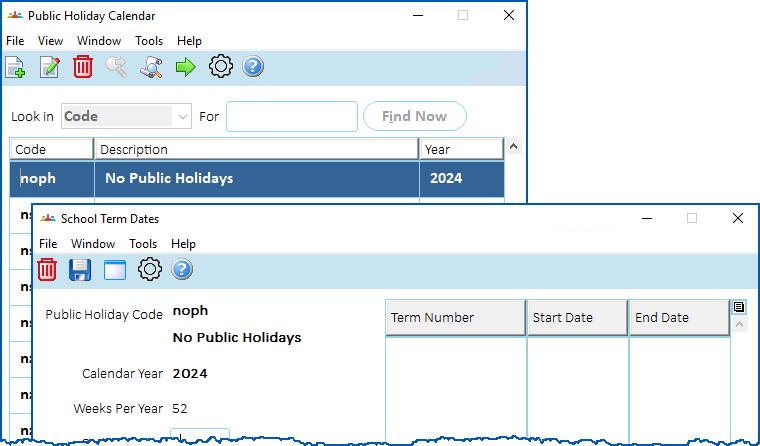
* Do not add any dates to the year detail screens, so that EmpowerHR doesn't use any days as public holidays when the LSL is booked.
[+] [Show example: no dates](javascript:void%280%29)
[-] [Hide example: no dates](javascript:void%280%29)
* When you [set up the LSL rule](/articles/ehr-user-guide/lsl-set-up-lsl-rules), simply add the **noph** calendar to the **Public Holiday Calendar** field.

## Create a public holiday code 
To create a public holiday code:
1. Go to **Control Tables** > **Calendars** > **Public Holiday Codes**.
2. At the **Public Holiday Codes** summary screen, click **Find Now** to list all the existing codes.
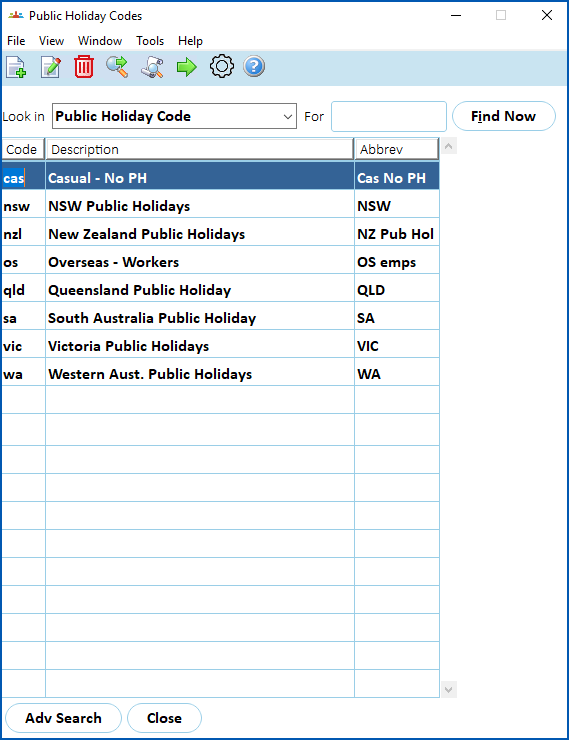
1. Click **New**. The **Public Holiday Codes** detail screen displays.
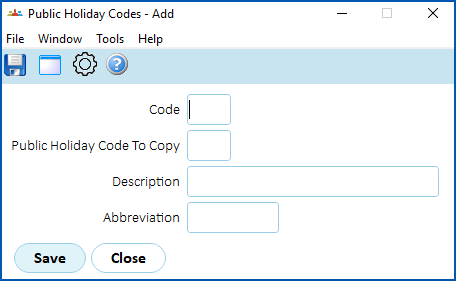
1. At the **Public Holiday Codes** detail screen, make your selections and entries using the following table as a guide.
| **At this field...** | **Do this...** |
| --- | --- |
| Code | Enter a public holiday code (up to 4 characters). |
| Public Holiday Code to Copy | If you:
- want to copy an existing public holiday code, enter the code, for example, sa
- don't want to copy an existing public holiday code, then leave this field blank
|
| Description | Enter a description of the public holiday code (up to 30 characters). |
| Abbreviation | Enter an abbreviation for the public holiday code (up to 10 characters). |
1. Click **Save**. The **Public Holiday Calendar** screen displays.
2. Click **Close**. The **Public Holiday Codes** screen displays with the new code listed.
## Create a public holiday calendar
To create a public holiday calendar:
1. Go to **Control Tables** > **Calendars** > **Public Holiday Codes**.
2. At the **Public Holiday Codes** summary screen, click **Find Now** to list all the existing codes.

1. Select a code, and then click **Next Level**. The **Public Holiday Calendar** screen displays.
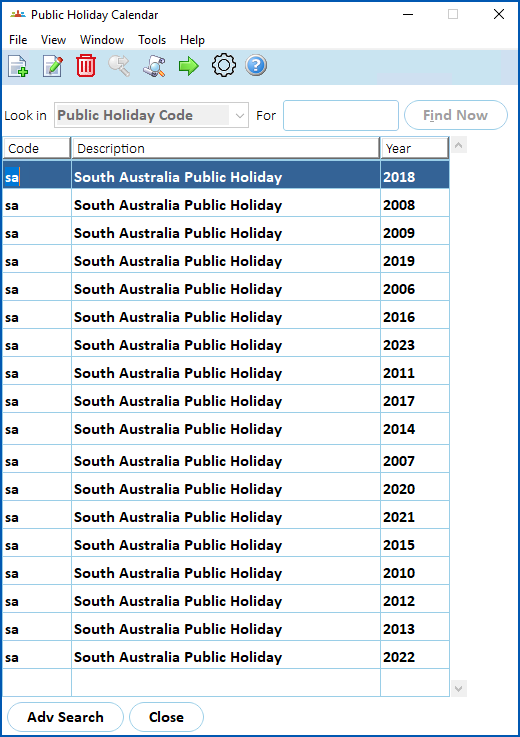
1. Click **New**. The **Public Holiday Dates** detail screen displays.
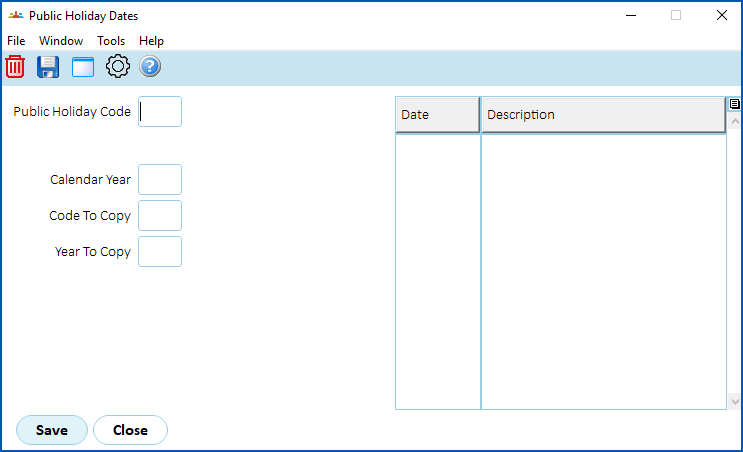
1. At the **Public Holiday Dates** detail **** screen, make your selections and entries using the following table as a guide.
| **At this field...** | **Do this...** |
| --- | --- |
| Public Holiday Code | Enter a public holiday code, for example, **sa** |
| Calendar Year | Enter the year of the calendar you're creating, for example, **2024** |
| Code to Copy | If you want to:
- copy a previous calendar, enter the code - for example, sa
- want to create a new calendar, leave this field blank
|
| Year to Copy | Enter the year to copy, for example, **2023**, and then press **Tab**.
EmpowerHR copies the public holidays from the Calendar Year you selected (for example, 2023) to the Calendar Year you are creating (for example, 2024). |
1. Check the dates and update any that differ, for example, typically Easter public holidays don't fall on the same dates each year. To update any dates, simply type over the date in the **Date** column.
2. Click **Save**. The **Public Holiday Calendar** screen displays with the new calendar listed.
| Next topic
[Relief & payments codes](/articles/ehr-user-guide/relief-payments-codes) |
| --- |
© 2023 Fusion5. All rights reserved.