---
title: "Profiles and accounts"
id: "profiles-and-accounts"
project: "EHR User Guide"
url: "https://help.cloud5.com.au/articles/ehr-user-guide/profiles-and-accounts"
updated: 2026-10-19T00:53:27Z
---
# Profiles and accounts
Account templates are security profiles used to control access to the desktop.
After creating an account template, you can assign users to it.
Whenever you update a template, process the changes so they automatically flow to users assigned to the template.
For instructions, see:
* [Create and update account templates](/articles/ehr-user-guide/create-and-update-account-templates)
* [Assign users to account templates](/articles/ehr-user-guide/assign-users-to-account-templates)
* [Delete account templates](/articles/ehr-user-guide/delete-account-templates)
## What levels of access can I provide to users?
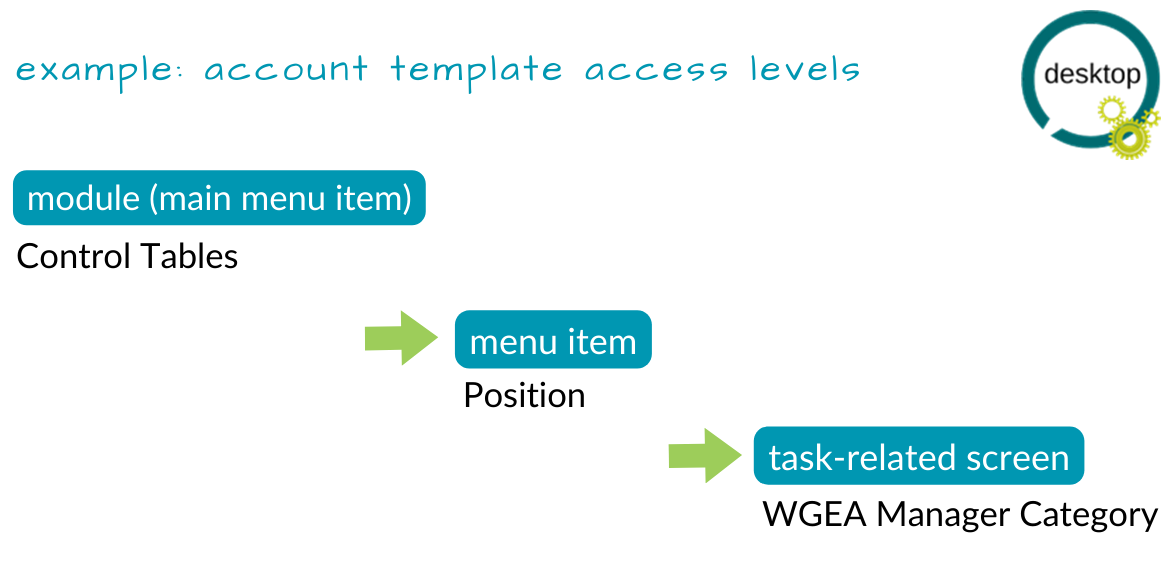
Account templates allow you to control different levels of access, such as:
* module (main menu item)
* menu item (next level down from main menu)
* task-related screen
| Next topic
[Create and update account templates](/articles/ehr-user-guide/create-and-update-account-templates) |
| --- |
© 2023 Fusion5. All rights reserved.