---
title: "Pay data entry (multiple employments)"
id: "pay-data-entry-multiple-employments"
project: "EHR User Guide"
url: "https://help.cloud5.com.au/articles/ehr-user-guide/pay-data-entry-multiple-employments"
updated: 2026-10-19T00:53:28Z
---
# Pay data entry \(multiple employments\)
You can use EmpowerHR's pay data entry screens for multiple employments. 
For example, when you open the **Employee Pay Data Entry** screen, the **Employment** field initially defaults to **999**.
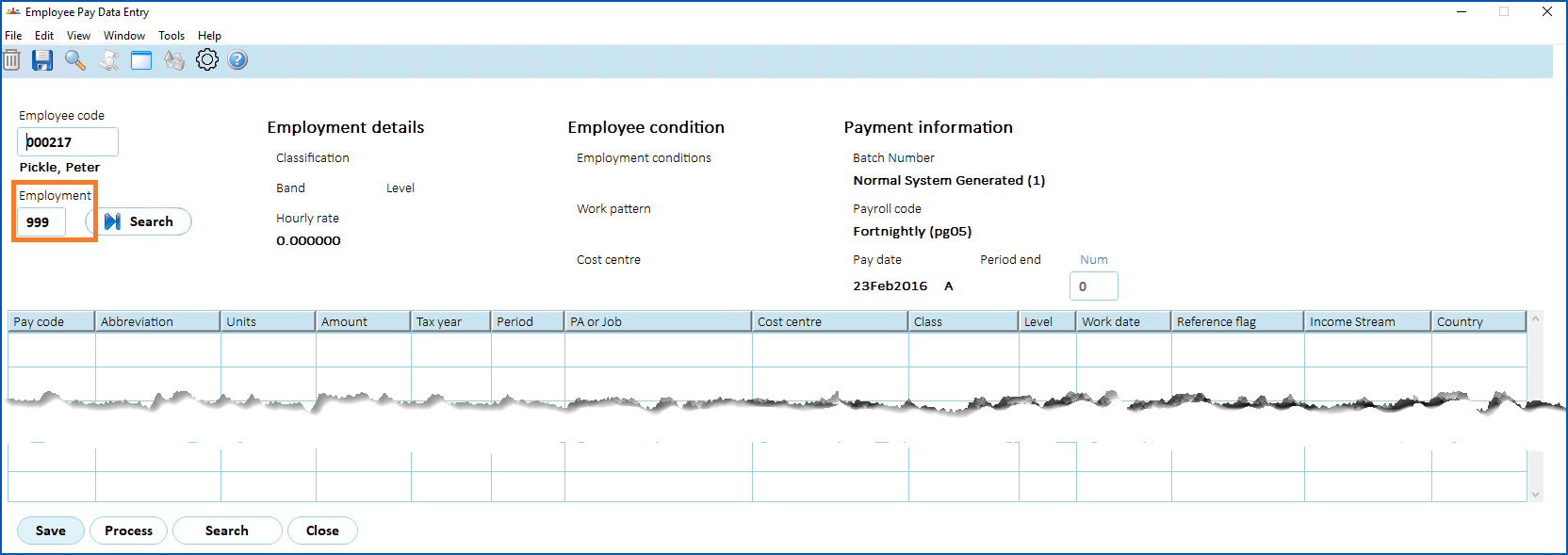
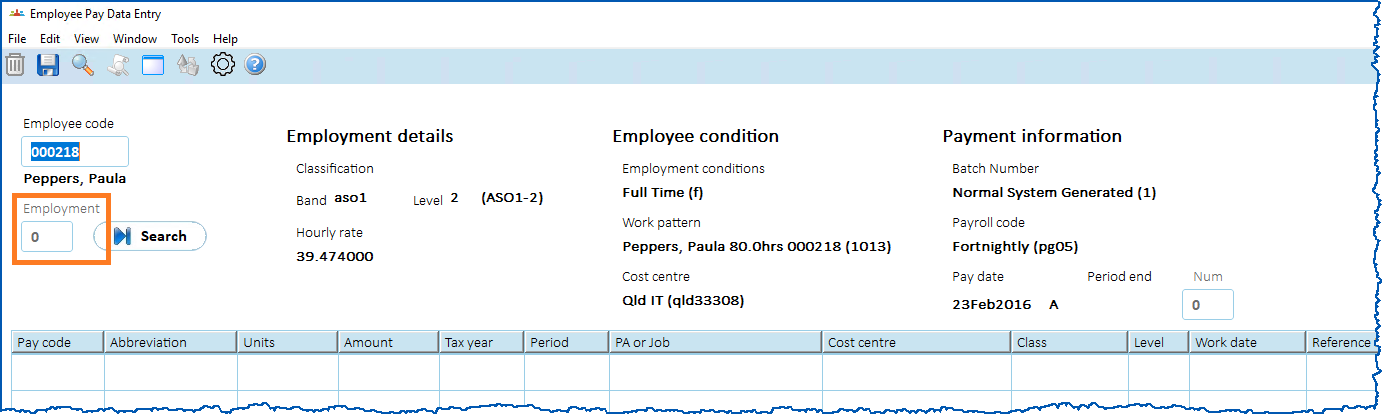
When you press **Tab** to navigate away from the **Employee Code** field, if EmpowerHR finds:
* a single employment, the **Employment** field displays **0** together with the****employment details, conditions, and payment information
[+] [Show example](javascript:void%280%29)
[-] [Hide example](javascript:void%280%29)
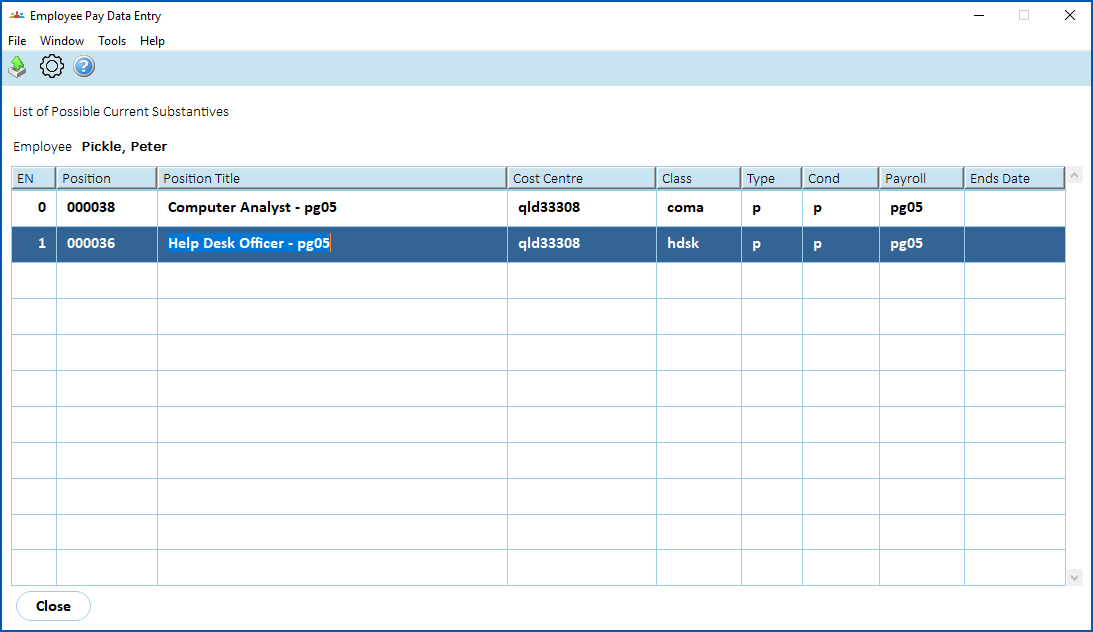
* multiple employments, a pop-up window displays where you double-click the employment number you want to work on, and EmpowerHR displays that number in the **Employment** field together with the****employment details, conditions, and payment information
[+] [Show example](javascript:void%280%29)
[-] [Hide example](javascript:void%280%29)
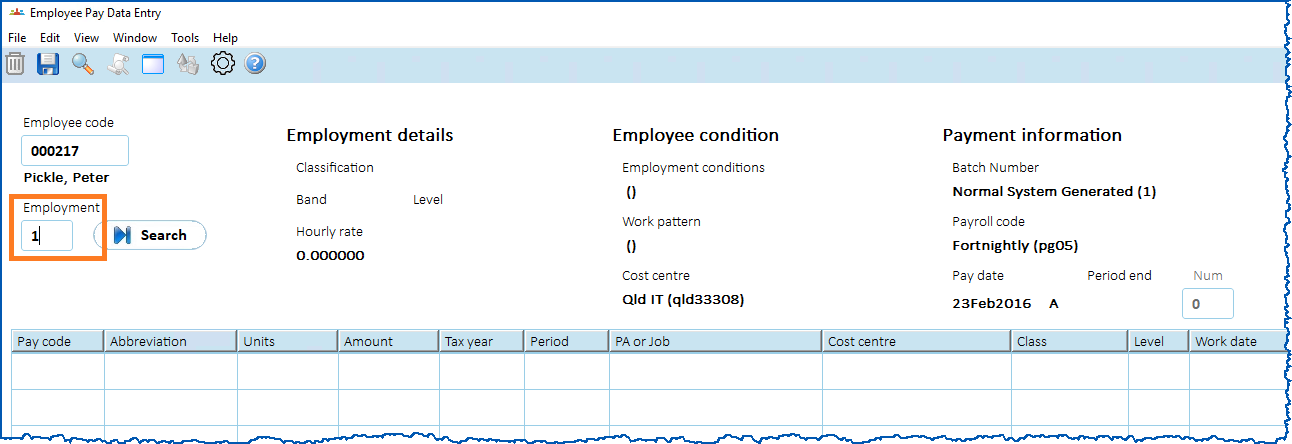
Then you can proceed with pay data entry in the usual way.
| Next topic
[Cease a multiple employment](/articles/ehr-user-guide/cease-a-multiple-employment) |
| --- |
© 2023 Fusion5. All rights reserved.