---
title: "Org level 1-3 codes"
id: "org-level-1-3-codes"
project: "EHR User Guide"
url: "https://help.cloud5.com.au/articles/ehr-user-guide/org-level-1-3-codes"
updated: 2026-10-19T00:53:24Z
---
# Org level 1\-3 codes
Organisation level 1, 2, and 3 codes are for use when you have more than three levels in your organisation, that is, in addition to the mandatory section, branch, and division levels.
While you need to use a dedicated screen to create and maintain Organisation Level 1, Organisation Level 2, and Organisation Level 3 codes, the procedures and fields are virtually the same.
## Create a organisation level 1/2/3 code
To create a organisation level 1/2/3 code:
1. Go to **Control Tables** > **Organisation**, and then click one of the following menu options:
1. **Org Level 1 Codes**, *or*
2. **Org Level 2 Codes**, **** *or*
3. **Org Level 3 Codes**
2. In these instructions, we selected **Org Level 1 Codes**.
3. The **Org Level 1 Codes** summary screen displays.
4. Click **New**.
5. At the **Org Level 1 Codes - Add** detail screen, make your entries in the [org level 1-3 code fields](/articles/ehr-user-guide/org-level-1-3-code-fields).
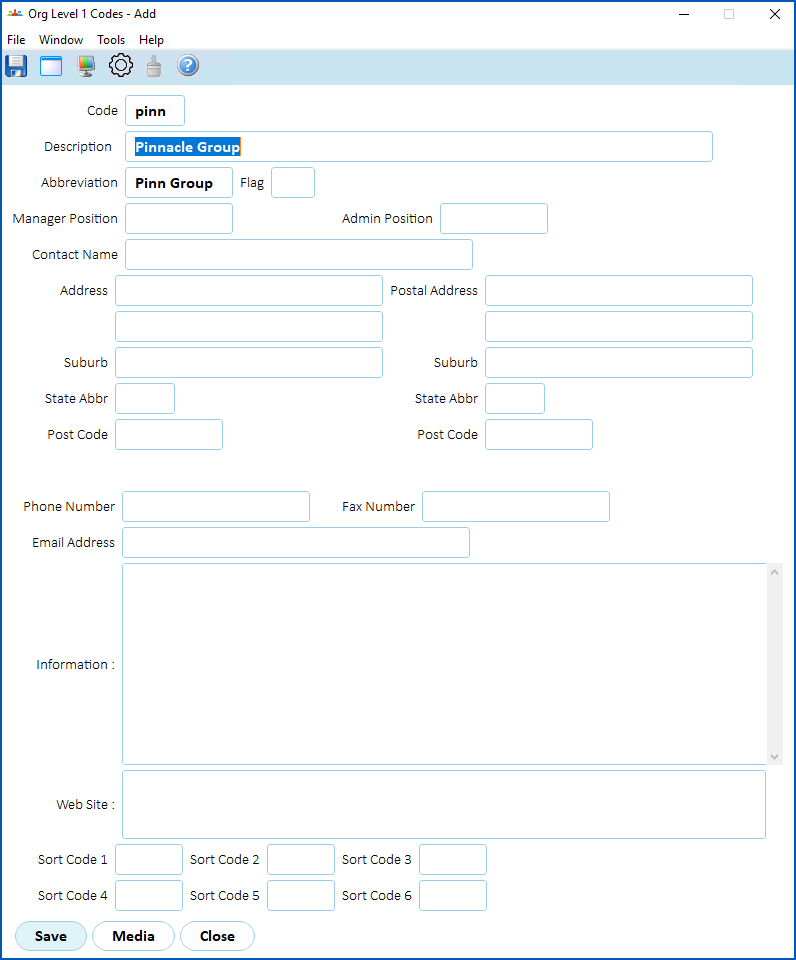
1. Click **Save**.
| Next topic
[Org level 1-3 code fields](/articles/ehr-user-guide/org-level-1-3-code-fields) |
| --- |
© 2023 Fusion5. All rights reserved.