Create an official relief reason code
Creating an official relief reason code involves completing fields on two screens.
To create an official relief reason code:
- Go to Control Tables > Relief and Payments > Official Relief Reasons.
- At the Official Relief Reasons summary screen, click Find Now to list all existing official relief reason codes.
- Click New.
- At the Official Relief Reasons - Add screen (first screen), make your entries in the official relief reason code fields.
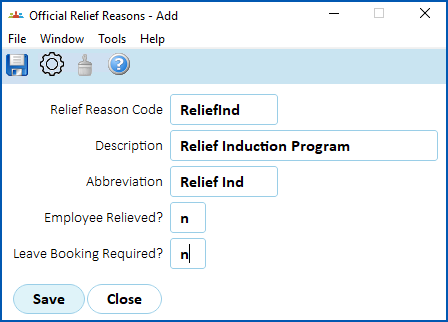
- Click Save.
- At the Official Relief Reasons summary screen, select the official relief reason code you created, and then click Next Level.
- The Official Relief Reason Detail summary screen displays.
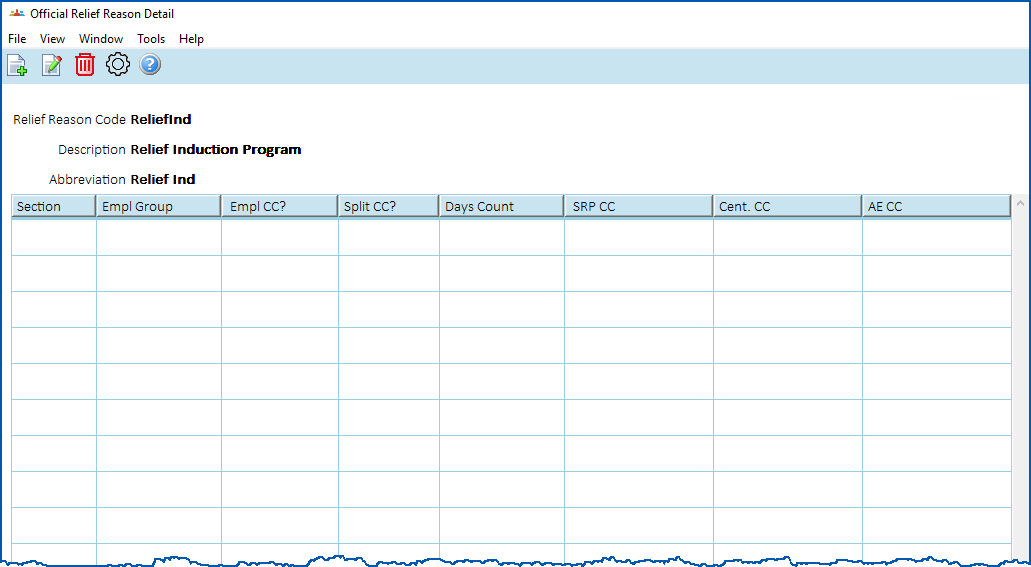
- Click New.
- At the Official Relief Reason Detail detail screen (second screen), make your entries in the official relief reason code fields.

|
The fields displayed on this screen depend on the entries you make. For example, the Split Cost Centre Code? field only shows if you enter y (yes) in the CC Empl Relvd or Section? field. |
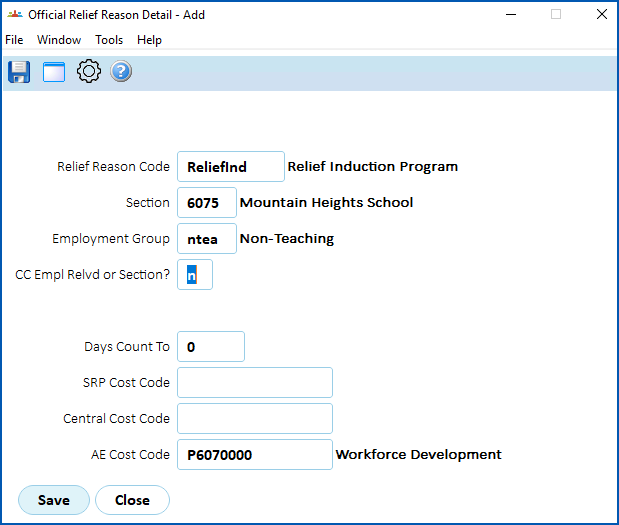
- Click Save.
© 2023 Fusion5. All rights reserved.