Sometimes you may need to add an individual registration, or edit an existing individual registration, on behalf of an employee.
To add or edit an employee registration: 
- Go to Tasks > Compliance Management > Employee Registrations.
- At the Employee Registrations summary screen, click Find Now to see a list of existing employee registrations.
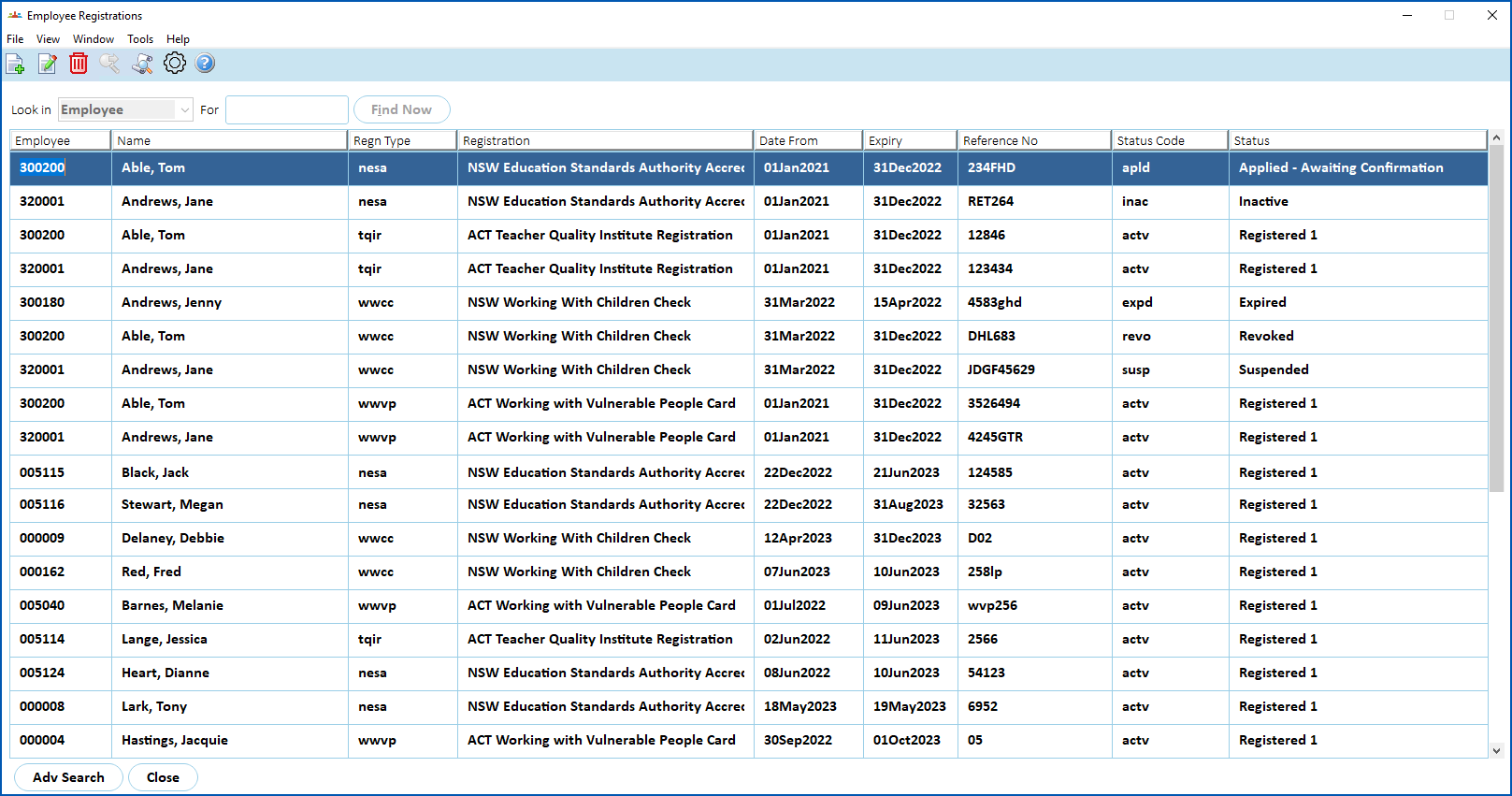
- If you want to:
- edit an existing employee registration, find and select the registration, and then click Open.
- create a new employee registration, click New.
- The Compliance Task Actions detail screen displays. The following example shows an existing WWCC employee registration after clicking Open.
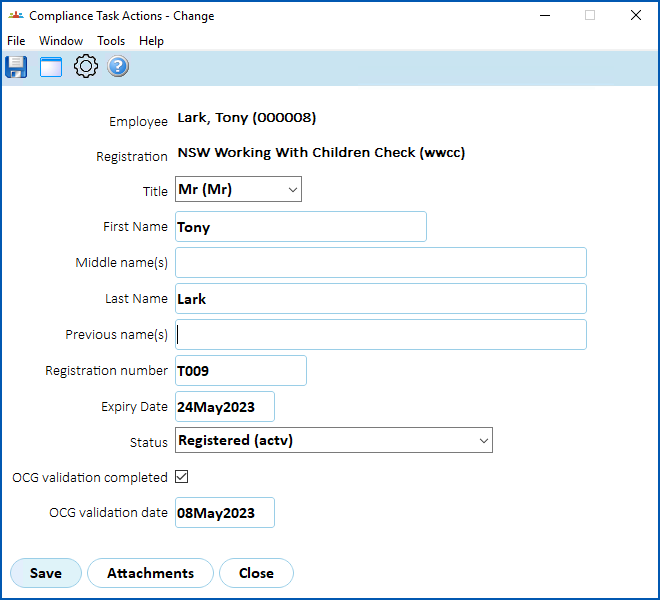
- Complete or change the fields (according to the registration type):
 |
If you're editing an existing employee registration, you can view the attached files by clicking Attachments. |
- Click Save.
© 2023 Fusion5. All rights reserved.