---
title: "Manually add or edit an employee registration"
id: "manually-add-or-edit-an-employee-registration"
project: "EHR User Guide"
url: "https://help.cloud5.com.au/articles/ehr-user-guide/manually-add-or-edit-an-employee-registration"
updated: 2026-10-19T00:53:24Z
---
# Manually add or edit an employee registration
Sometimes you may need to add an individual registration, or edit an existing individual registration, on behalf of an employee.
To add or edit an employee registration: 
1. Go to **Tasks** > **Compliance** **Management** > **Employee Registrations**.
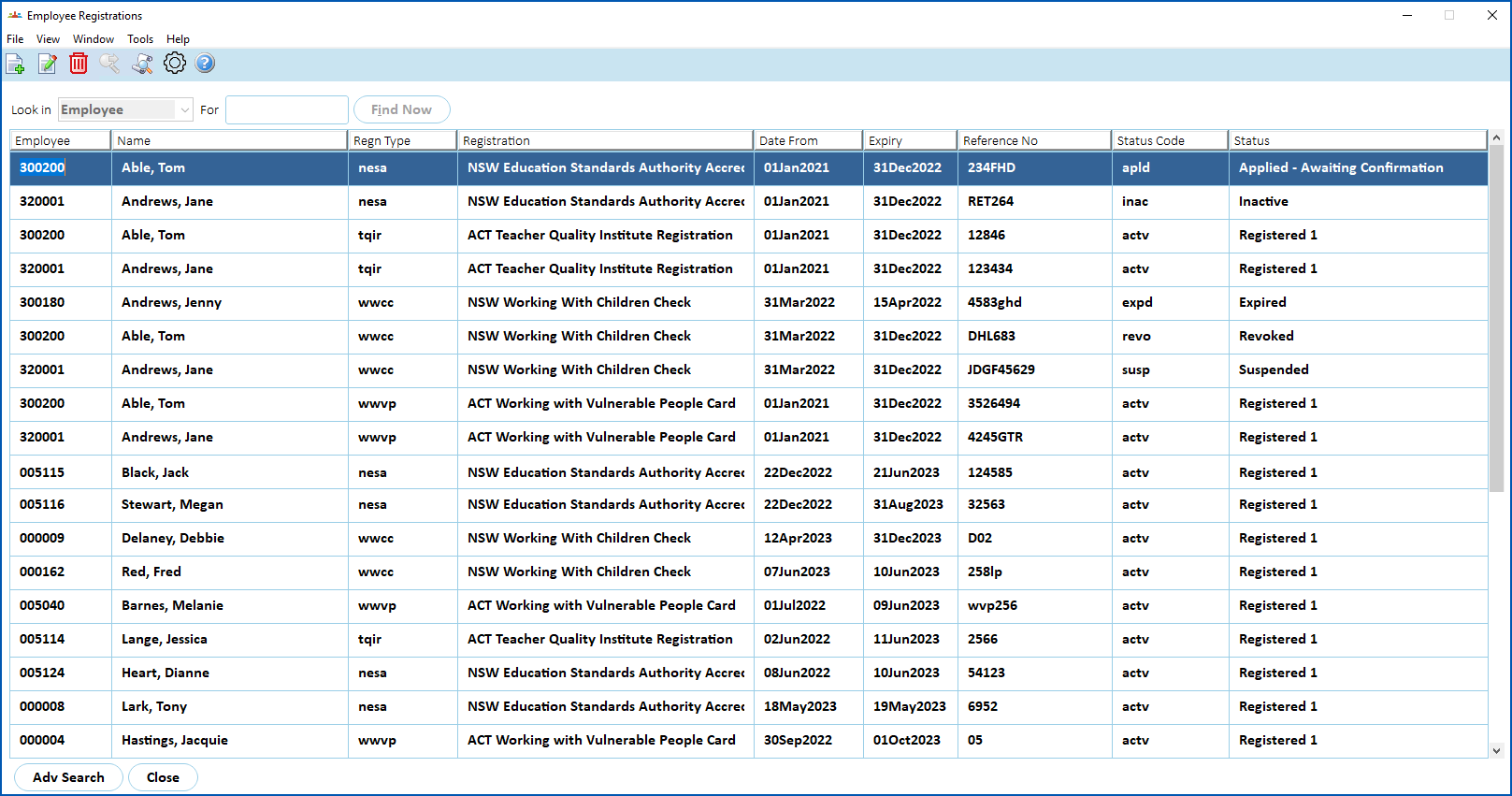
2. At the **Employee Registrations** summary screen, click **Find Now** to see a list of existing employee registrations.
1. If you want to:
1. edit an existing employee registration, find and select the registration, and then click **Open**.
2. create a new employee registration, click **New**.
2. The **Compliance Task Actions** detail screen displays. The following example shows an existing WWCC employee registration after clicking **Open**.
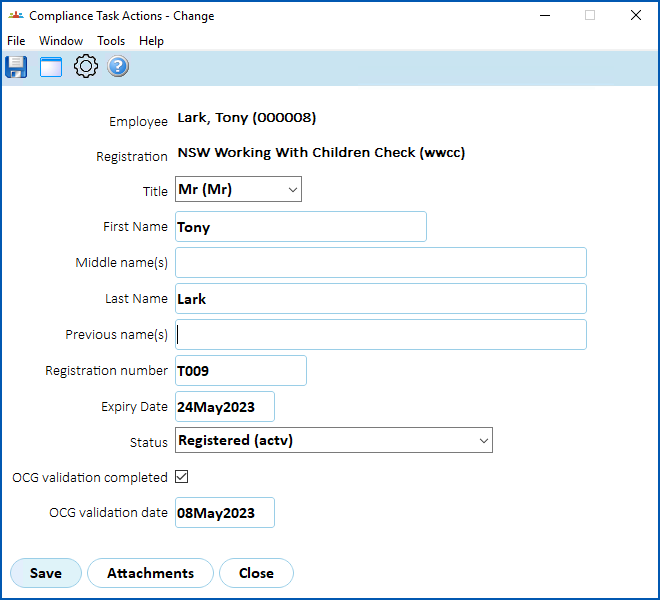
1. Complete or change the fields (according to the registration type):
* [NESA registration fields](/articles/ehr-user-guide/nesa-registration-fields)
* [TQI registration fields](/articles/ehr-user-guide/tqi-registration-fields)
* [WWCC registration fields](/articles/ehr-user-guide/wwcc-registration-fields)
* [WWVP registration fields](/articles/ehr-user-guide/wwvp-registration-fields)
|  | If you're editing an existing employee registration, you can view the attached files by clicking **Attachments**. |
| --- | --- |
1. Click **Save**.
| Next topic
[NESA registration fields](/articles/ehr-user-guide/nesa-registration-fields) |
| --- |
© 2023 Fusion5. All rights reserved.