---
title: "Indicate your preferences"
id: "indicate-your-preferences"
project: "EHR User Guide"
url: "https://help.cloud5.com.au/articles/ehr-user-guide/indicate-your-preferences"
updated: 2026-10-19T00:53:01Z
---
# Indicate your preferences
## Indicate your preferred sections (schools)
In ESS, you can indicate where you prefer to do casual relief work.
To indicate your preferred sections (schools):
1. Go to **Casual Relief** > **Preferred Section**.
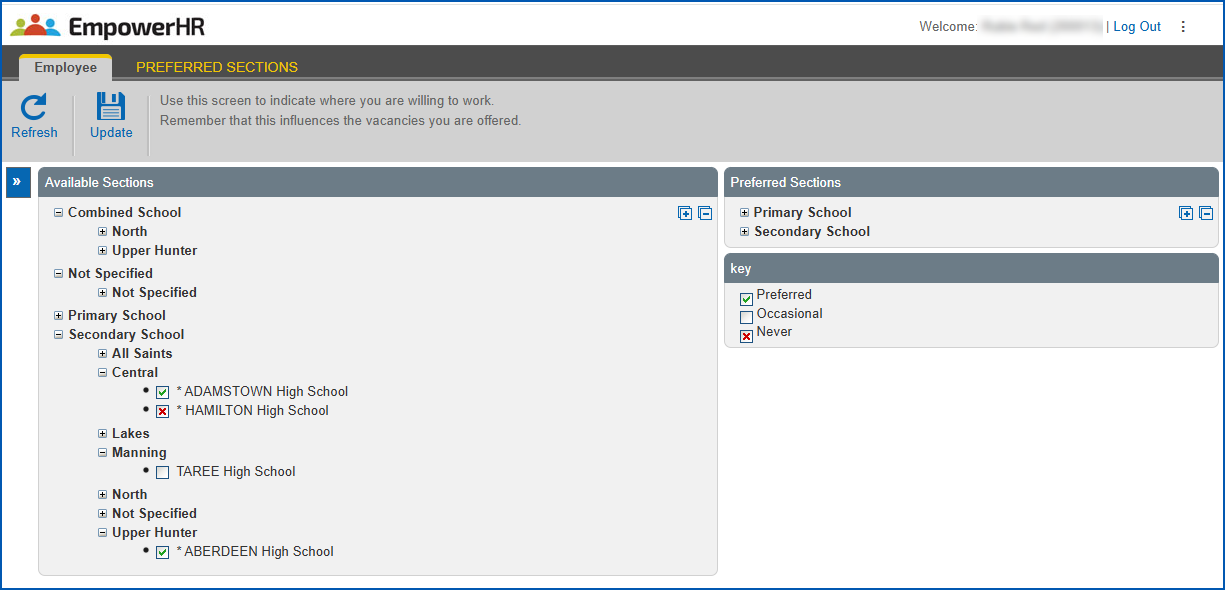
2. EmpowerHR displays the **Preferred Sections**screen.
3. In **Available Sections**, expand the sections list until you find the section you want to set your preference on.
4. Set your preference by clicking the checkbox until:
1. a green checkmark appears to show you prefer to work at the school, *or*
2. a red checkmark appears to show you prefer not to be advised of any vacancies at the school, *or*
3. the checkbox is cleared to show you would consider working occasionally at the school (when the school uses the **Wider Search** option to fill a casual vacancy)
1. Click **Update**.
## Indicate your preferred competencies
In ESS, you can indicate which teaching areas, skills, and competencies you prefer to teach in casual relief work.
To indicate your preferred competencies:
1. Go to **Casual Relief** > **Preferred Competencies**.
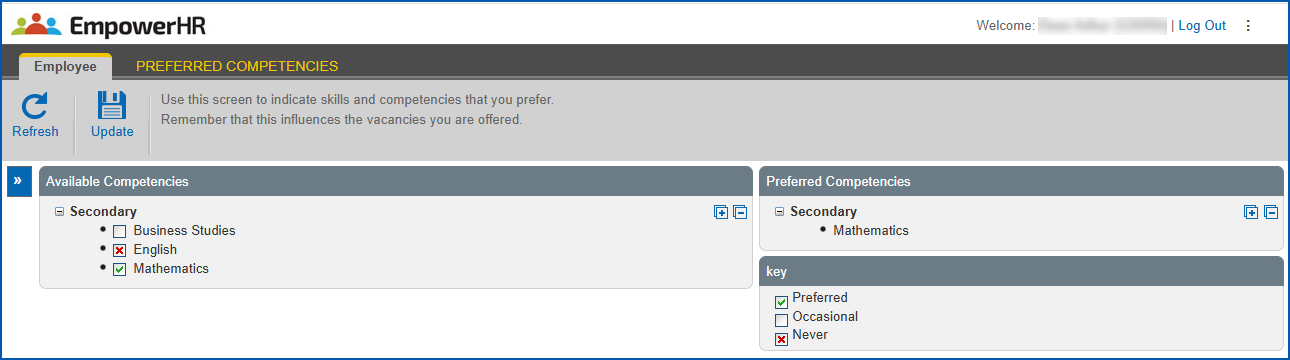
2. EmpowerHR displays the **Preferred Competencies**screen.
3. In **Available Competencies**, expand the teaching area list until you find the competencies you want to set preference for.
4. Set your preference by clicking the checkbox until:
1. a green checkmark appears to show you prefer to teach the teaching area/skill/competency, *or*
2. a red checkmark appears to show you prefer not to be considered for work involving the teaching area/skill/competency
1. Click **Update**.
| Next topic
[Submit your resume](/articles/ehr-user-guide/submit-your-resume) |
| --- |
© 2023 Fusion5. All rights reserved.