---
title: "How does the staff absence calendar work?"
id: "how-does-the-staff-absence-calendar-work"
project: "EHR User Guide"
url: "https://help.cloud5.com.au/articles/ehr-user-guide/how-does-the-staff-absence-calendar-work"
updated: 2026-10-19T00:52:46Z
---
# How does the staff absence calendar work?
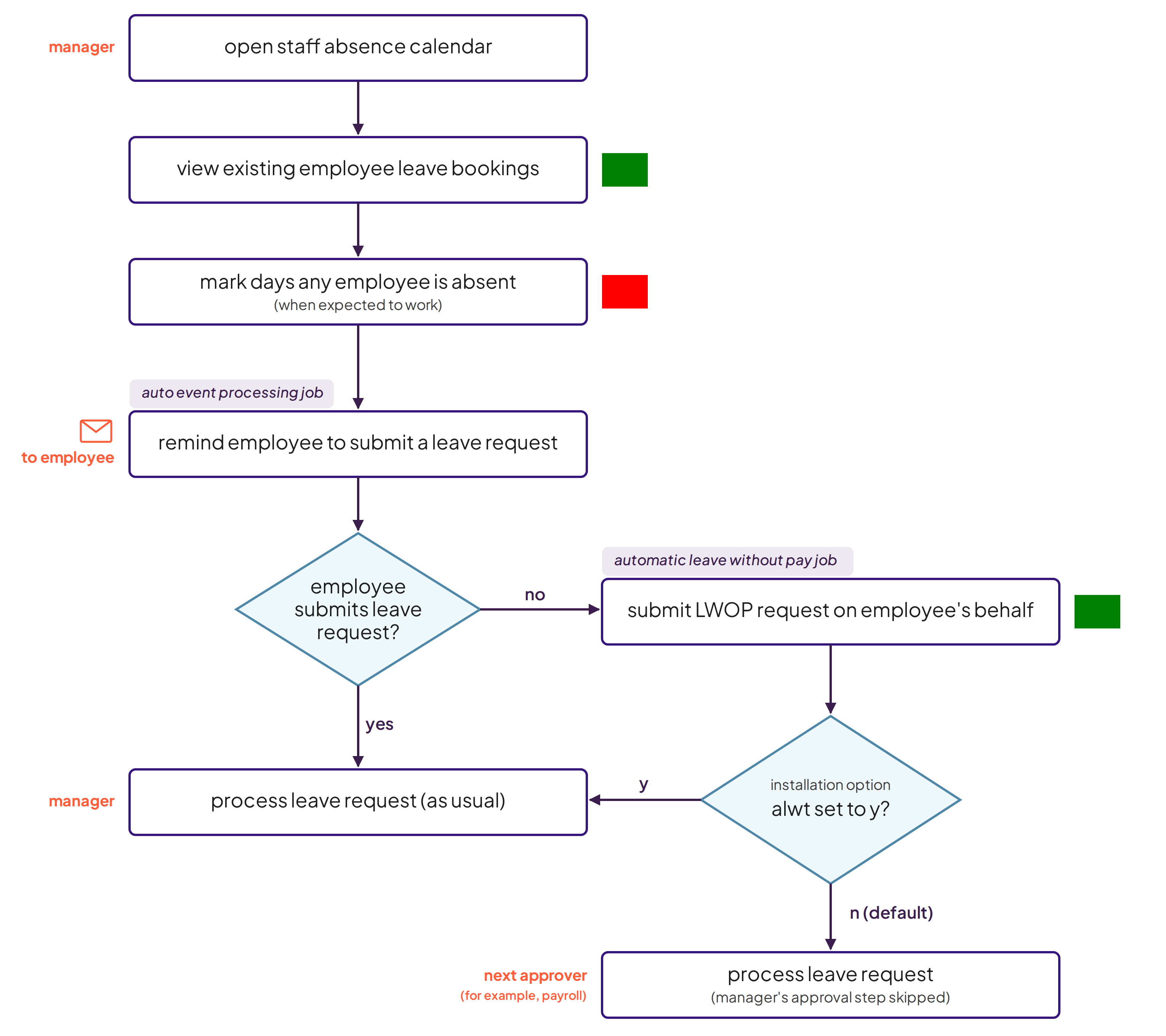
Using the Staff Absence Calendar in MSS, you can view the employees in your school/section for the current week or a week you select. EmpowerHR highlights the day in green where an employee has submitted a leave request for the day.
If the employee has forgotten to submit a leave request, you simply mark the day and EmpowerHR highlights it in red. Then EmpowerHR does the followup for you with the aid of two background jobs. Here's how:
* When the **auto event processing** job runs, EmpowerHR sends the employee a reminder to submit a leave request.
* If the employee doesn't submit a request within a nominated number of days, the **automatic leave without pay** job automatically creates a LWOP request on the employee's behalf and submits the request for approval. By default, the request skips the manager's approval step, unless your organisation has set it up to go to the manager first.LWOP = leave without pay
Here's a snapshot of how it works...
| Next topic
[What you need to set up (staff absence calendar)](/articles/ehr-user-guide/what-you-need-to-set-up-staff-absence-calendar) |
| --- |
© 2023 Fusion5. All rights reserved.