To check and fix any errors once a crossboarding job is finished:
- Go to Background Jobs > Bulk Data Take-On > Crossboarding > Crossboarding Error Enquiry.
- EmpowerHR displays a summary of errors and warnings for you to review.
- To fix an error, go to Background Jobs > Bulk Data Take-On > Position/Employee Data > Crossboard Approval/Error Fix.
- EmpowerHR lists the employees with errors in the data upload.
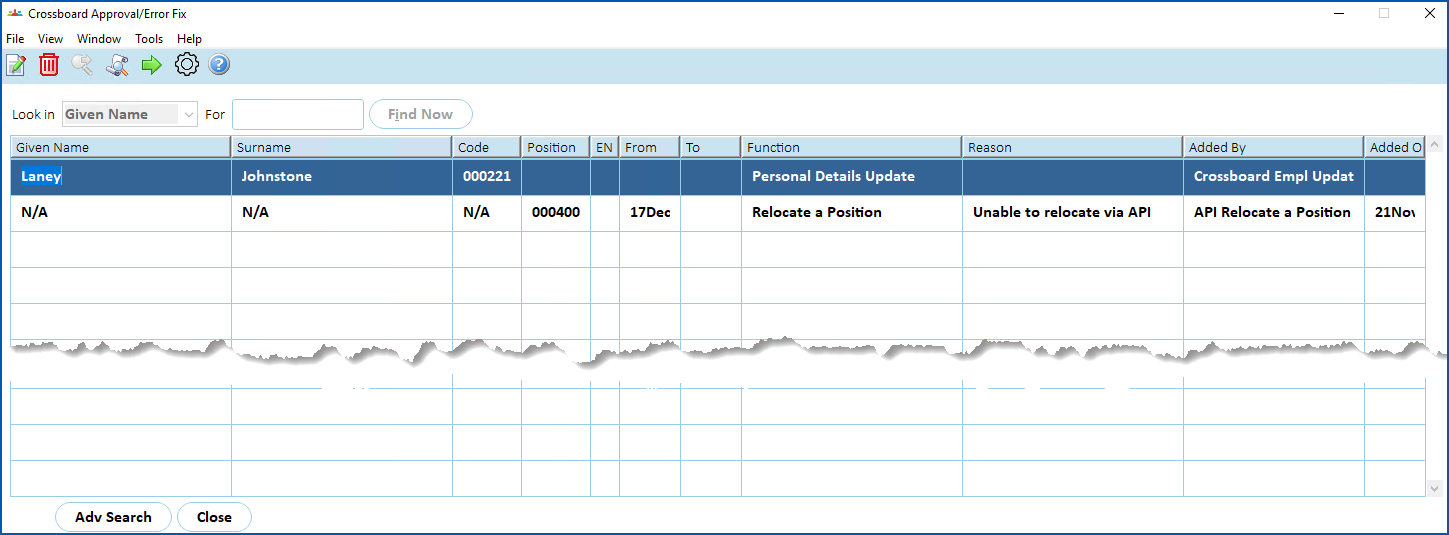
- Select a row, and then click Open.
- The Personal Details Update Error Correction screen displays details of the error. In the following example, on the Gender Diversity tab, the error message shows the How does the employee describe their gender? field value is invalid.
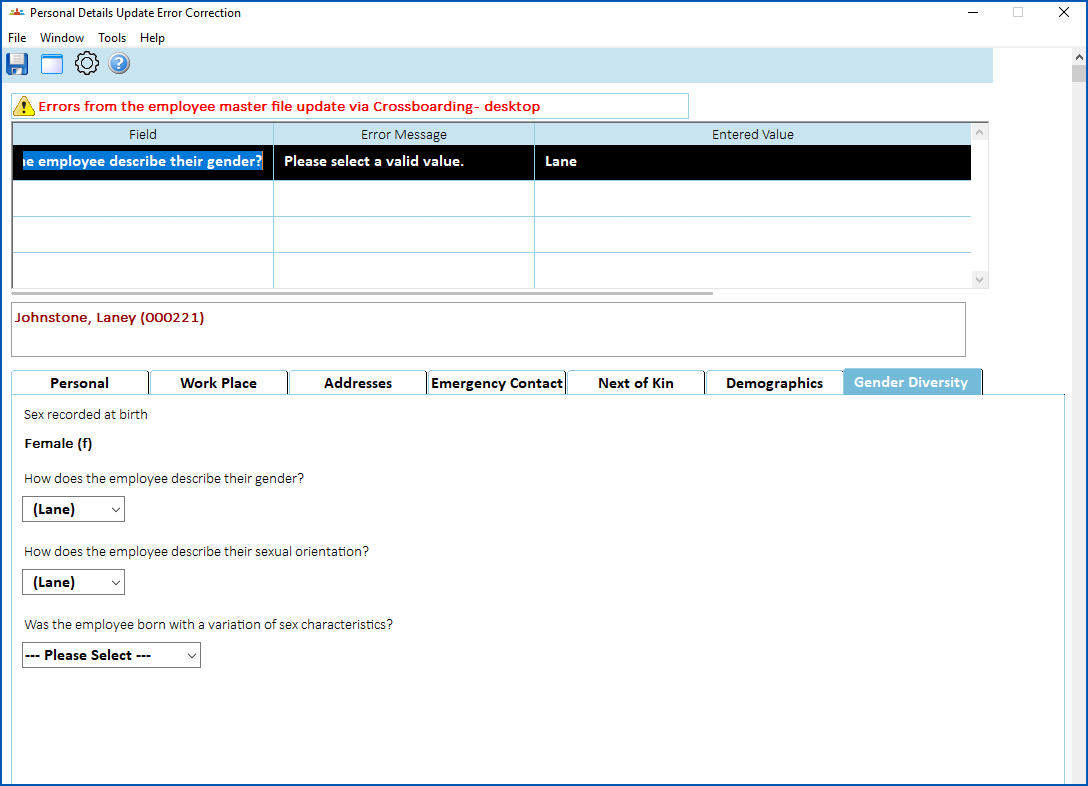
- Fix the error by entering the correct data.
- Click Save. EmpowerHR loads the data for the employee.
© 2023 Fusion5. All rights reserved.