If you are the final approver in the compliance workflow, when you accept a request, the registration process is complete and the certificate is current.
To action an employee’s compliance registration request: 
- When you log into the desktop, if you have any requests to action, the alerter displays:

- Click Click here at the alerter.
- At the EmpowerHR Tasks summary screen, go to the Compliance Requests tab.
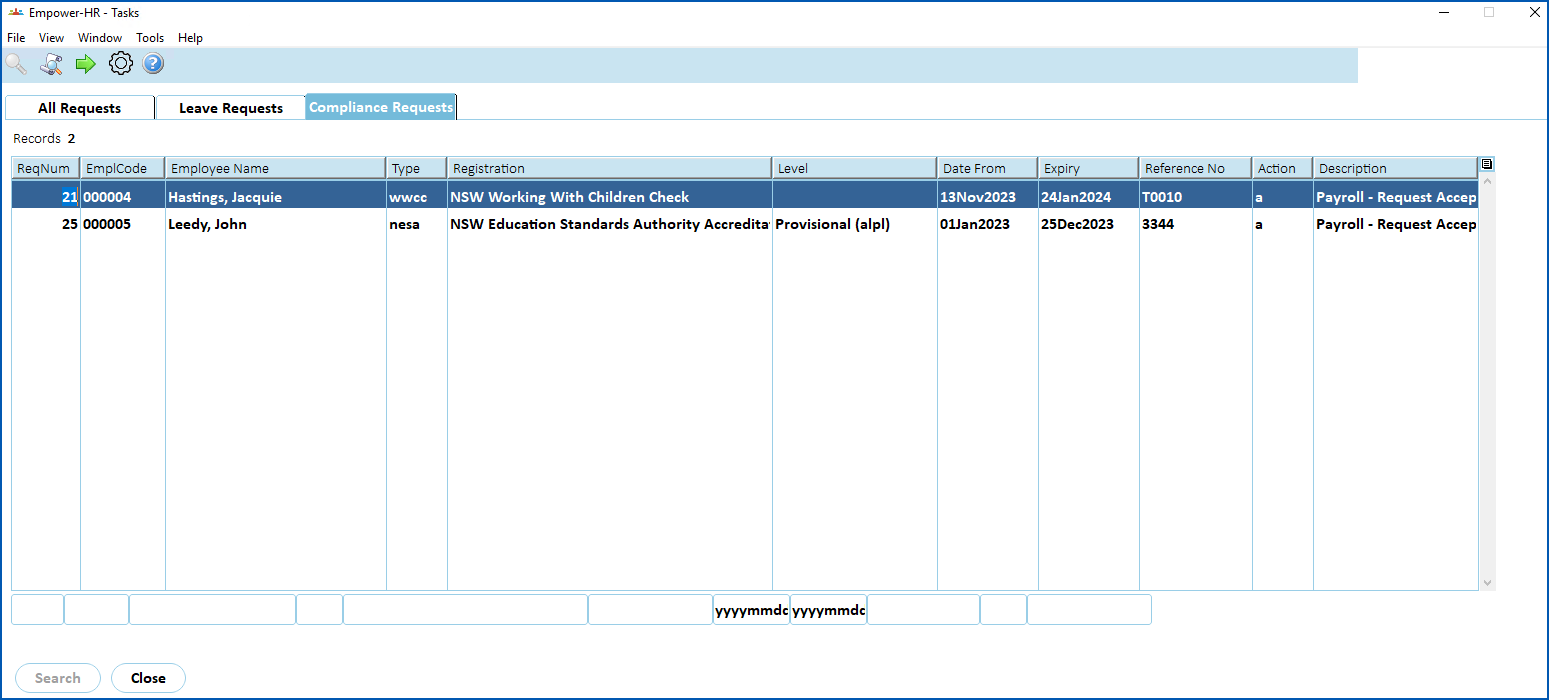
- Select a request, and then click Next Level. The Compliance Task Actions detail screen displays.
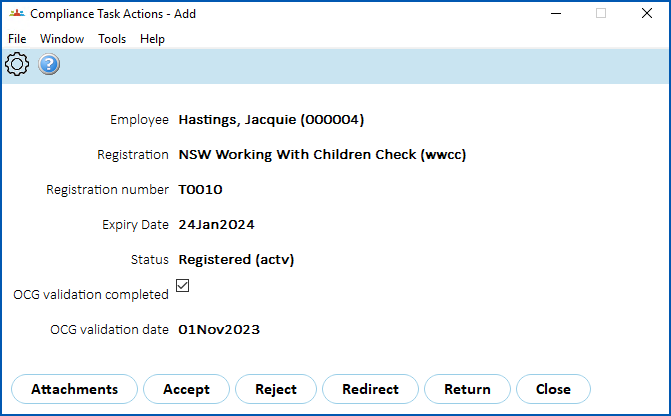
- Click an action. Here's what you can do to action a request.
| Click... | To... |
|---|---|
| Attachments | View the request's attachments. |
Accept | Approve the request. Once approved, the certificate is made current. |
| Reject | Reject the request and cancel the registration process. |
| Redirect | Redirect the request to another recipient. |
| Return | Return the registration request to the manager who approved it. |
© 2023 Fusion5. All rights reserved.