---
title: "Field margins"
id: "field-margins"
project: "EHR User Guide"
url: "https://help.cloud5.com.au/articles/ehr-user-guide/field-margins"
updated: 2026-10-19T00:54:27Z
---
# Field margins
You can set the size of the left and right margins on data entry fields in EmpowerHR. Margins are the space between the field outline and the text.
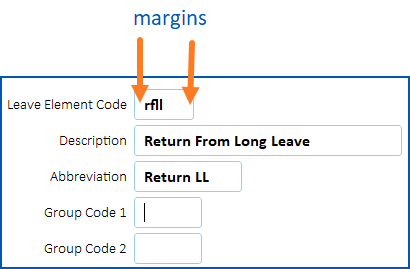
## How to change field margins
To change the field margins:
1. Go to **Administration**> **Agency Management**>**Installation Options**.
2. At the **Installation Option** **s**summary screen, find the option called **Left Right Entryfield Margin (lrmg)**.
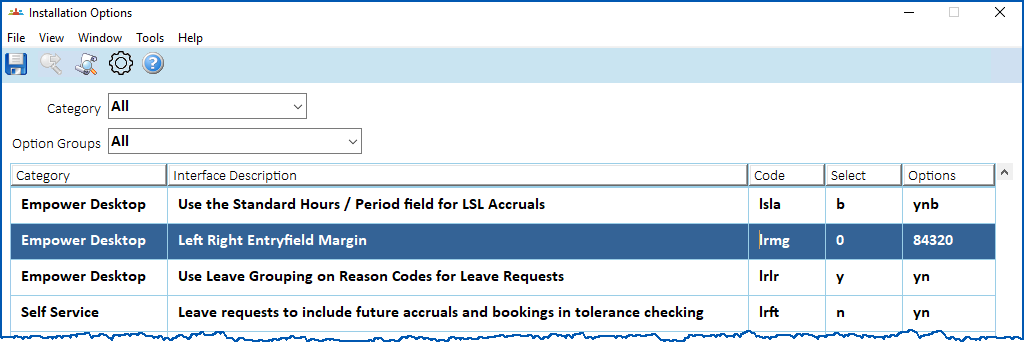
1. At the **Select** column, enter one of the following options:
1. **2** (narrowest margin)
2. **3**
3. **4**
4. **8**
5. **0** (widest margin of 10)
|  | 0 is the default setting. |
| --- | --- |
1. Click **Save**.
| Next topic
[Status line messages](/articles/ehr-user-guide/status-line-messages) |
| --- |
© 2023 Fusion5. All rights reserved.