---
title: "Employee gender diversity reporting"
id: "employee-gender-diversity-reporting"
project: "EHR User Guide"
url: "https://help.cloud5.com.au/articles/ehr-user-guide/employee-gender-diversity-reporting"
updated: 2026-10-19T00:54:16Z
---
# Employee gender diversity reporting
## Create ad hoc gender diversity reports
All gender diversity data elements are available in the Query Manager so you can run your own ad hoc reports.
|  | If you need to switch on access to gender diversity data in Query Manager, go to **Administration** > **System Security** > **Query Manager Administration**. |
| --- | --- |
To create an ad hoc gender diversity report:
1. Go to **Enquiries**> **Query Manager**.
2. At **Query Manager**, in the **Catalogue**list on the **Data** tab, expand **Employees**, **Personal Information**, and then **Gender Diversity** ****to see the data elements.
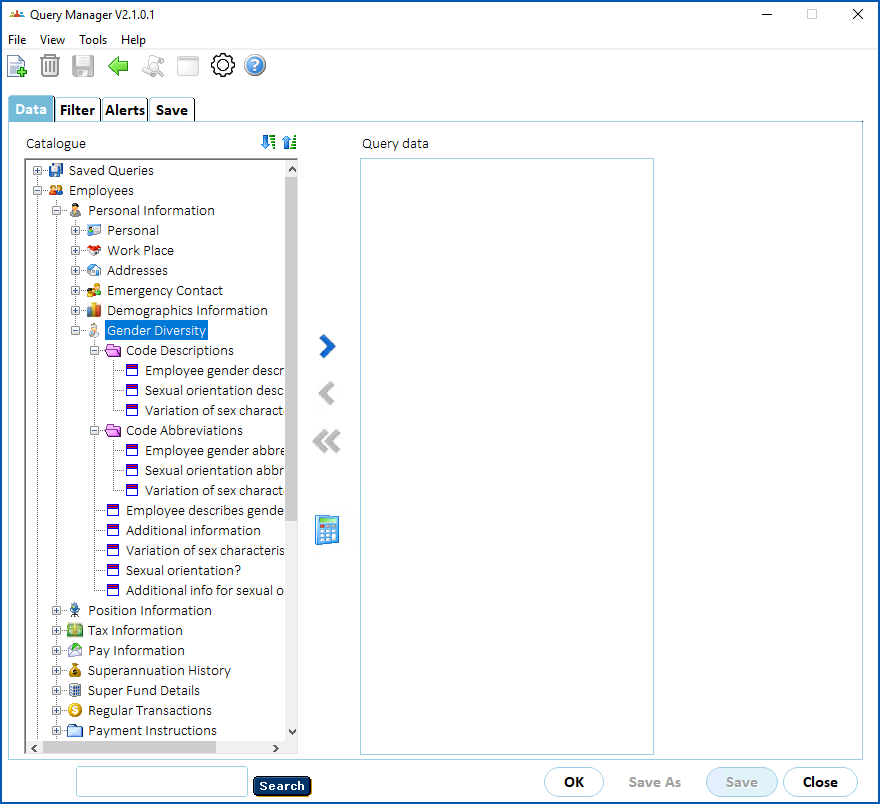
1. Select a data element, and then click **Move Right** to transfer it to the **Query data** panel. Repeat this step until you have transferred all the data elements you want to report on.
2. Apply any sorting or filtering you require.
3. Save the query if you want to use it again.
4. Click **OK** to see the report results.
For more information, see [create reports with query manager](/articles/ehr-user-guide/create-reports-with-query-manager).
| Next topic
[Employee information enquiries](/articles/ehr-user-guide/employee-information-enquiries) |
| --- |
© 2023 Fusion5. All rights reserved.