---
title: "Create movement reasons"
id: "create-movement-reasons"
project: "EHR User Guide"
url: "https://help.cloud5.com.au/articles/ehr-user-guide/create-movement-reasons"
updated: 2026-10-19T00:54:28Z
---
# Create movement reasons
You can create very specific movement reasons to eliminate any doubt about the types of movement actions taken. For example, a **new contract** movement reason is more distinctive than a general **condition change** movement reason.
Every movement reason can have its own set of [transaction rules](/articles/ehr-user-guide/create-and-update-transaction-rules) to uniquely isolate only the fields that need to be completed and make sure valid data is entered.
For particular movements, you might not need to use all the fields provided on the Positions and Pay screens, while other EmpowerHR clients might. The **process controls** **(type p)** [transaction rules](/articles/ehr-user-guide/create-and-update-transaction-rules) let you switch off (set to display only) any fields users don’t need to access during a position movement. This makes it clear about which fields do need data entry.
## Create a movement reason
To create a new movement reason:
1. Go to **Control Tables** > **Events** > **Position Movement Reasons**.
2. The **Position Movement Reason** summary screen displays a list of existing reasons.
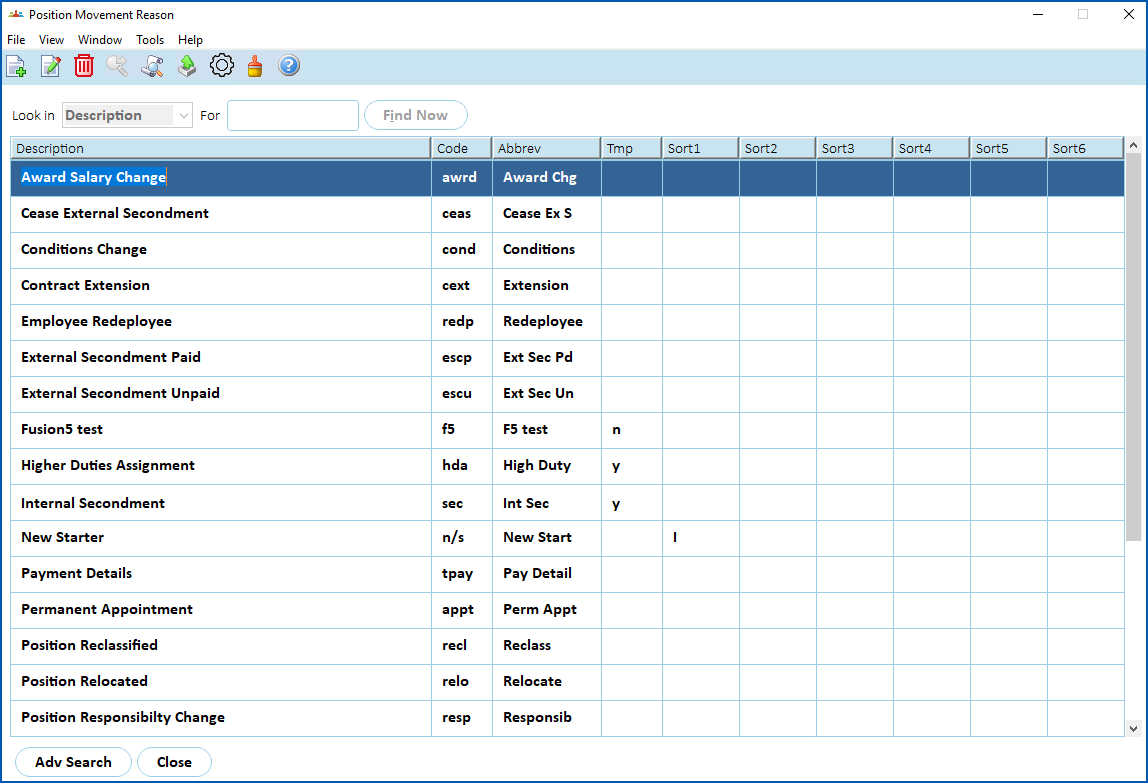
1. Click **New**.
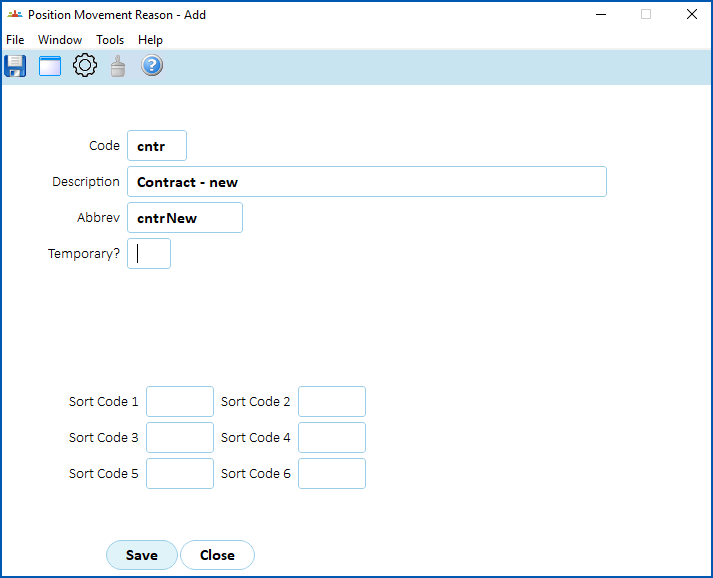
2. At the **Position Movement Reason** detail screen, complete the fields using the following table as a guide.
| **At this field...** | **Do this...** |
| --- | --- |
| Code | Enter a code (up to 4 characters) - for example, **cntr** |
| Description | Enter a description for the reason (up to 40 characters) - for example, **Contract - new** |
| Abbreviation | Enter an abbreviation (up to 10 characters) - for example, **cntrNew** |
| Temporary? | Enter:
- y (yes) if the reason code is for a temporary movement. If you enter y (yes), the reason code can be used on the Temporary Movements screen, or
- n (no) if the code is not for a temporary movement (or else leave the field blank as n (no) is the default value)
|
1. Click **Save**.
2. Now you've created a position movement reason, you can [create new transaction rules](/articles/ehr-user-guide/create-and-update-transaction-rules) to add to it.
| Next topic
[Create and update transaction rules](/articles/ehr-user-guide/create-and-update-transaction-rules) |
| --- |
© 2023 Fusion5. All rights reserved.