---
title: "Create flexi leave taken reasons"
id: "create-flexi-leave-taken-reasons"
project: "EHR User Guide"
url: "https://help.cloud5.com.au/articles/ehr-user-guide/create-flexi-leave-taken-reasons"
updated: 2026-10-19T00:53:16Z
---
# Create flexi leave taken reasons
This is an optional procedure. If you want employees to be able to select a flexi leave reason when they create a flexi leave request, you need to set the reasons up first. If not, simply skip this procedure.
To create a flexi leave reason:
1. Go to **Control Tables**> **Leave**> **Leave Taken Reaso** **n** **.**
2. At the **Leave Taken Reason**summary screen, click **New**.
3. At the **Leave Taken Reason**detail screen, complete the fields using the following table as a guide.
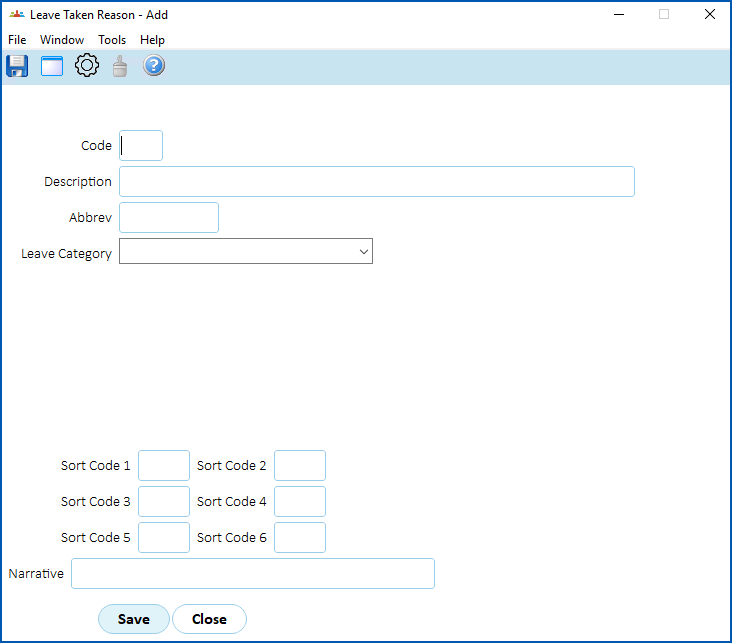
| **At this field...** | **Do this...** |
| --- | --- |
| Code | Enter the code for the leave taken reason (up to 4 characters), for example, **flcr** |
| Description | Enter a descriptive name for the leave taken reasons (up to 30 characters), for example, **Flexi credit leave reason** |
| Abbrev | Enter a meaningful abbreviation of the leave taken reason (up to 10 characters), for example, **Flccreason** |
| Leave Category | Select a leave category from the dropdown list. |
| Sort Code 1 - Sort Code 6 | N/A |
1. Click **Save**.
2. Repeat this procedure, starting from step 2, to add any other flexi leave taken reasons, For example, you may want a reason for flexi credit leave, and another for flexi banked leave.
| Next topic
[Set up flexi leave rules](/articles/ehr-user-guide/set-up-flexi-leave-rules) |
| --- |
© 2023 Fusion5. All rights reserved.