---
title: "Create a login message"
id: "create-a-login-message"
project: "EHR User Guide"
url: "https://help.cloud5.com.au/articles/ehr-user-guide/create-a-login-message"
updated: 2026-10-19T00:52:49Z
---
# Create a login message
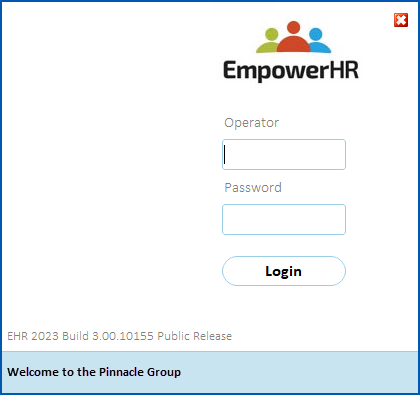
You can create a custom message to display at the bottom of the EmpowerHR login screen.
To create a custom login message: 
1. Go to **Administration** > **Agency Management** > **Login Message Update**.
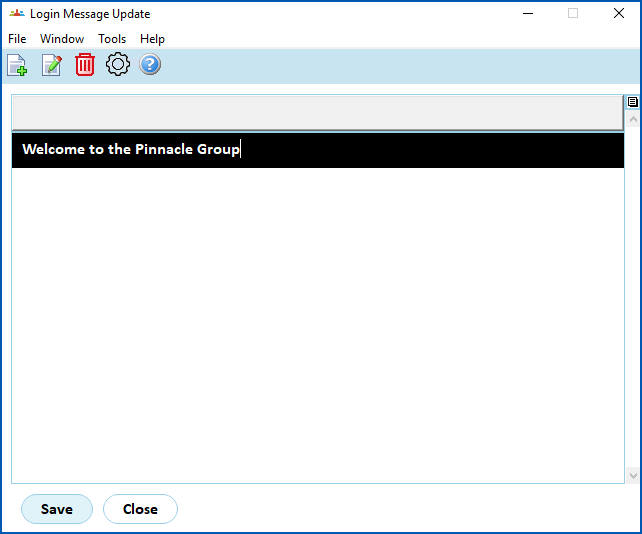
2. At the **Login Message Update** screen, click **Open**.
3. Type the login message you want to display.
|  | By default, the text is left-aligned. You can use the space bar to manually change the alignment if you want. |
| --- | --- |
1. Click **Save**.
2. Click **Close**. Now when anyone in your organisation logs in, the new message displays.
| Next topic
[System access management](/articles/ehr-user-guide/system-access-management) |
| --- |
© 2023 Fusion5. All rights reserved.