---
title: "Cost centre codes"
id: "cost-centre-codes"
project: "EHR User Guide"
url: "https://help.cloud5.com.au/articles/ehr-user-guide/cost-centre-codes"
updated: 2026-10-19T00:53:27Z
---
# Cost centre codes
EmpowerHR allows you to create cost centre codes to identify the funding source for positions in your organisation. EmpowerHR uses the codes when payroll is interfaced with a financial system, and potentially as the basis for the organisation budget.
On the Cost Centre Code screen, you can configure the Sort Codes to use Cost Centre Group Codes setup, and to report on different levels within the cost centre.
## Create a cost centre code
To create a cost centre code:
1. Go to **Control Tables** > **Position** > **Cost Centre** **Codes**.
2. At the **Cost Centre Codes** summary screen, click **Find Now** to see a list of existing codes.
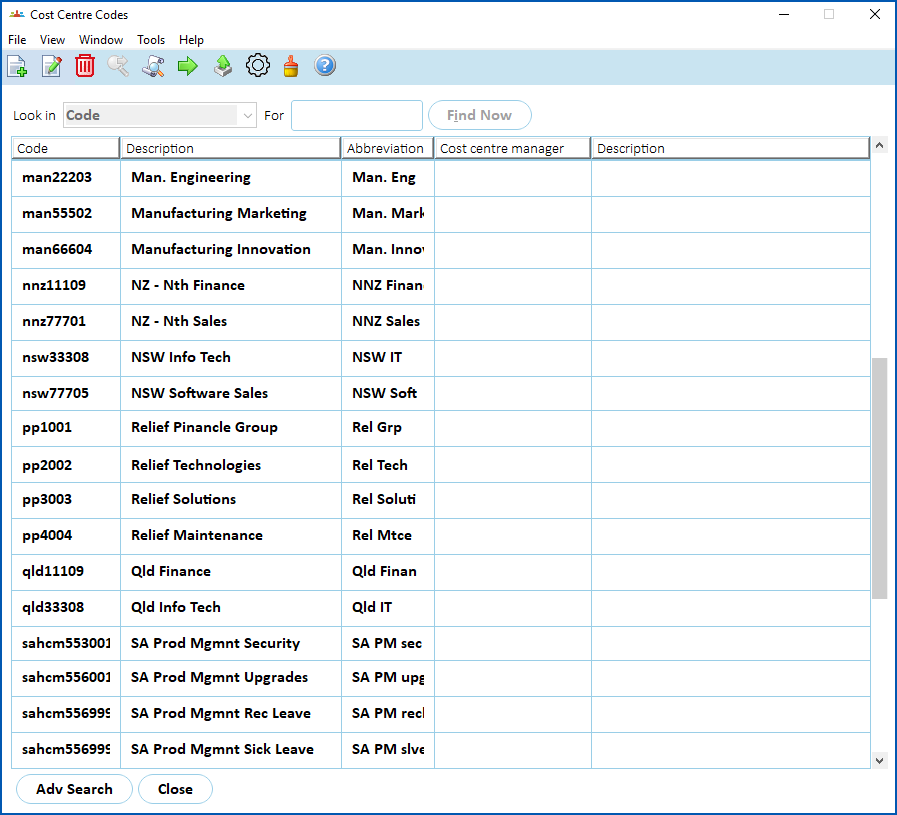
1. Click **New**.
2. At the **Cost Centre Codes (add)** detail screen, make your entries in the [cost centre code fields](/articles/ehr-user-guide/cost-centre-code-fields).
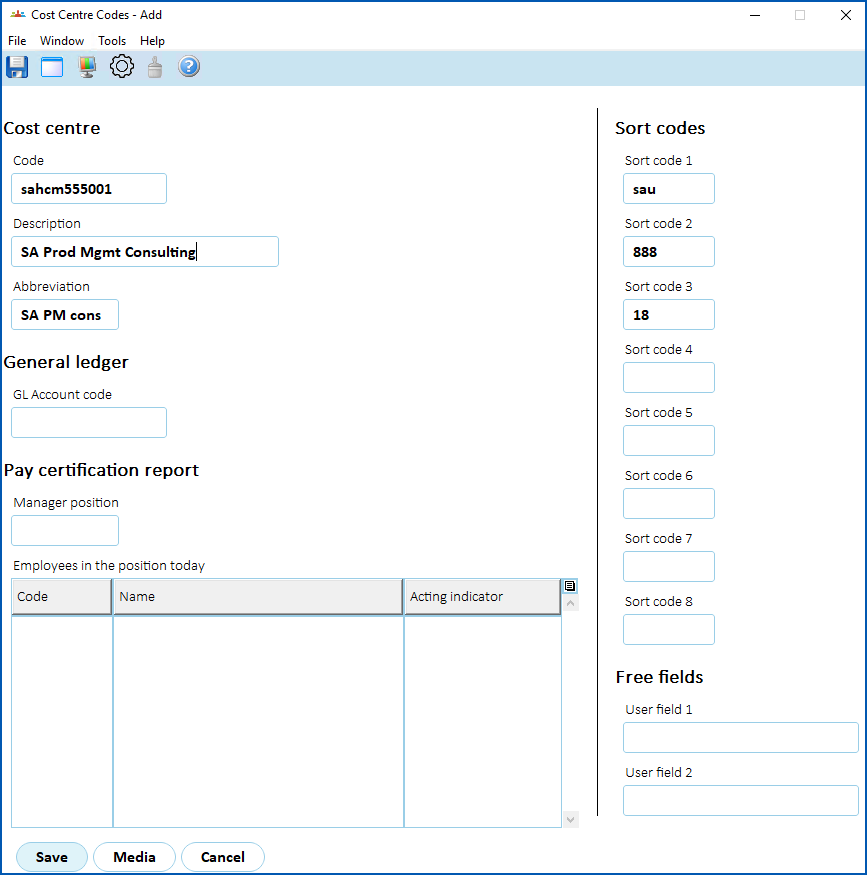
1. Click **Save**.
| Next topic
[Cost centre code fields](/articles/ehr-user-guide/cost-centre-code-fields) |
| --- |
© 2023 Fusion5. All rights reserved.