Unlike substantive employee movements, you can change a temporary movement (such as HDA  ) any time. EmpowerHR makes any remuneration adjustments to current or earlier pays in the current pay.
HDA = higher duties allowance, where when an employee is temporarily requested to perform all or some of the duties that normally form part of a higher-level position
To change an employee HDA record:
- Go to Tasks > Employees > Temporary Movements > Higher Class Duties.
- At the Higher Class Duties summary screen, in Employee Code:
- enter the code if you know it, or
- click Window, find and double-click the code to add it to the field
- Press Tab. EmpowerHR displays the employee's previous HDA records.
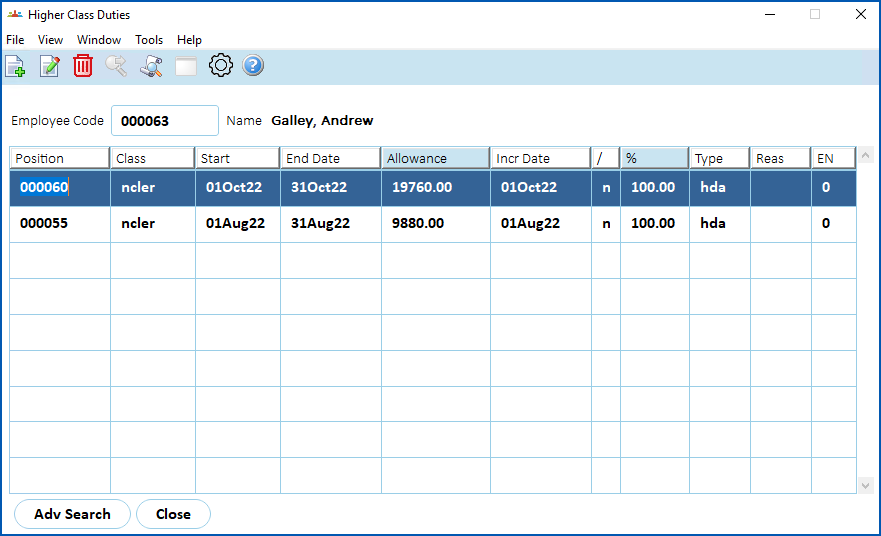
- Select the record you want to change, and then click Open.
- EmpowerHR displays the Higher Class Duties - Change screen.
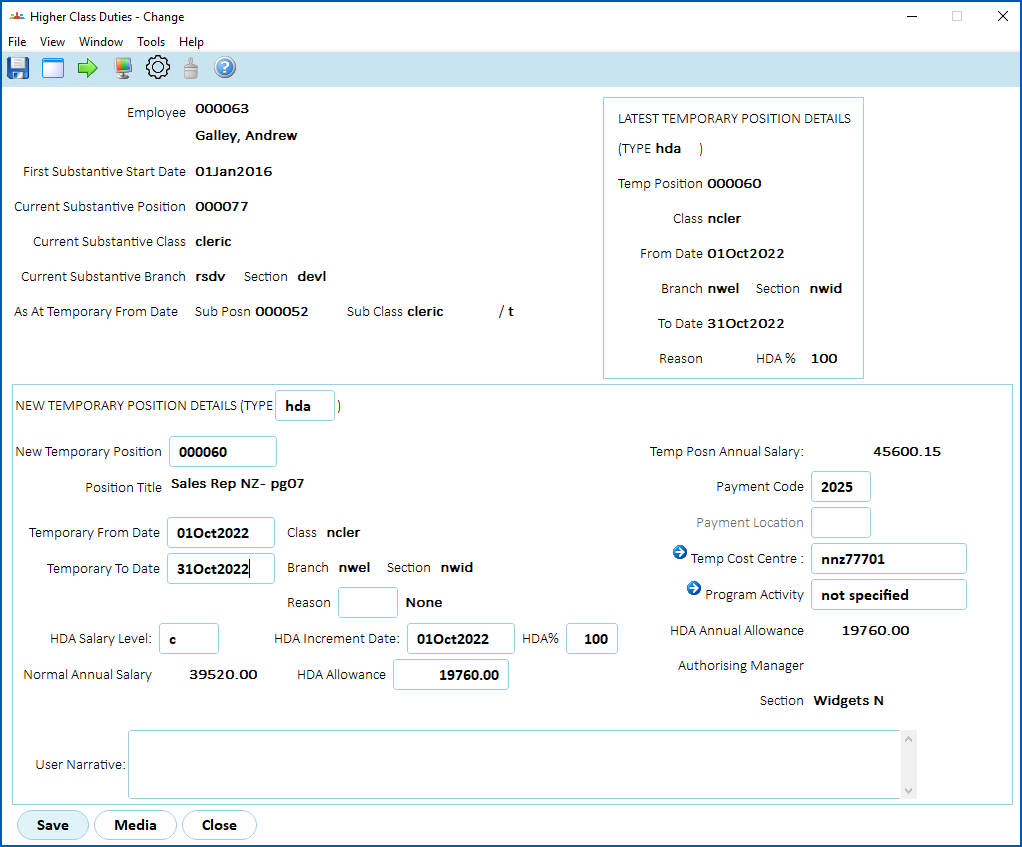
- Make your changes.
- Click Save.

|
Deleting an HDA movement If required, you can delete an employee HDA movement record (provided you have the right system security access). Simply select the record, and then click Delete. At the Higher Class Duties - Change screen, click Save. |
© 2023 Fusion5. All rights reserved.