This report provides a list of current employees with their work pattern details as at the Report Effective Date you enter as a report parameter.
To run the catholic educ work patterns report (xsch006k):
Go to Background Jobs > School > Schools Reporting > Catholic Educ Work Patterns.
- At the Catholic Educ Work Patterns screen, enter:
- the Report Effective Date
- an individual Work Pattern Code, or else enter % to report on all work pattern codes
- an individual Employee Code, or else enter % to report on all employees
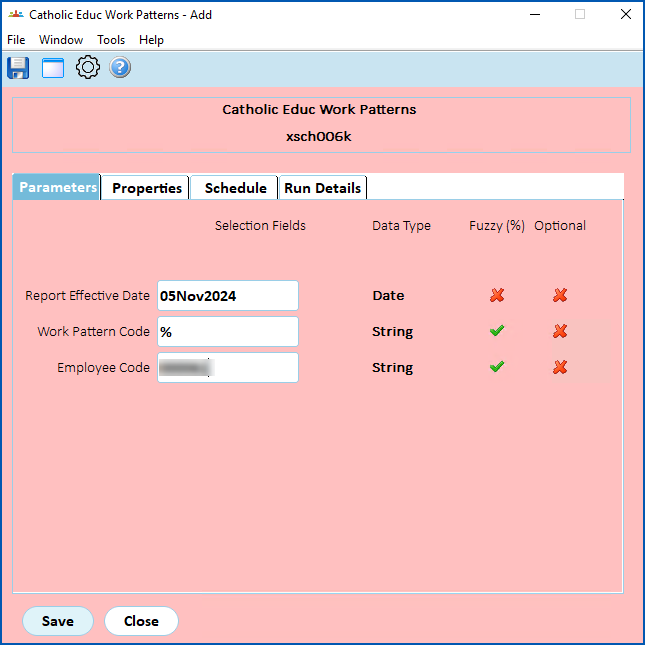
- Click Save. EmpowerHR runs the report.
- Go to Background Jobs > Requested Jobs > Requested Jobs to see the report.
© 2023 Fusion5. All rights reserved.