Create a budget centre code
To create a budget centre code:
- Go to Control Tables > Relief and Payments > Budget Centres.
- At the Budget Centres summary screen, click Find Now to list all existing budget centre codes.
- Click New.
- At the Budget Centres detail screen, in:
- Budget Centre Code, enter a code for the budget centre (4 characters)
- Budget Centre Name, enter a name for the budget centre (up to 30 characters)
- Budget Centre Abbreviation, enter an abbreviation for the budget centre name (up to 10 characters)
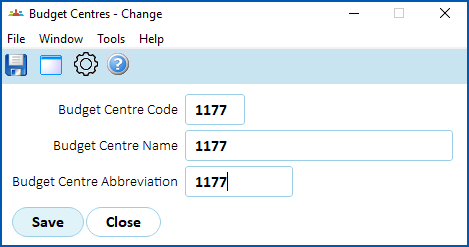
- Click Save. The Budget Centres summary screen displays.
- Select the code you just created, and then click Next Level.
- The Budget Centre Details screen displays.
- Click New.
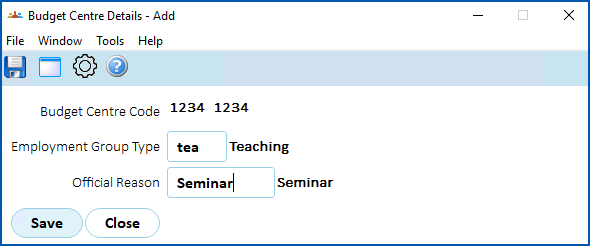
- At the Budget Centre Details - Add screen, in
- Employment Group Type, click Window, find and double-click the code to add it to the field.
- Official Reason, click Window, find and double-click the code to add it to the field.
© 2023 Fusion5. All rights reserved.