---
title: "Basic query manager"
id: "basic-query-manager"
project: "EHR User Guide"
url: "https://help.cloud5.com.au/articles/ehr-user-guide/basic-query-manager"
updated: 2026-10-19T00:54:10Z
---
# Basic query manager
To open Query Manager:
Go to **Enquiries** > **Query Manager**.
## Tabs
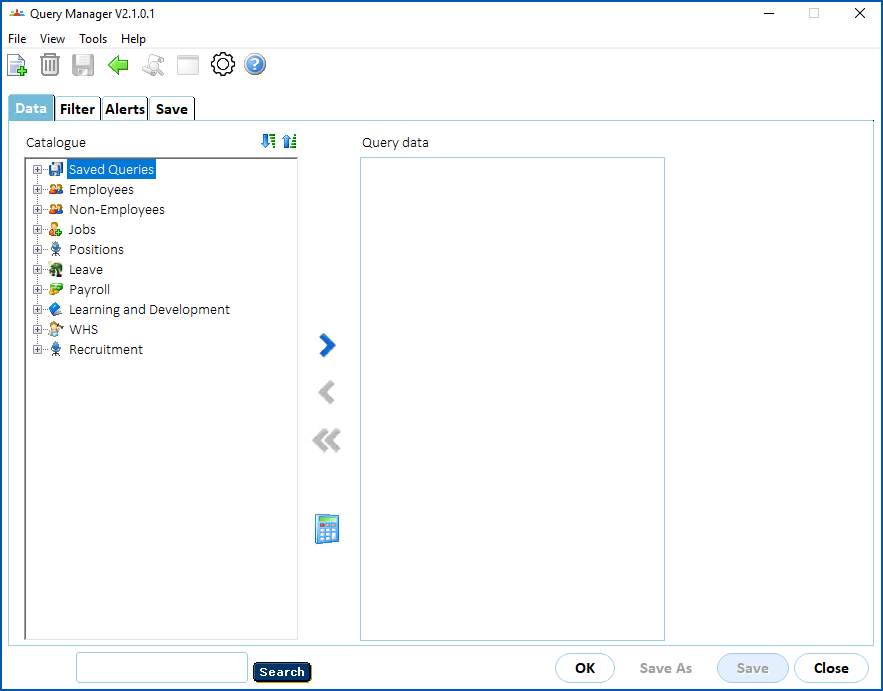
Query Manager has the following tabs:
| **Tab** | **Used for...** |
| --- | --- |
| Data | Saved queries and data elements (fields) you can use to define a query |
| Filters | Data filters you can apply to the selected data elements to restrict the records the query returns |
| Alerts | Data highlighting to apply to query results and drill down to sub-queries |
| Save | Details of where to save a query definition |
## Options
Query Manager options include the following:
| **Option** | **Description** |
| --- | --- |
| Calculated Field | Displays a tab where you define the formula for a calculated field. |
| Clear Table | Clears current field selections from the **Query Data** panel. **Clear Table** is only available when you select a field in the **Query Data** panel. |
| Close | Exits Query Manager. |
| Delete | Deletes an inactive query from your **Saved Queries** folder. You can only delete a query if you are the query owner. |
| Move Left
Move Right
Move All Left | Arrows are for selecting/deselecting queries and fields (moving them between panels, for example, the **Catalogue** and **Query Data** panels)..
**Move Left** and **Move Right** select/deselect individual fields/folders.
**Move All Left** deselects all fields. |
| Save | Saves changes to an existing query. |
| Save As | Saves a new query, or saves a copy of an existing query. **Save As** is available from the **Save** tab. |
| OK | Runs the query. |
| Print Screen | Prints a screen shot to your default printer. |
| Expand | Expands folders below the currently selected folder. |
| Collapse | Collapses folders below the currently selected folder. |
| Search | Searches the **Catalogue** for any field names containing the character string (search criteria) you enter. |
## Display properties
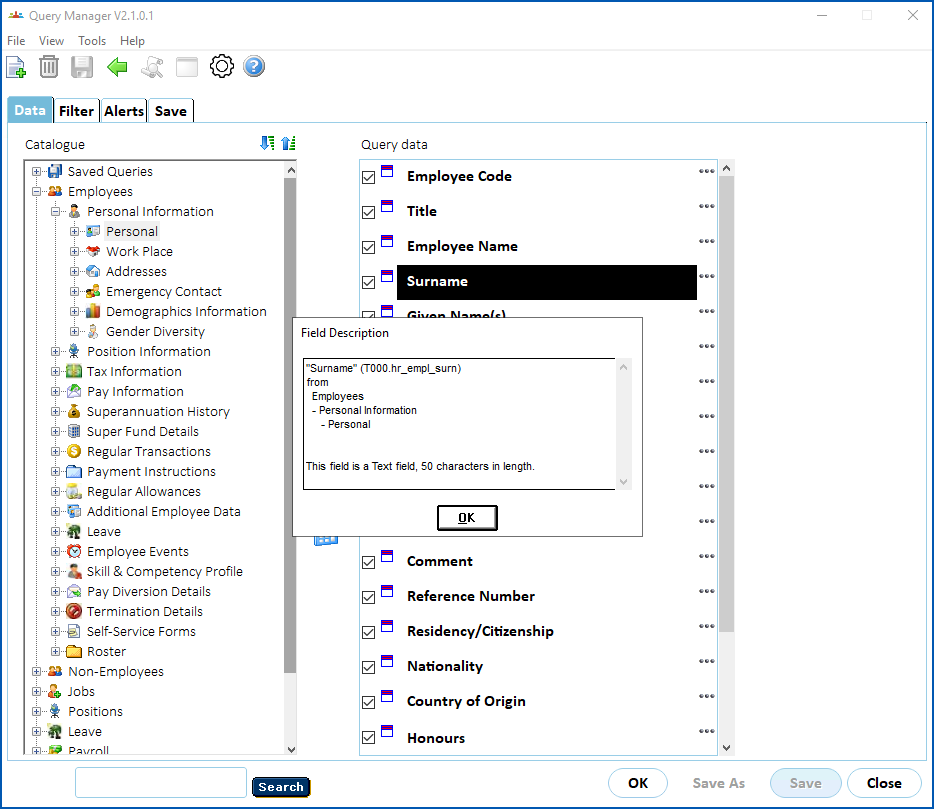
To display properties of a query, field, folder, or filter, right-click the object and the information displays in a pop-up window.
| Next topic
[Create a query](/articles/ehr-user-guide/create-a-query) |
| --- |
© 2023 Fusion5. All rights reserved.