---
title: "Audit reports"
id: "audit-reports"
project: "EHR User Guide"
url: "https://help.cloud5.com.au/articles/ehr-user-guide/audit-reports"
updated: 2026-10-19T00:54:26Z
---
# Audit reports
If you are responsible for monitoring system activities, EmpowerHR provides a range of audit reports to make the task easy. Here's how to run the reports (with report samples) to get you started.
## Consolidated audit report
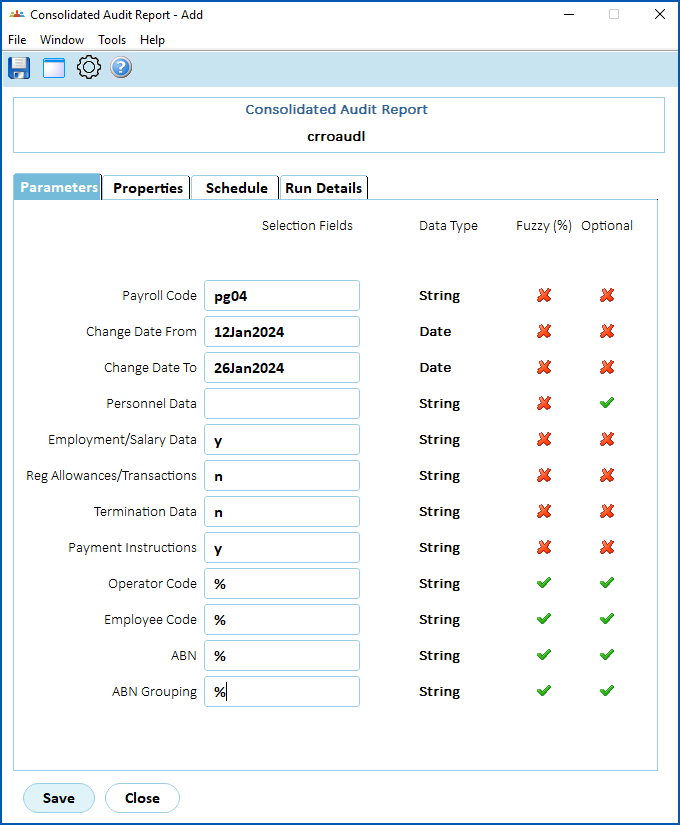
To run the consolidated audit report (**crroaudl**):
1. Go to **Background** **Jobs**>**Audit > Consolidated Audit Report**.
2. At the **Consolidated Audit Report******screen, make your entries in the [consolidated audit parameter](/articles/ehr-user-guide/consolidated-audit-parameters) fields.
1. Click **Save**. EmpowerHR runs the report.
2. Go to **Background Jobs**>**Requested Jobs**> **Requested Jobs**to see the report.
| Sample report | If you'd like to view or download a sample report, click the link:
[Sample consolidated audit report](/resources/Storage/ehr-user-guide/pdfs/crroaudl_79223.pdf) |
| --- | --- |
## Audit files report
This report is designed to help with monitoring masterfile changes.
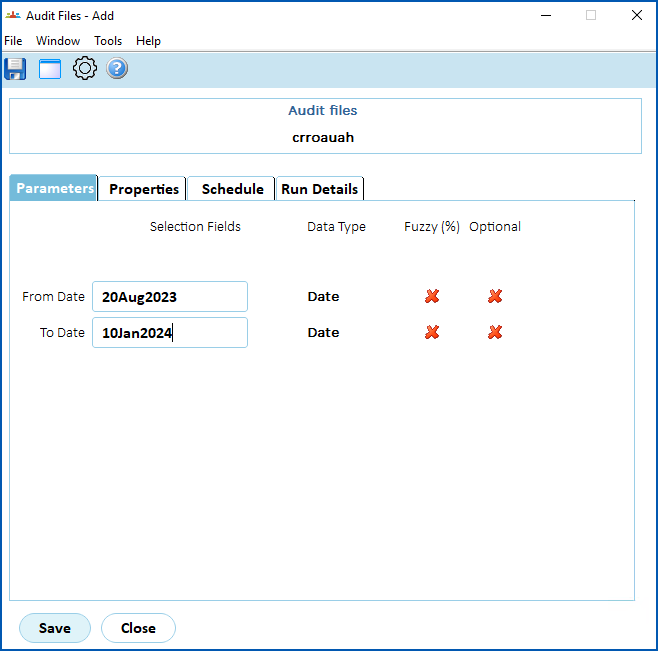
To run the audit files report (**crroauah**):
1. Go to **Background** **Jobs**>**Audit > Audit Files**.
2. At the **Audit Files**screen, make your entries in the parameter fields:
1. **From Date**
2. **To Date**
1. Click **Save**. EmpowerHR runs the report.
2. Go to **Background Jobs**>**Requested Jobs**> **Requested Jobs**to see the report.
|  | The report generates two csv files :
csv file = a text file format that uses commas to separate values (csv). A common data exchange format used by spreadsheet programs, makes it easy to use the data in Excel.- New starters/recommencements - containing a record for each new starter or recommenced employee in the date range you selected
- Salary changes - containing a record for each salary change (hourly paid and salaried employees) in the date range you selected
|
| --- | --- |
| Sample reports | If you'd like to view or download samples of the report, click the link:
|
| --- | --- |
## Operator security report
This report shows changes made to operator codes, account templates, and menu access.
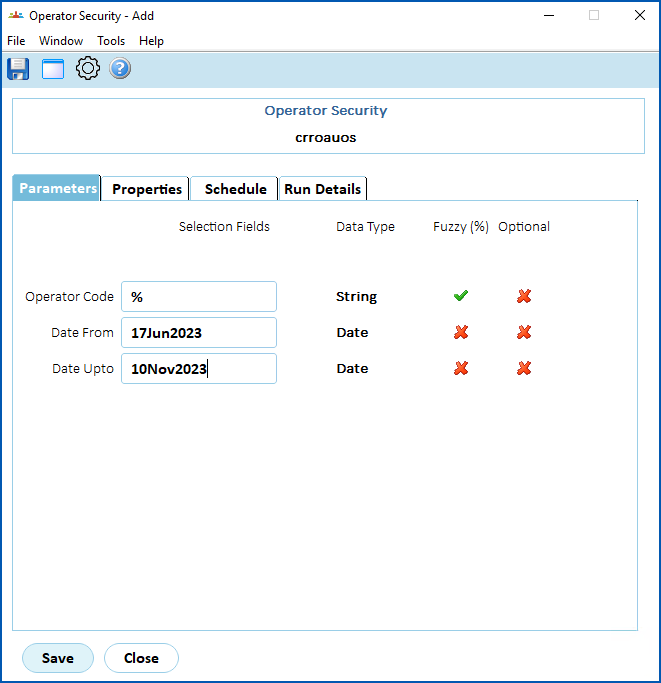
To run the operator security report (**crroauos**):
1. Go to **Background** **Jobs**>**Audit > Operator Security**.
2. At the **Operator Security** ****screen, make your entries in the parameter fields:
1. **Operator Code** (enter an individual operator code, *or* enter **%** to report on all operator codes)
2. **Date From**
3. **Date To**
1. Click **Save**. EmpowerHR runs the report.
2. Go to **Background Jobs**>**Requested Jobs**> **Requested Jobs**to see the report.
|  | The report generates several csv files, where...
Changes to operator codes include:
- privacy level
- employee code
- template code and template fixed flag
- password (last change)
- suspended flag - whether or not a user's system access has been revoked (Suspended = y)
- who made the addition or change, and when (their operator code, plus the date and time)
- where relevant, changed before and changed after dates and times are provided
Changes to template and access include:
- template/operator code
- who made the addition or change, and when (their operator code, plus the date and time)
|
| --- | --- |
| Sample reports | If you'd like to view or download samples of the report, click the link:
|
| --- | --- |
##
| Next topic
[Consolidated audit parameters](/articles/ehr-user-guide/consolidated-audit-parameters) |
| --- |
© 2023 Fusion5. All rights reserved.